This thread was archived.
Please ask a new question if you need help.

Archived
Customize Thunderbird UI

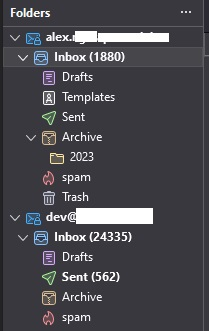
Hi, Is it possible to change the Thunderbird folder pane (folderTree) appearance to look like the Thunderbird 102 style shown in your screenshot (smaller, more compact, and using simpler icons). Like imge below this
I using thunderbird version 115.10.1 and i try use CustomCSSforTb
but it only change icon and colors. I cant change the tree folder style.
Hi,
Is it possible to change the Thunderbird folder pane (folderTree) appearance to look like the Thunderbird '''102''' style shown in your screenshot (smaller, more compact, and using simpler icons). Like imge below this
I using thunderbird version '''115.10.1''' and i try use [http://example.com CustomCSSforTb]
but it only change icon and colors. I cant change the tree folder style.
All Replies (2)
PS: Edit link CustomCSSforTb
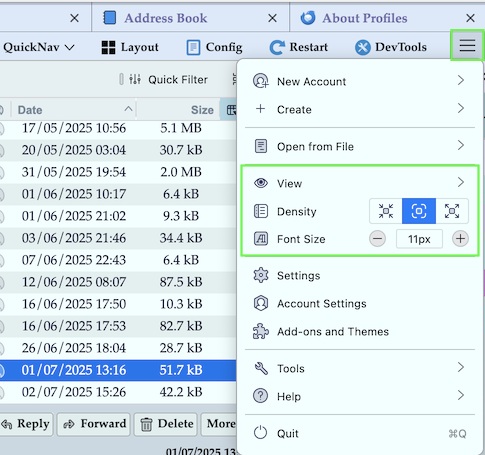
You can customise View, Density and Font size in the Thunderbird main window by clicking on the "App Menu Button" ≡ in the upper right corner and using the items in the drop down menu (image)