


Font color problem in dark mode since update 140.0

Hello,
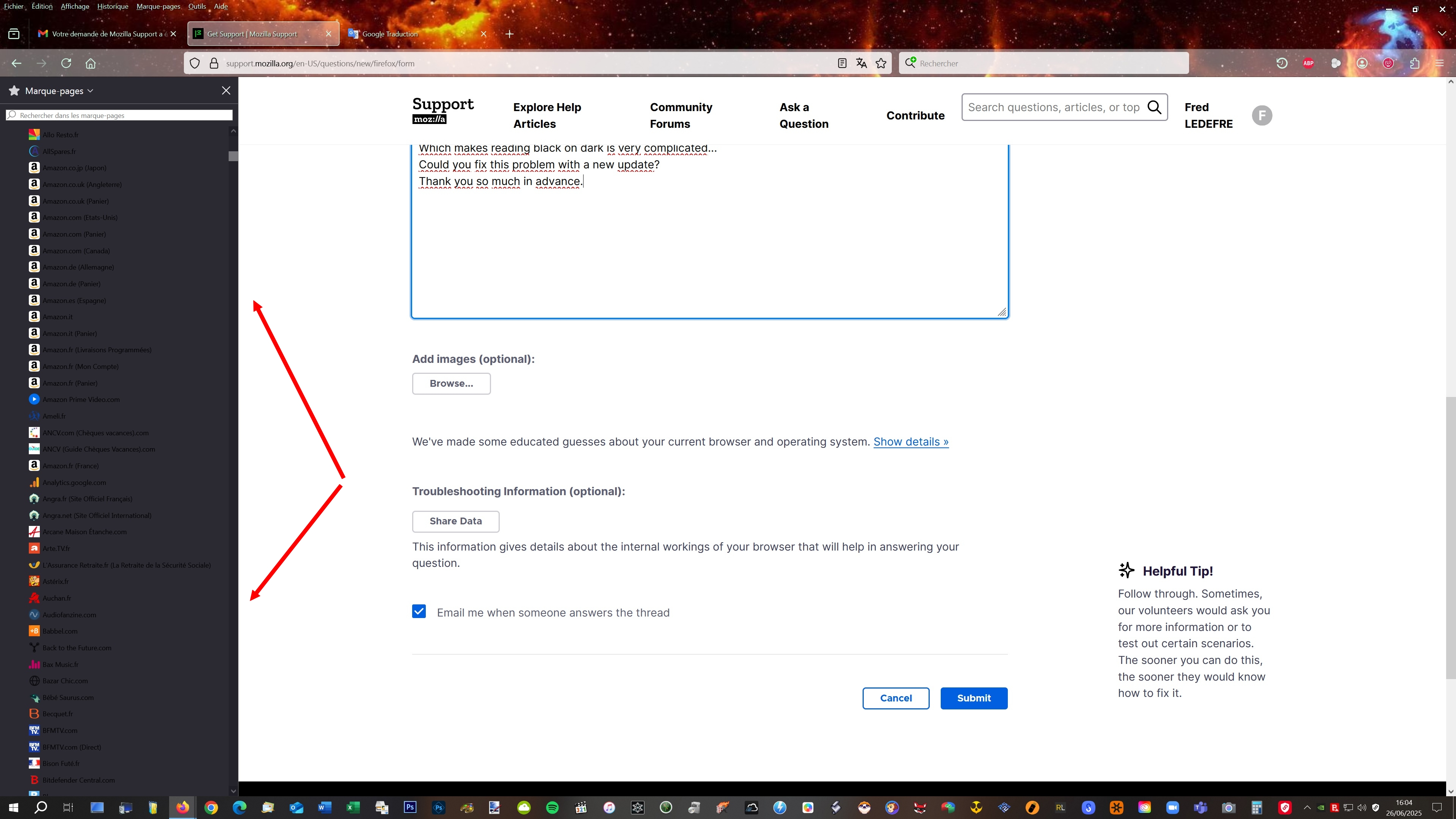
Since update 140.0, the side panel is dark (no problem), but the text is black instead of white!!! Which makes reading black on dark is very complicated... Could you fix this problem with a new update? Thank you so much in advance.
Chosen solution
Hello,
This is a known issue which should be fixed with the 140.0.1 release. Please update your Firefox and let us know how it goes!
Read this answer in context 👍 1All Replies (6)
Hello,
Since update 140.0, the side panel is dark (no problem), but the text is black instead of white!!! Which makes reading black on dark is very complicated... Could you fix this problem with a new update? Thank you so much in advance.
Chosen Solution
Hello,
This is a known issue which should be fixed with the 140.0.1 release. Please update your Firefox and let us know how it goes!
Good evening,
A huge thank you! I just installed the update and the problem is gone...everything is back to normal, it's great! Thanks again ;-)
Hello,
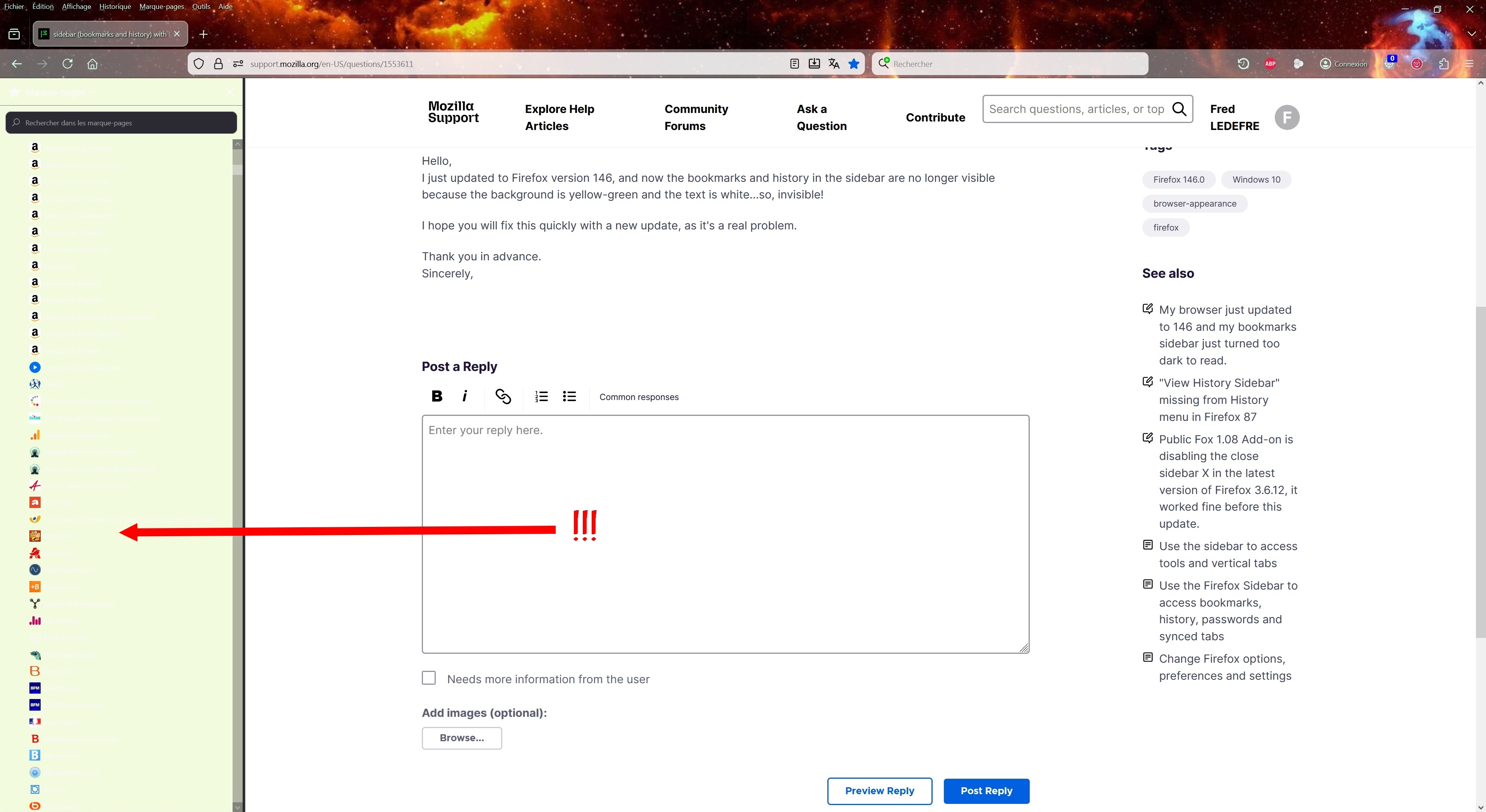
With the new version 146.0, there's a new problem with the sidebar (history and bookmarks). The text is white and the background is a very light yellow-green, making it impossible to see anything! (See attached image.) When will a fix be released? This is a real problem... Thank you for your prompt response.
Bonjour,
Avec la nouvelle version 146.0, il y a un nouveau problème avec la barre latérale (historique et marque-pages), car les écritures sont blanches et le fond est jaune-vert très clair, ce qui fait que l'on y voit rien !!! (voir image jointe) À quand une mise à jour corrective ? C'est un vrai problème... Merci pour votre réactivité
Modified by Fred LEDEFRE

146.0 has broken the PDF editor :-( When will it be fixed please?
Hey everyone,
Please keep the discussions of the new issues in separate questions. As a moderator, I'll go ahead and lock this thread.
To ask a new question, you can use this link.
Modified by Denys