


Avoid support scams. We will never ask you to call or text a phone number or share personal information. Please report suspicious activity using the “Report Abuse” option.

Learn More
Archived

Outgoing server error after upgrade to Thunderbird 115.3.1

andrearae06

My Thunderbird email software was automatically upgraded to version 115.3.1 yesterday and since then I am not able to send email. I am receiving emails without any problem and all other aspects of the software seem to be working okay. I use Windows 11 on a Dell XPS 15 9500 laptop. My email is with Yahoo Mail. My antivirus software is Norton and Thunderbird seems to be set up with the correct version and supported within Norton.

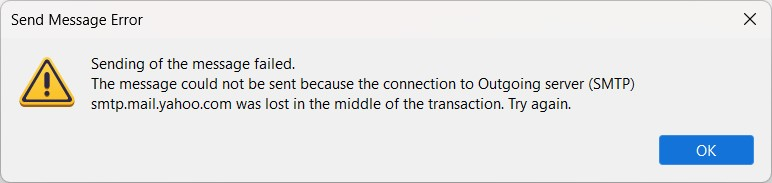
When I try to send emails I get the error message: Sending of the message failed. The message could not be sent because the connection to the Outbound server (SMTP) smtp.mail.yahoo.com was lost in the middle of the transaction. Try again.

I have attached an image of the error message.

I have checked the Outbound SMTP settings and they all look correct and haven't changed since before the upgrade.

Many thanks for your support, Andrea
My Thunderbird email software was automatically upgraded to version 115.3.1 yesterday and since then I am not able to send email. I am receiving emails without any problem and all other aspects of the software seem to be working okay. I use Windows 11 on a Dell XPS 15 9500 laptop. My email is with Yahoo Mail. My antivirus software is Norton and Thunderbird seems to be set up with the correct version and supported within Norton. When I try to send emails I get the error message: Sending of the message failed. The message could not be sent because the connection to the Outbound server (SMTP) smtp.mail.yahoo.com was lost in the middle of the transaction. Try again. I have attached an image of the error message. I have checked the Outbound SMTP settings and they all look correct and haven't changed since before the upgrade. Many thanks for your support, Andrea
Attached screenshots