


Restoring session from backup

Hi!
Restoring a session from backup should not be so difficult, and information on how to do so should be updated with every release, as the method seems to change with almost every release.
My specific problem is this:
I had a configuration with 3 windows and multiple tabs spread across them. I inadvertently closed one of the windows (Firefox did not ask the usual question about whether I really meant to close 37 [or whatever the number was] tabs).
Naturally, I want to recover the window.
How can I accomplish this? Is it even possible?
All Replies (2)
Either during your live session, or after restoring a previous session, try one of these:
- Ctrl+Shift+N (Undo Close Window)
- (menu bar) History > Recently Closed Windows
- "3-bar" menu button > History > Recently Closed Windows
- "Library" toolbar button > History > Recently Closed Windows
(Each window also has its own individual Recently Closed Tabs list.)
Any luck? Firefox only remember the last 3 closed windows by default.
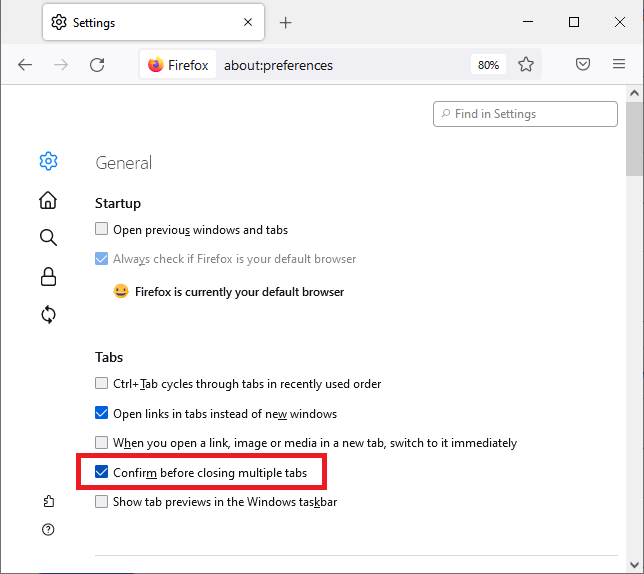
Also, turn on the new "Confirm closing multiple tabs" preference on the Preferences page:

This question has been locked because the original author has deleted their account. While you can no longer post new replies, the existing content remains available for reference.