This thread was archived.
Please ask a new question if you need help.

Archived
How do I disabled pop up blocker

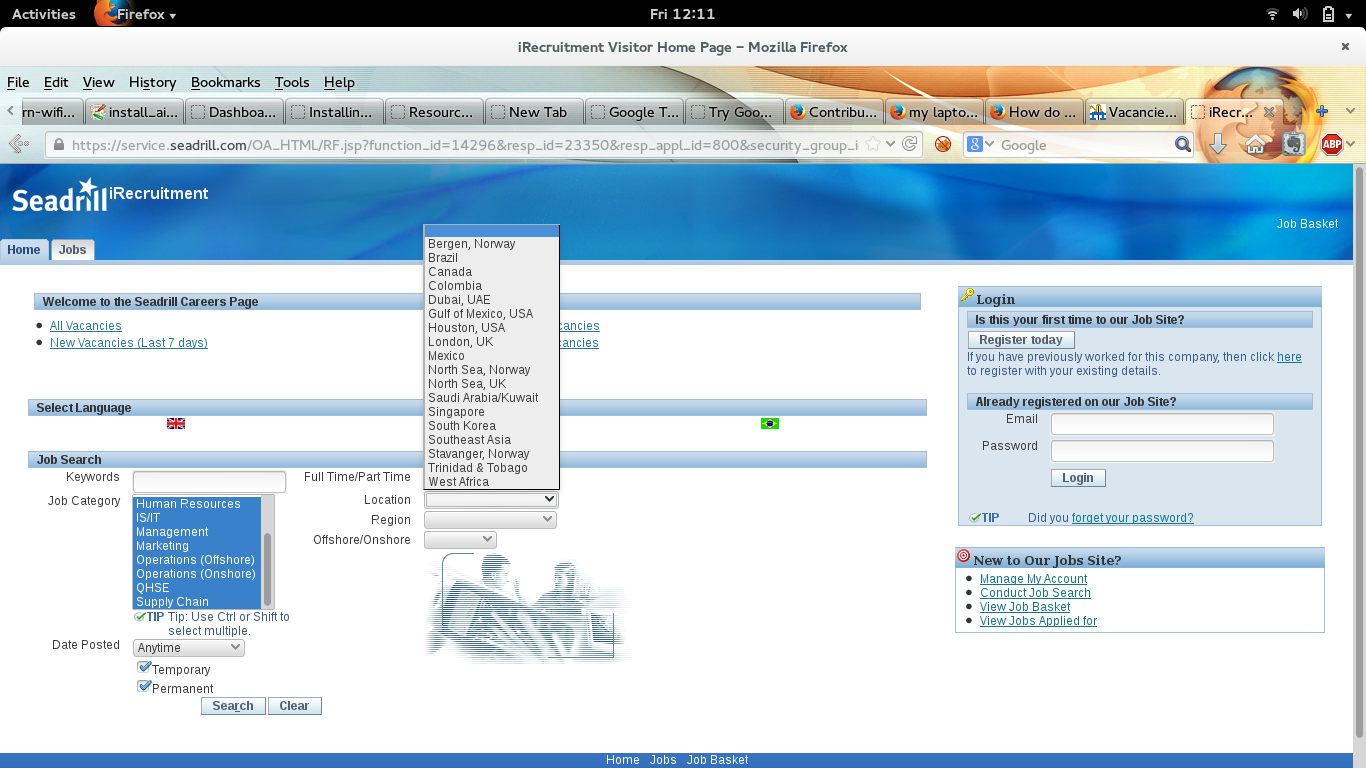
I'm trying to submit a application on www.seadrill.com and I can't put in the country I live in. It is a drop bar.
I'm trying to submit a application on www.seadrill.com and I can't put in the country I live in. It is a drop bar.
All Replies (1)
I think, It's working to my system even in mozilla firefox. If you have not updated your firefox version please update it as soon as possible. Than I hope you must able to use to select the region in which currently you live. . If you want to disable the pop up blocker you may use through as like : .
- Go to Tools > Firefox preference > content > and check out the "block up window".
>>>>>>>>>>>>>>>> If you have still problem;s please come back with screen shots of your system. I'll surely help you out. :) Here, I am dispatching my system's sceen shot that proves that it works simply on my system.