


reorder toolbars and tab strip

with a reset to 25 I find that the tab strip has been moved to the top of the window. I HATE it; having to move across tool bars to select tabs makes no sense, &tc &tc. How can I restore preferred view of toolbars above tabs. *please*
Chosen solution
Please see this support article: How to make the new Firefox look like the old Firefox
Read this answer in context 👍 5All Replies (6)
Hello, From your Query it seems your Menu Toolbar and other Toolbar appears below tabs. Can you please attach a Screenshot of your Firefox.
Refer to:
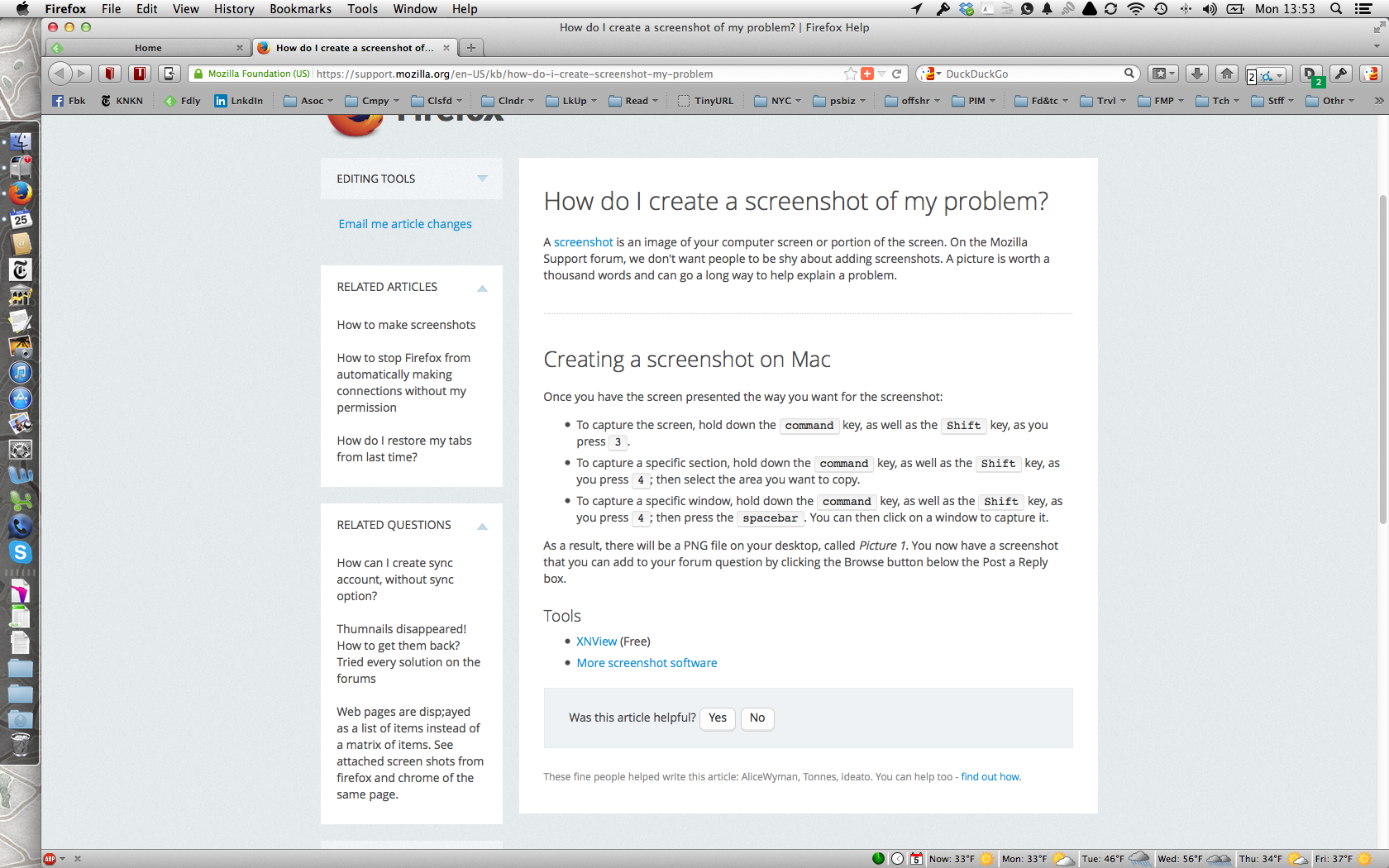
Yep. I want to return to previous arrangement:
Navigation Bar
Bookmarks Bar
Tap Strip
It makes no sense to me to have to traverse the toolbars to get to tabs.
Chosen Solution
Please see this support article: How to make the new Firefox look like the old Firefox
thanks, That's it! I should have known of course there is an easy fix in the config file. Promise, I did search the KB. I don't know why that didn't show up in my searches or ffx suggestions.
5-10-14 yesterday foxfire updated and my tab strip disappeared. I used to be able to click on a previous tab to return to that website. Now I can't! How do I restore the stacked tab strip that shows each tab I've opened???
Hi pitbull2038, you asked:
5-10-14 yesterday foxfire updated and my tab strip disappeared. I used to be able to click on a previous tab to return to that website. Now I can't! How do I restore the stacked tab strip that shows each tab I've opened???
Sorry for the delay, but you posted in a thread that has been marked "Solved". If you still have this problem, please start a new question:
https://support.mozilla.org/questions/new/desktop
To continue submitting your question, scroll down past suggested solutions that do not look relevant.
Also, check for updates to any tab-related extensions you use, since normally Firefox uses one row for tabs with arrows at the ends to scroll horizontally, and does not stack them.