


Open .pdf (interactive) files and play videos (integrated in pdf)

Hi to everybody! My question is: I need to open an interactive pdf that contain videos with the browser and when i try to play the videos they doesn't start, they doesn't do anything...
As anybody know why and how i can fix the bug or solve the problem and play the videos? Could be a problem with .mp4, .ogv,...ecc...?
Please help me, thanks!
All Replies (6)
This could be a limitation of Firefox's built-in PDF Viewer. Could you try and see whether Adobe's PDF plugin can play the media? This article describes how to switch: View and edit PDF files using Firefox’s built-in viewer.
Hi jscher2000!! thanks for reply me but i can't find the adobe reader plug-in for firefox, as you can help me?
Hi marcovivirito, can you get Adobe Reader (which includes the plugin) from here: http://get.adobe.com/reader/
If you already have Adobe Reader installed, could you check the Add-ons page to see the status of the Adobe Acrobat plugin. Either:
- Ctrl+Shift+a (MAC: Command+Shift+a)
- orange Firefox button (or Tools menu) > Add-ons
In the left column, click Plugins. Note that if the plugin is disabled, it will appear on a gray background toward the bottom of the list.
Can you find it?
i already have adobe reader installed but in the plugins view i can't find it...
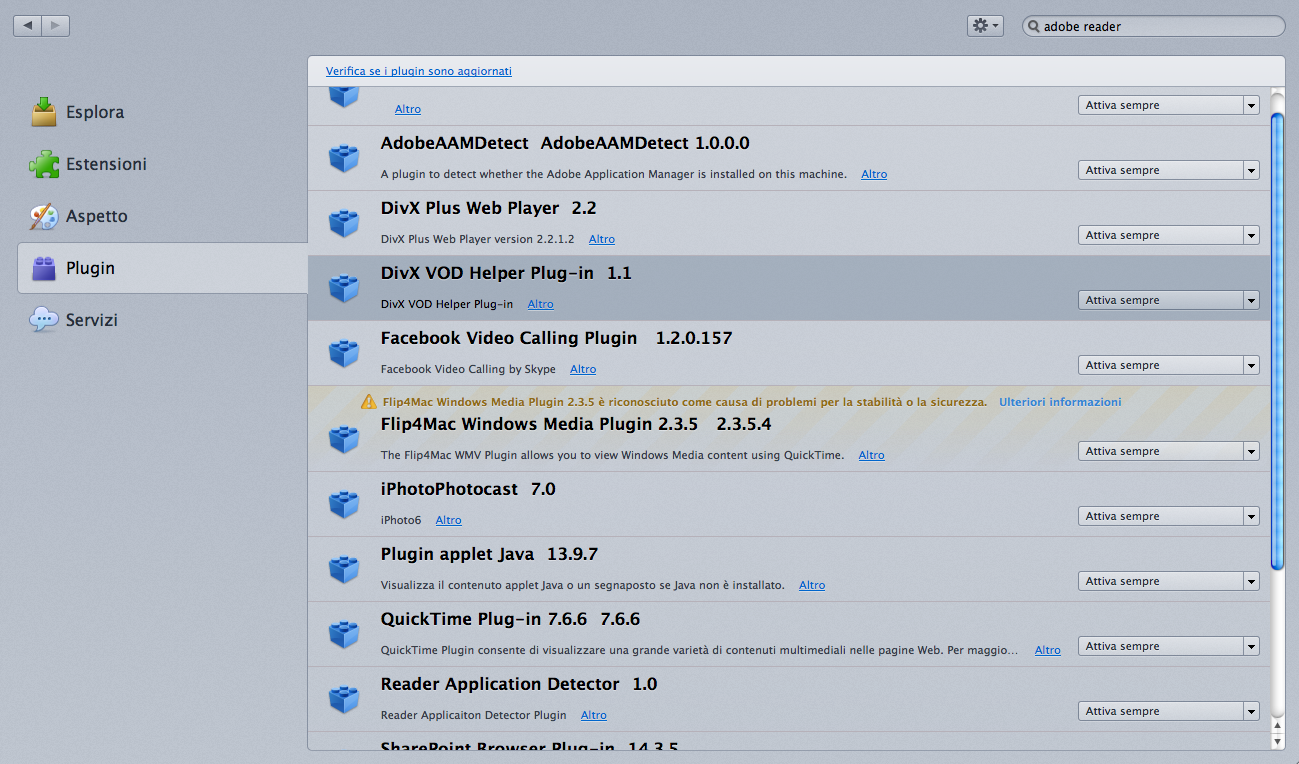
Is it Windows?
If Firefox didn't find the plugin, the setting to scan the registry for new plugins might have been disabled. You could check here:
(1) In a new tab, type or paste about:config in the address bar and press Enter. Click the button promising to be careful.
(2) In the filter box, type or paste scan and pause while the list is filtered
(3) If plugin.scan.plid.all is not set to its default value of true, double-click it to toggle it back to the default. You might need to exit and restart Firefox to trigger another scan.
Did it find the "Adobe Acrobat" plugin?
Note: If this change doesn't stick, check for a user.js file as described in this article: How to fix preferences that won't save.
If that doesn't help, the data file which stores the plugin details could be corrupted. You can force Firefox to rebuild its plugins database by deleting or renaming that file. Here's how:
Open your current Firefox settings (AKA Firefox profile) folder using
Help > Troubleshooting Information > "Show Folder" button
Switch back to Firefox and Exit
Pause while Firefox finishes its cleanup, then rename pluginreg.dat to something like pluginreg.old
Restart Firefox. Did it find the "Adobe Acrobat" plugin?
sorry not... i'm running on mac osx