


How can I make classic reader my default for reading emaials?

I cannot deal with the current cluttered email viewer, so with EACH EMAIL I have to go to the 3-dot menu and select" View in classic reader." This is time consuming and irritating. I want the classic reader to be my permanent reader. I searched settings and didn't find any way to make it my default. Also checked shortcuts and found nothing there.
All Replies (7)

Can you point out to me where this "View in classic reader" setting is? I've been using Thunderbird for desktop operating systems for many years an I've never seen it. I find no mention of it on Google.
Are you using an add-on that gives you some added functionality?
There are several layout options in the View menu (if the menu is hidden, press <Alt> or <F10> to reveal it.
When an email is opened, the 3-dots are on the far right side of the page, opposite the sender's name. The drop-down menu lists 7 options. The 6th is "view using the classic reader." (I also had searched Google for it, and got no hits.)
As far as I know, I dont have any add-ons that would affect Thunderbird. I've been using it for about 11 years and loving it - until they changed email's appearance and functionality. It was perfect IMO before. I have every new version. I have Windows 11, but I didn't have this problem before Thunderbird's revisions, so that can't be it.
I don't see a view menu. Where is it? General Settings has "Reading and Viewing" but doesn't mention an alternate viewer. Alt-F10 doesn't do anything - where should I be when trying that?
- What version of Thunderbird?
- What is your operating system?
- The use of <Alt> or <F10> (either one, not both together) to reveal the Menu Bar applies to the main Thunderbird window, the message reader window (unless you open a message in a tab, which is the default), and the Reply/Write window.
If you're mean the 3-dot "More" menu in the attached image, I don't have any "View in classic reader" option, and I'm fairly certain I never have. This is Thunderbird 153.7.0esr on both Windows 10 and 11. Can you post a screen shot showing what you're referring to?
I have a feeling you're using an add-on. Please check. They can be seen by by going to to menu item <Tools | Extensions and Themes> or from the ☰ "hamburger" menu to the right of the Search Bar.
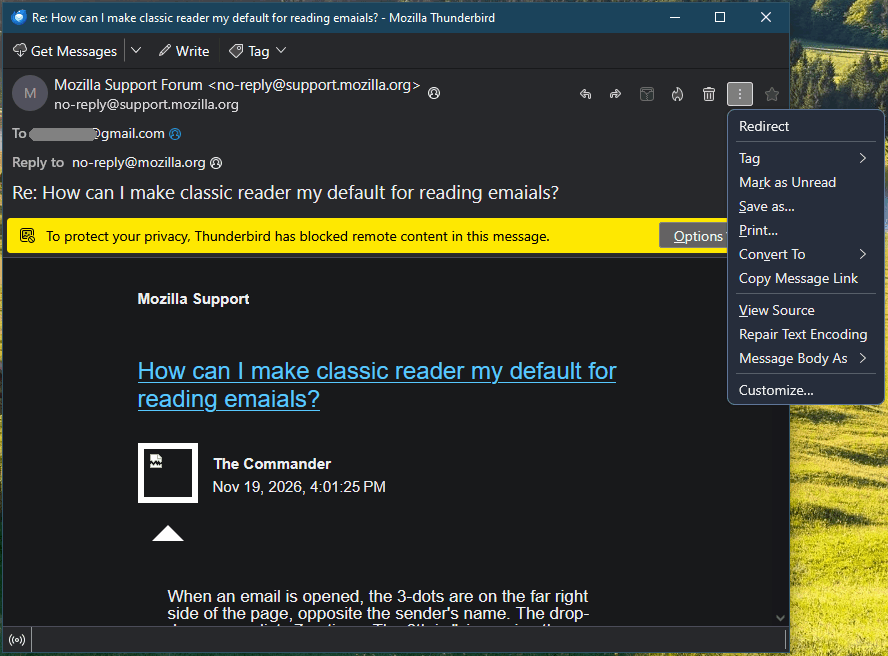
Commander seems to use the add-on "Thunderbird Conversations". If I click on this option the message opens in a new tab. So I don't know why he has installed the add-on
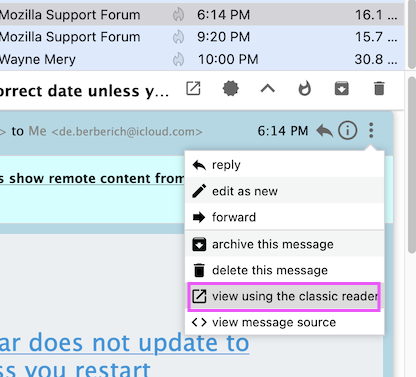
Lin, checked today::
    Thunderbird Desktop Version 160.0 64-bit, Released in October. Latest update November 10, 2026 (this was a bi-weekly update).
    My Operating System is Microsoft Windows Version 26H2 (OS Build 26300.9974.
Sorry, I didn't catch the "or" in Alt or F10. Yes, I am using the default when a message opens, but I tested opening in a new window and neither Alt nor F10 responded.
Attached are my screen shots. They are the same as your image and that of Mapenzi, except I am not using colors. Mapenzi also gets the "View in classic reader " option. I see that you are using an earlier version of Thunderbird, so maybe this option was added sometime between our versions. Maybe mine being a desktop version is a factor too. I have not installed any of the Add-ons Thunderbird lists, or any others.
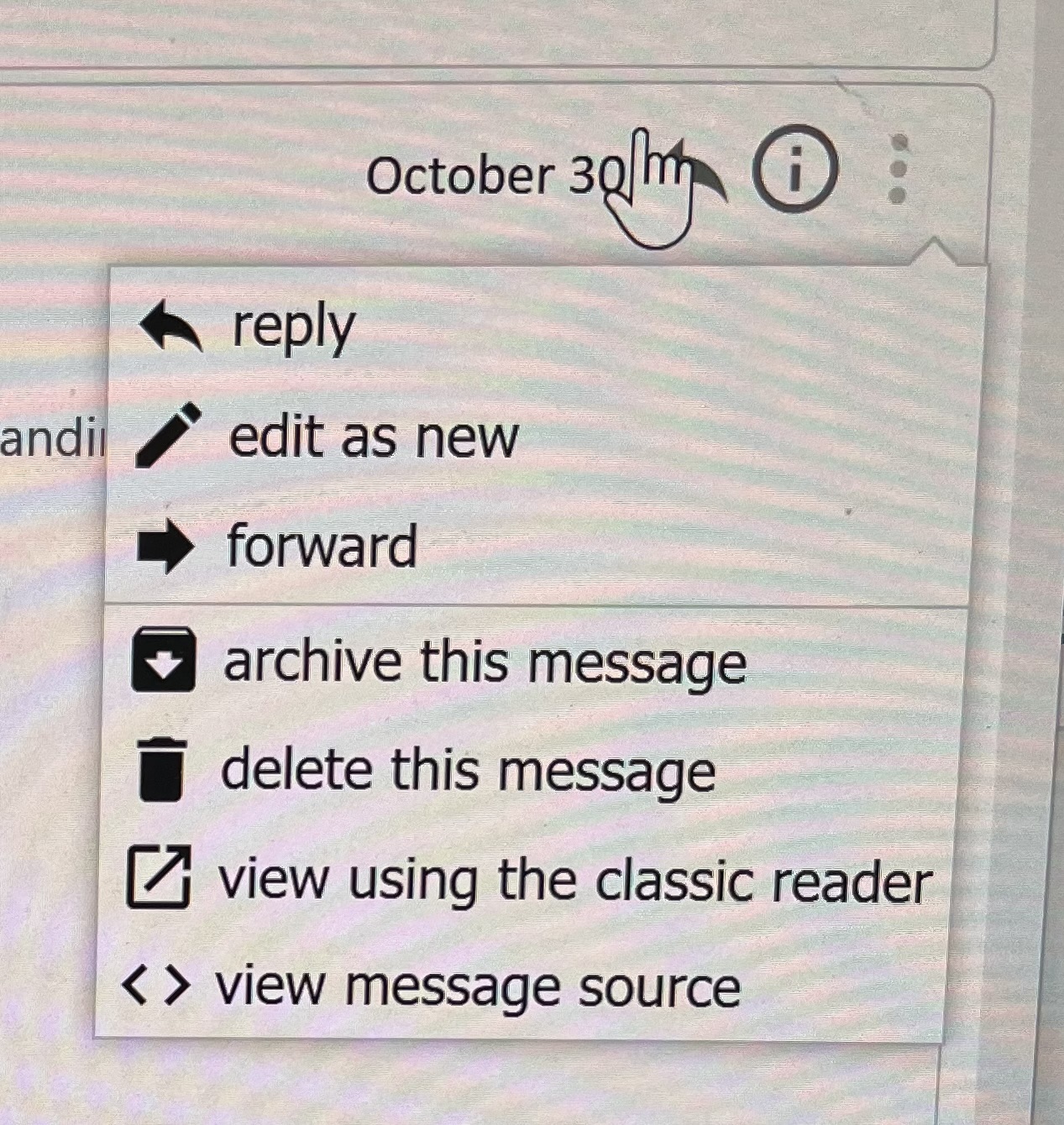
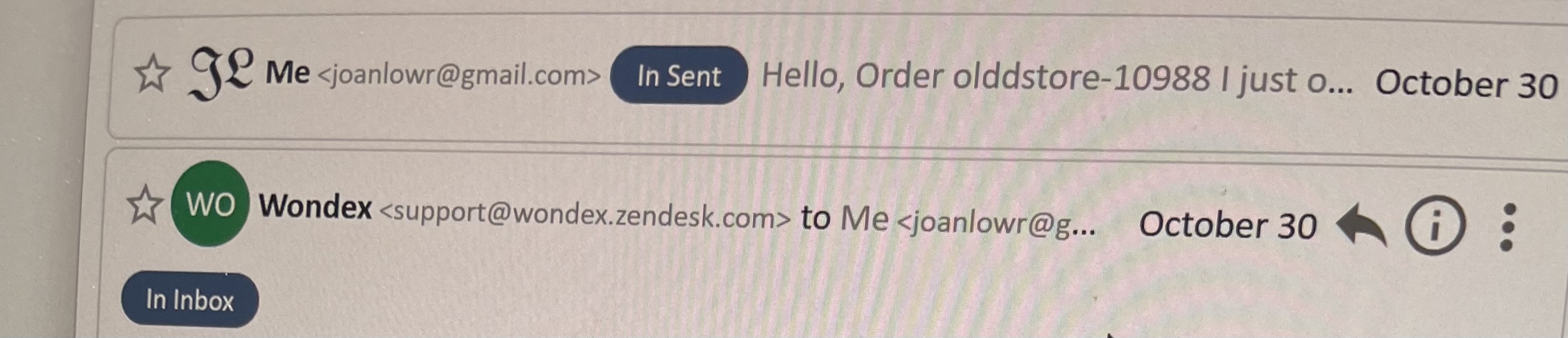
Again I ask, please check and tell us what add-ons you are using. What you show is NOT and has never been a built-in feature of Thunderbird.
Mapenzi is using the add-on "Thunderbird Conversations", and I bet you are too, or something similar. If it's not working properly, you should approach its developer for support.
Modified by Lin
The Commander said
Attached are my screen shots. They are the same as your image and that of Mapenzi, except I am not using colors. Mapenzi also gets the "View in classic reader " option.
Your screen shot with the drop-down menu is very similar to mine! Since you seem unsettled by my colored background in the thread pane I did a new screen shot without the background color. My Thunderbird might still be slightly different from yours but I am using the same Thunderbird version 160, however on a Mac. I know the add-on "Thunderbird Conversations" but I don't use it. I installed it in a test profile to prove with my pictures that have installed this add-on and you ARE using it. The three-dot drop-down menu shown in your and my screen shots does not exist natively in Thunderbird., and it did not exist in earlier versions. And it is NOT the same as the one shown in Lin's picture. Can't you see the big difference?
The Commander said
I see that you are using an earlier version of Thunderbird, so maybe this option was added sometime between our versions. Maybe mine being a desktop version is a factor too. I have not installed any of the Add-ons Thunderbird lists, or any others.
Once more: I am not using an earlier version of Thunderbird. Mine is the 160 desktop version for macOS. Go to the app button ≡ in the upper right corner and select "Add-ons and Themes". In the "Add-ons Manager" tab select "Extensions" in the left panel and tell us which extensions are activated.
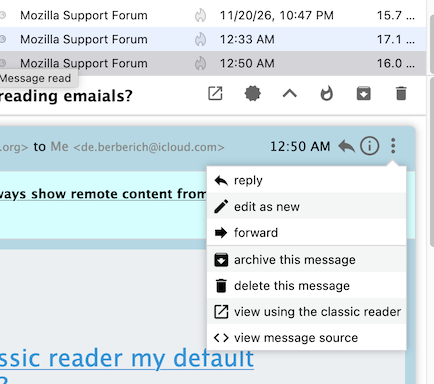
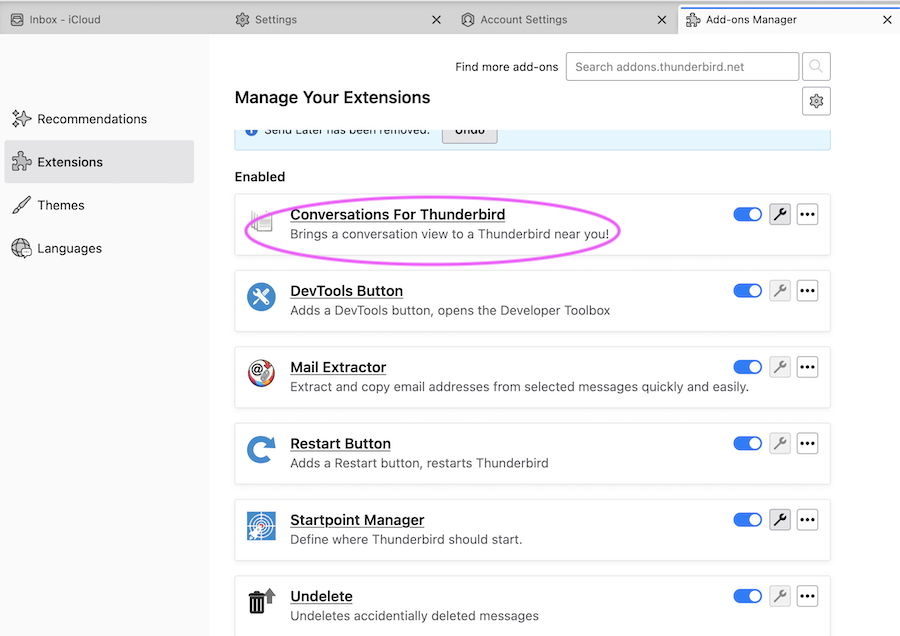
Modified by Mapenzi