


Open
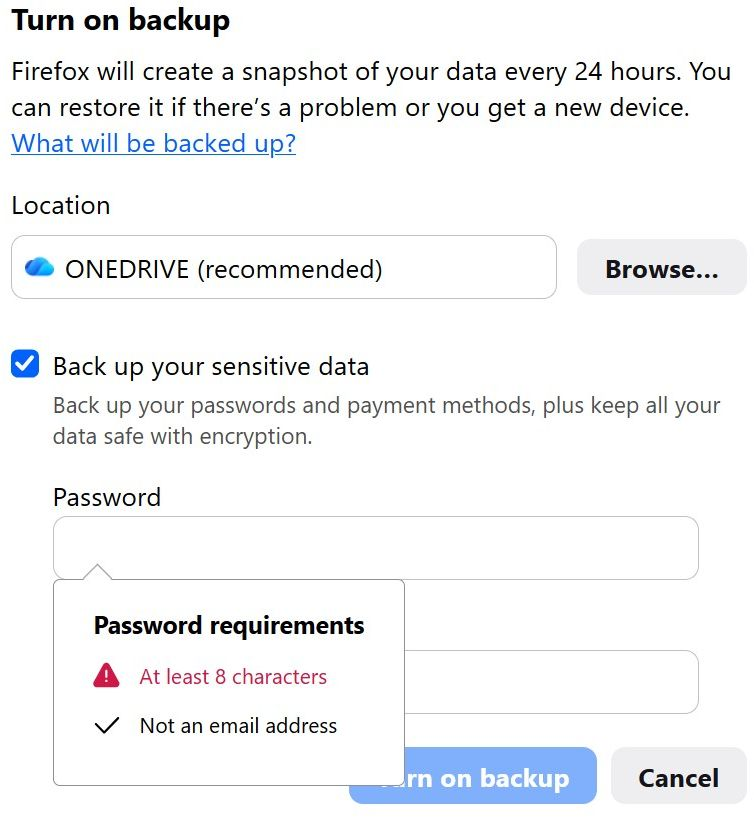
Turn on backup

I just saw this for the first time. I have limited storage space. My current profile is 3.05g in size. The instructions say Sync automatically updates Firefox profile data such as bookmarks, history, passwords and settings whenever you sign in with your Mozilla account
- If you use the cloud, is that Onedrive, or something else. Do you get to chose what is backed up, i.e., only bookmarks, history, passwords and settings? Or sessions, extensions as well? Or the entire profile?
- I had a problem with a corrupted sessionstore.jsonlz4 file that caused major behavior issues. Even after repair, all favicons were gone
- Do backup options include sessions and extensions?
- What if a backup was created with a corrupted sessionstore.jsonlz4, or corruption for any other source? Would that be reintroduced?
- If done locally, are the items compressed? My concern is does that mean Onedrive must be launched on startup. If you try to add any item to Onedrive local storage without Onedrive running, it will not sync
- Is it possible to have more than on backup at a time in cloud storage?
I just saw this for the first time. I have limited storage space. My current profile is 3.05g in size. The instructions say '''Sync automatically updates Firefox profile data such as bookmarks, history, passwords and settings whenever you sign in with your Mozilla account'''
* If you use the cloud, is that Onedrive, or something else. Do you get to chose what is backed up, i.e., only bookmarks, history, passwords and settings? Or sessions, extensions as well? Or the entire profile?
* I had a problem with a corrupted sessionstore.jsonlz4 file that caused major behavior issues. Even after repair, all favicons were gone
* Do backup options include sessions and extensions?
* What if a backup was created with a corrupted sessionstore.jsonlz4, or corruption for any other source? Would that be reintroduced?
* If done locally, are the items compressed? My concern is does that mean Onedrive must be launched on startup. If you try to add any item to Onedrive local storage without Onedrive running, it will not sync
* Is it possible to have more than on backup at a time in cloud storage?
All Replies (1)
Hi!
- For Firefox Backup, you can't choose which data is backed up; the feature backs up your entire profile.
- The data is compressed: e.g., for my 2,23 GB profile folder, the backup is only 467 MB.
- You are not supposed to have more than one backup at a time, so every new backup replaces the old one (unless you change the location).
- One important caveat about OneDrive: when the old backup is deleted, it goes to the recycle bin, which also uses your shared storage limit. Firefox is unable to remove files from the recycle bin, so the limit may be exhausted pretty quickly. (However, files are deleted automatically from the recycle bin every 30 days, and a new backup will be created once there's a chance.)
- If OneDrive is not running, I'd assume the backup will still be created in the corresponding directory and will sync later (once OneDrive is launched).
- I'm not sure about the corrupted files, but I think they should affect the backup. Let me try to verify that
Modified by Denys