


How can one block ads in the new Firefox 156. There seems no way of turning on ad blocking.
Firefox says: "Pop-up ads, you’re going down.
"Firefox for iOS now has a built-in ad blocker that helps cut down on annoying ad junk, so there’s more room for what you actually came to see. Turn it on under Settings > Browsing."
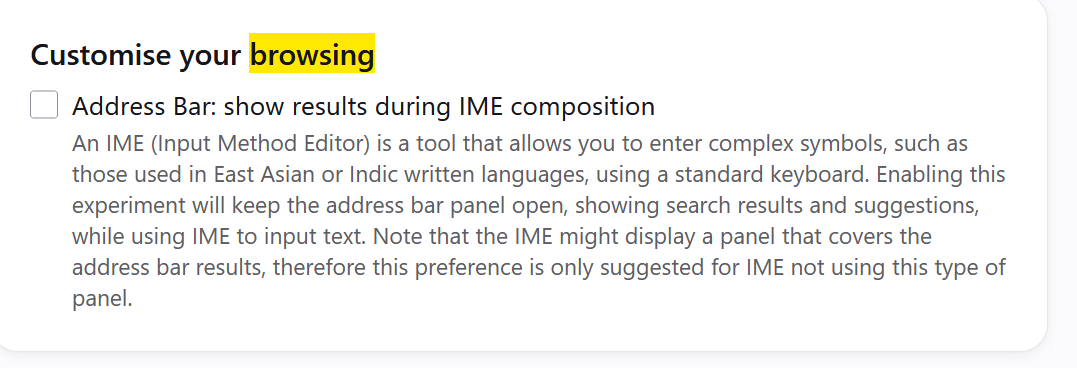
However there seems to be no "Settings > Browsing". The only reference to browsing that I find under Settings is the following: (see uploaded image). No mention of blocking ads.
All Replies (4)
"Firefox for iOS now has a built-in ad blocker… "
(i.e. mobile, on iPhones etc.)
Your screenshot seems to come from Windows.
I should have known what iOS stands for, but I didn't. My confusion suggests that the usual rule of spelling out an acronym on first use should have been followed.
Oh no you're right, the section should have been marked up as mobile news — not sure why it was implied that's Firefox desktop content right in the top position — sorry for the confusion.
As for "iOS", I don't believe it's an acronym to be expanded. The section should have explained in the content instead it's only relevant to iPhone users. Thanks for the feedback, Matthew!
In case you do have a iPhone/iPad (iOS/iPadOS) there is this kb article about the ad blocker: https://support.mozilla.org/en-US/kb/block-ads-firefox-ios