How do I (automatically) remove Tab Groups from "Recent Tab Groups" history?

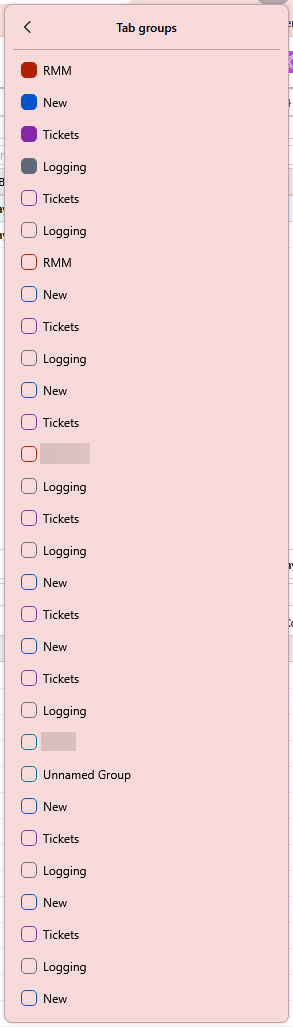
One of the more particular habits I have retained after switching from Chrome to Firefox is putting things in Tab Groups. This works great on Chrome as groups are more-or-less visual, and don't make a mess once you've closed them. On Firefox, however, I've noticed one really annoying thing: tab groups are saved in a giant list. Part of my workflow results in making Tab Groups with the same name as some of my bookmarks. When using the address bar to go to the bookmark will result in the tab group of the same name being brought up. For various purposes, this is decidedly unhelpful. In addition, when using the "Recent Tab Groups" drop down, it is rather annoying to see an entire screen's worth of tab groups being saved, especially when they all have the same(ish) name.
Is there a way to disable this saving of tab group names (and contents)? Clearing it out manually gets very annoying.