


Open
instructions to export all info in thunderbird profile, in a format that can be imported into Evolution

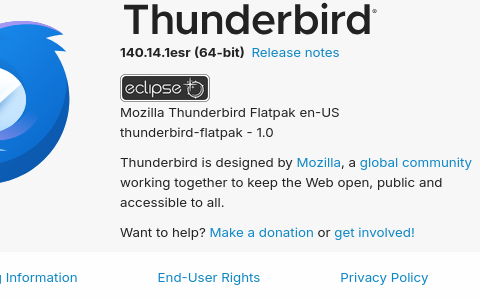
I have Thunderbird installed on a linux o/s running Zorin 18.1 the version of thunderbird is shown in uploaded images. I wish to export everything in my profile to a folder which Evolution can access when asked to import. I then intend to delete Thunderbird and carry on with Evolution as my email app of choice. In anticipation John
I have Thunderbird installed on a linux o/s running Zorin 18.1 the version of thunderbird is shown in uploaded images. I wish to export everything in my profile to a folder which Evolution can access when asked to import. I then intend to delete Thunderbird and carry on with Evolution as my email app of choice.
In anticipation
John
All Replies (3)
If you share with us the format that Evolution supports, we will try to assist. thank you.
mbox thanks for taking the time, I am new to linux coming across from windows 11
Here is a simple approach:
- install the addon, importexportools NG
- highlight the message folder to export to Evolution
- rightclick and select the importexport option to export mbox
- now you have the message folder exported and can now import into Evolution using whatever is required by Evolution.
The addressbook can be exported by selecting the small icon to the right of an addressbook in the addressboook pane and selecting the export option that Evolution supports.