


Firefox Private Browsing hides stored logins

I am using FF Private browser for sensitive pages that I don't want tracked by my add-ons. However, a major annoyance is how stored passwords seem to be handled. E.g., when I try to login, and say I have 3 stored logins (all for the same URL), then FF private only offers one of them (chosen at random it seems), hiding the 2 others. Why does it do that? It just seems monumentally stupid and is a major usability hindrance. Tracking protection OK, but if this is the result then why bother. It makes the browser unusable.
Modified by Sebastian Becker
All Replies (9)
Not if the login I want to use is not shown. It shows 1 out of 3. And even if, by chance, it would happen to show the login I want, then yes, I can log in, but it doesn't change the fact that 2 logins are hidden, which still constitutes a major design fault.
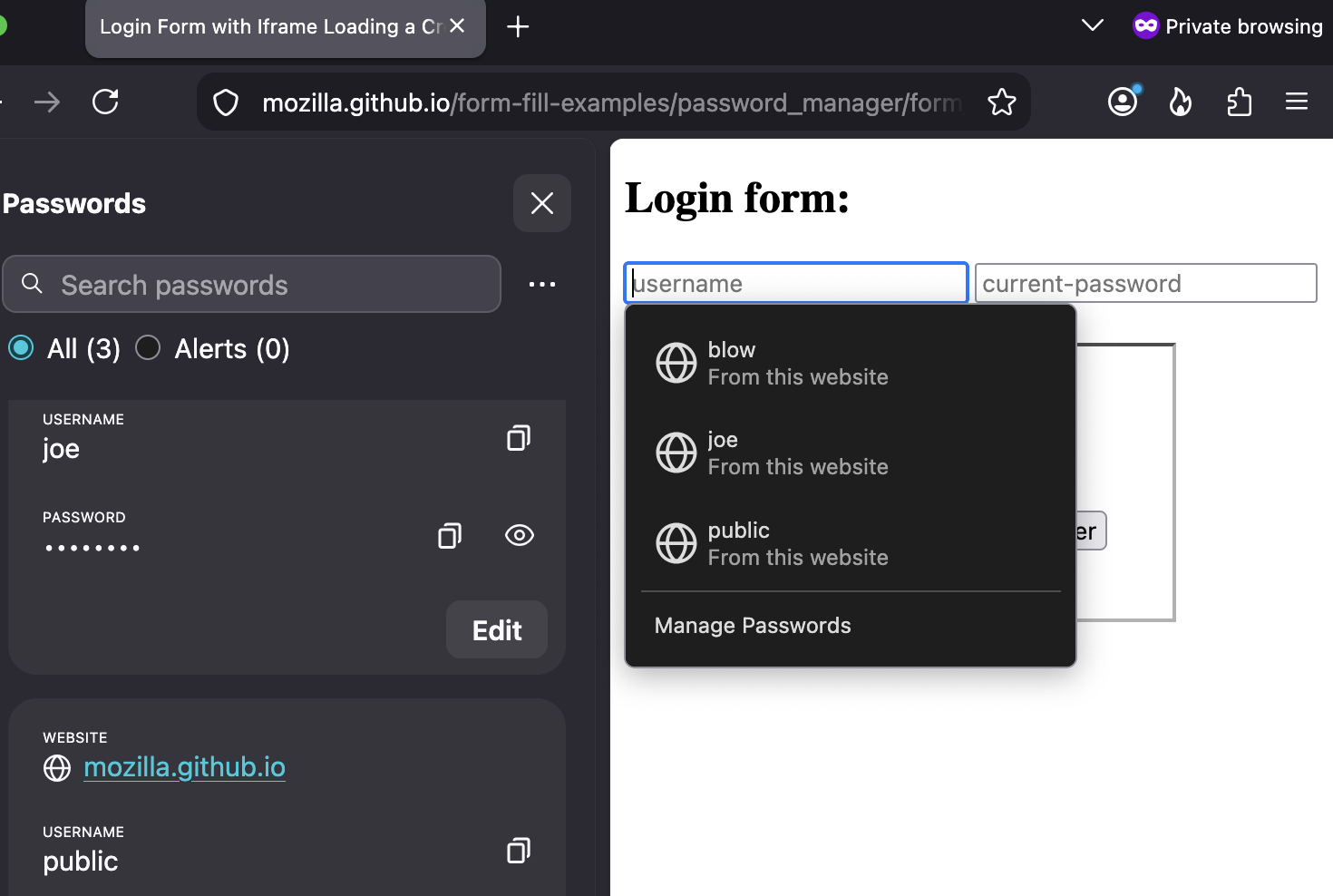
FWIW this is not "by design", if you're wondering:

shops127, if you click inside a login field do the other logins appear in a dropdown list? Or if you right-click instead, can you find them under "Use Saved Password"in the context menu?
Modified by TechHorse
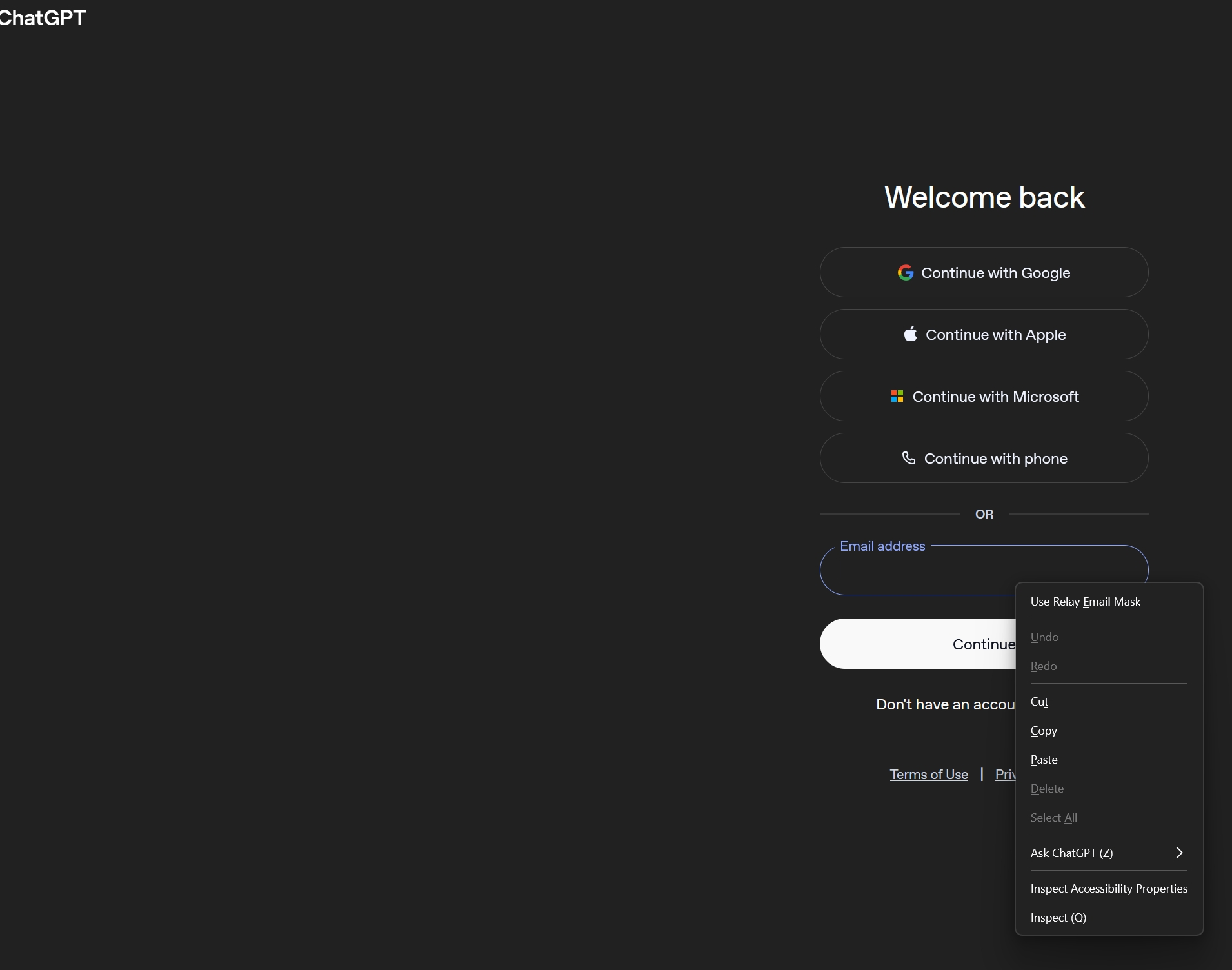
@TechHorse: No, only one of the logins shows. In fact, the behaviour is not consistent across websites. For some sites, all available logins are shown, while for others, only one login (although several are strored in the password manager). Also the right-click behaviour seems to vary. On those sites where FF Private offers all available logins, the right-click offers a fairly long menu that includes "Use saved passwords", whereas on sites that only offer 1 login (specifically: https://auth.openai.com/log-in), a right-clicks only shows the "Use relay mask" (see screenshot) plus the usual copy/paste etc.
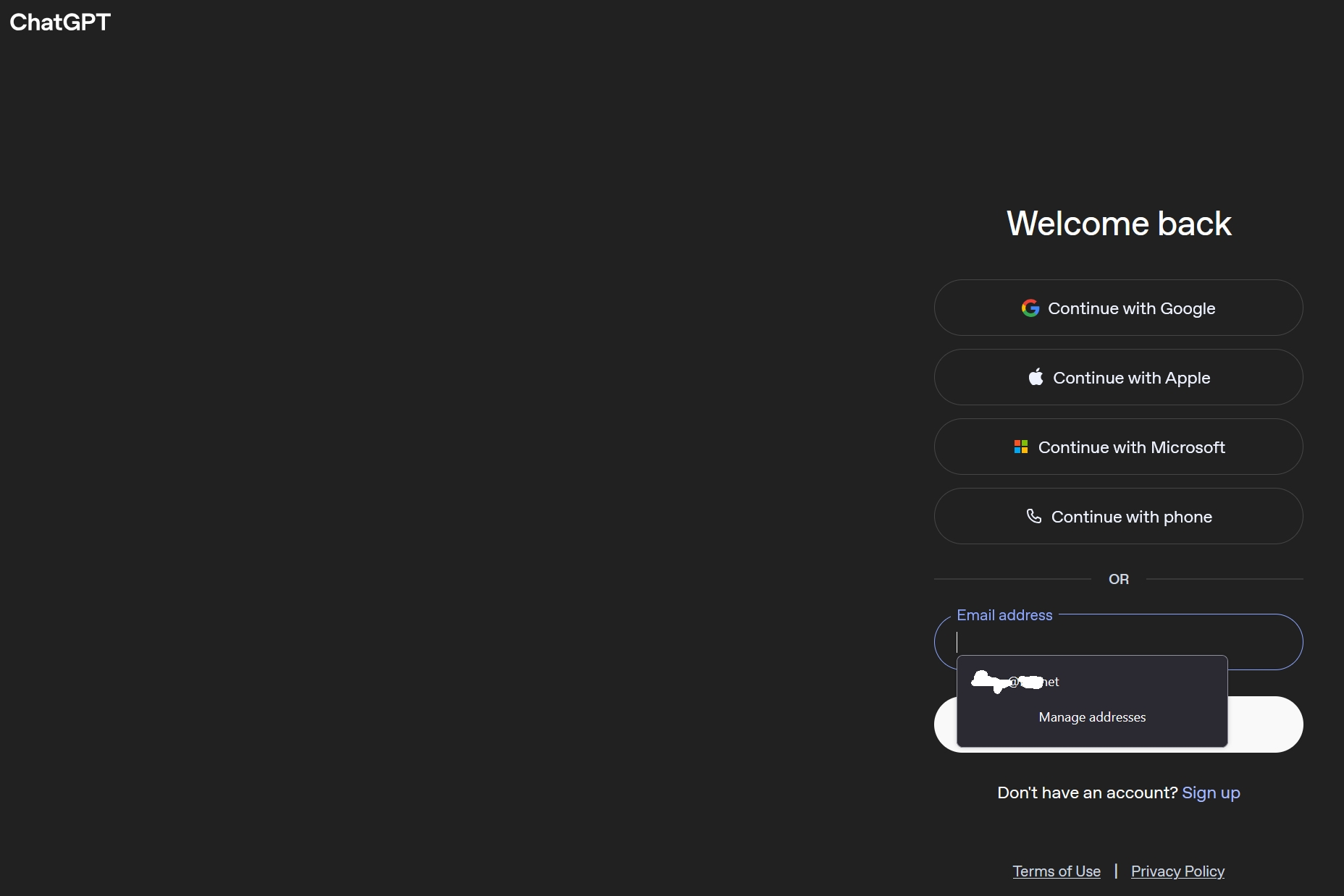
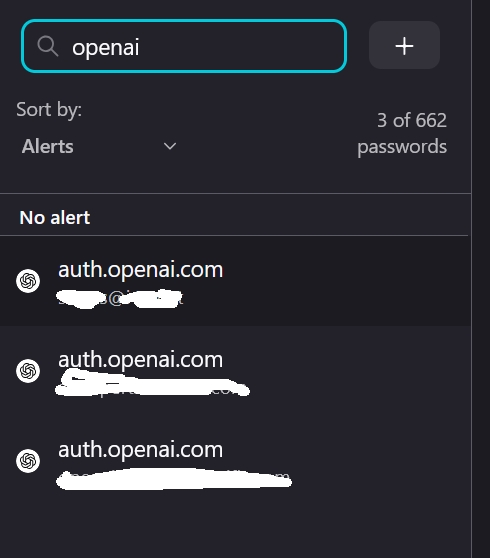
The 1st screenshot below shows the behaviour with a normal left-click. Note how only 1 email address is shown, although in the password manager I have 3 (2nd screenshot).
This login flow of openAI is not coded as login form — they present it as plaintext email form, so no credential management gets triggered on this. What's getting autofilled here is just ordinary form history entires (they have a "clock" icon, not "key" as for logins), so your history for form entries is different in non–Private and Private sessions.
Hi shops127, Your original question has been edited to remove inappropriate language. While we fully understand that technical issues can be frustrating, please ensure that your posts remain constructive and respectful. For more details, please refer to the Mozilla Support rules and guidelines. Thank you for helping us keep the community welcoming.
@jbr: I suppose this explains it. Thanks for clarifying. One question: so while FF normal would show all stored emails, FF private doesn't show any, unless you are logged into Mozilla in which case it shows that one account? Is that the expected behaviour? And if so, why would FF private not store emails and/or hide them? I don't see how this protects my privacy on a personal, password-protected PC, it simply reduces usability.
Private browsing can autofill things you have saved in your browser as a whole — credit cards, logins, synced relay masks etc., and: saved addresses. The "one" email you seem to see there is not from credentials or previous form inputs, but most likely comes from about:preferences#manageAddresses — which, yes, is available to private tabs (if protected by password or system unlock, only after unlocking it).
The items you see outside of private mode, the ones with the "clock" icon, come from browsing history (which form entries are a part of). Normal and Private tabs don't mix their backing content store, so they can't have access to the site data between them.
If your question is how to have chatGPT auth page offer more of your emails in PBM, the answer perhaps is add a few more "address" records in your "Addresses and more" section of Automatically fill in your address on web forms that include the emails you'd like to have offered there. It's mostly a band–aid over the unfortunate form data design on openAI side, but should work for your use–case.