


Impossible to harmonize fonts for text and signature

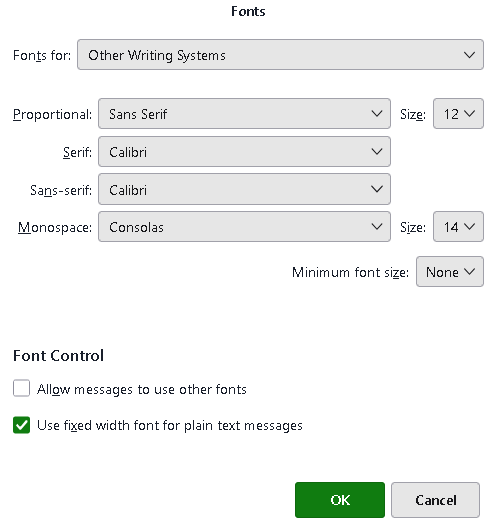
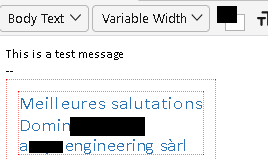
We're planning to switch from Outlook to Thunderbird, but we have a hard time in harmonizing font sizes on text and signature. One of the issues is that fonts can be set to textual values tiny, small, medium, etc. w/o knowing what it corresponds to in pt. But lets explain what we tried so far: - Under Settings/ General / Language&Fonts, we defined Calibri 12 as default, what we repeated under Advanced for 'Latin' & 'Other Writing Fonts' - Under Settings / Composition, we defined Calibri / Medium for the HTML Style - The HTML-signature is defined using the Calibri 12 font But when creating a new message w/ these settings, the result is terrible as you can see in the example: disregard the fonts' color, just look at the font sizes.
Is there any simple solution?

All Replies (3)
change the HTML setting to variable width font, set ALL fonts in latin and otherwritingsystems to the same, and set sending format to HtML and Plain text or HTML only. By leaving it set to automatic, your simple test created a plain text message with no font size. I also encourage setting a minimum font size.
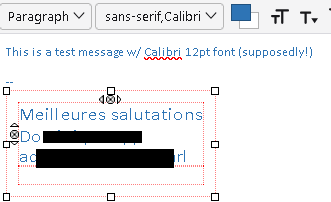
Hello David, I did as directed, but the result isn't convincing: - HTML settings set to variable width - All fonts the same for Latin and Other Writing Systems, essentially Calibri 12pt (as before, no change) - Sending format = HTML and Plain Text - Minimum font size set to 12
Image 1: The look in the TB-editor is terrible as font don't appear to be the same size Image 2: the look of the sent message received in Outlook (Aptos-font applied to body text!), although all text uses 12pt characters (as defined)
No idea why this Aptos-font is applied!
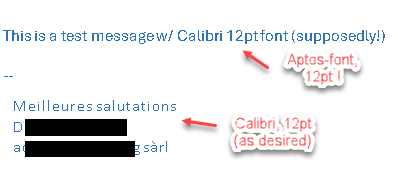
Ok, my error. I always focus on how the font appears for the sender. A strength of Thunderbird is that it can set font for sender and let recipient control the font on received message. That is what happened here. By sending in 'variable width' the recipient used Aptos, which is the Microsoft default. To ensure the recipient sees Calibri, change 'variable width' to calibri and the font size. My apologies for causing confusion.