


Passkey setup does not work

I cannot get into my Paypal account because Mozilla Firefox is asking me to set up a passkey. I press Continue and it tells me to enter a PIN. I don't have a PIN set up that I know of. If I try one, it is wrong and says I have tried too many times. When I go to the Settings where I should set something up with Window Hello, it says it is not available. I just want to log into my Paypal account like I used to. How can I bypass all this stuff?
All Replies (5)
Hi,
Firefox cannot ask you to set up a passkey by itself. What do you click when signing in to PayPal?
Also, which PIN are you asked to enter? Could you attach a screenshot of that prompt?
a) If you don't want a passkey, don't set up one — and tell PayPal you don't want it. b) PIN is to your device (e.g. Windows Hello) — but again, unless you need the passkey (accessed, or created), do not proceed — as removing one from the service will be even more so obnoxious.
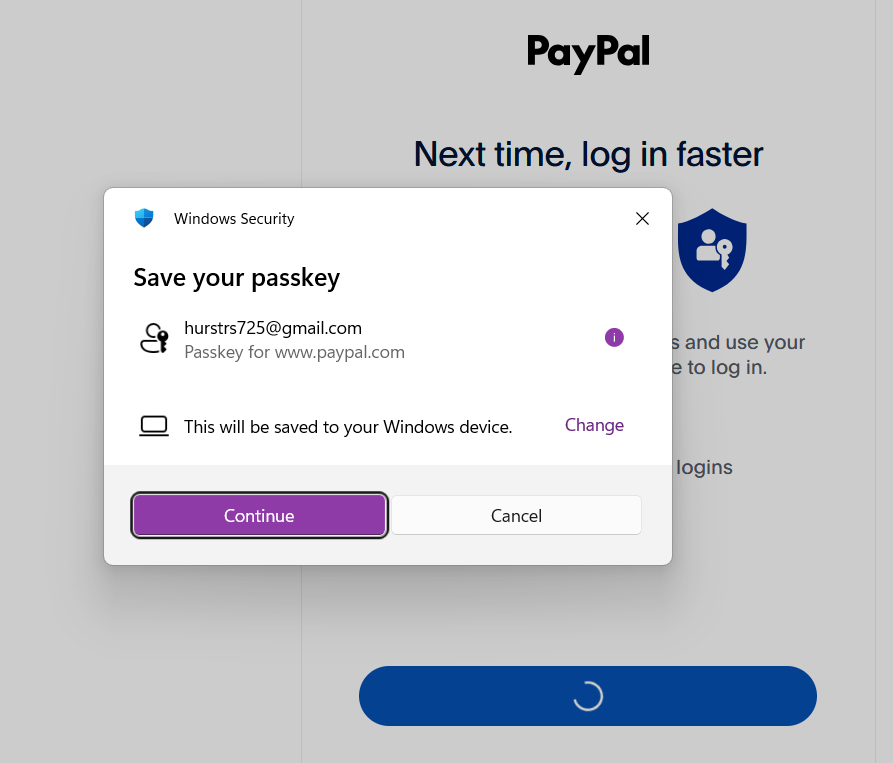
1. I log in with my PayPal password 2. It says "PayPal Next time, log in faster" and the blue Continue bar below. (There is no other choice.) 3. I click the blue Continue bar. (There is no other choice.) 4. A Windows Security box pops up and says "Save your passkey" with a Continue or Cancel or x choice. (I wanted to insert a screen shot but it won't let me.)
   a. If I select Cancel or x, it just closes the pop up so I at the "PayPal   Next time, log in faster" window with the blue Continue bar.
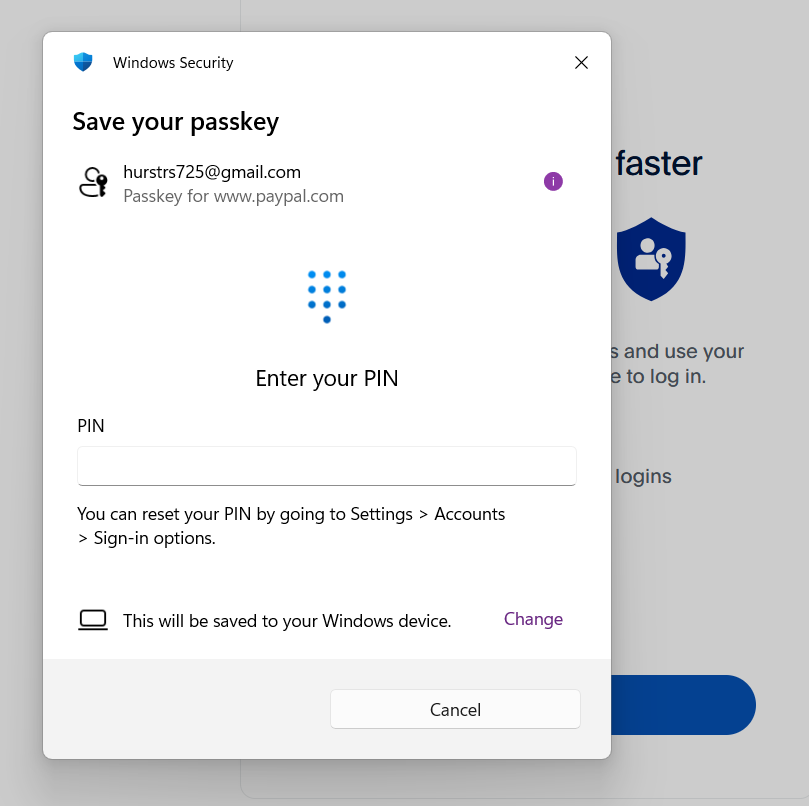
   b. If I select the purple Continue bar, another Window Security pop up box says “Save your passkey”, “Enter your PIN”.
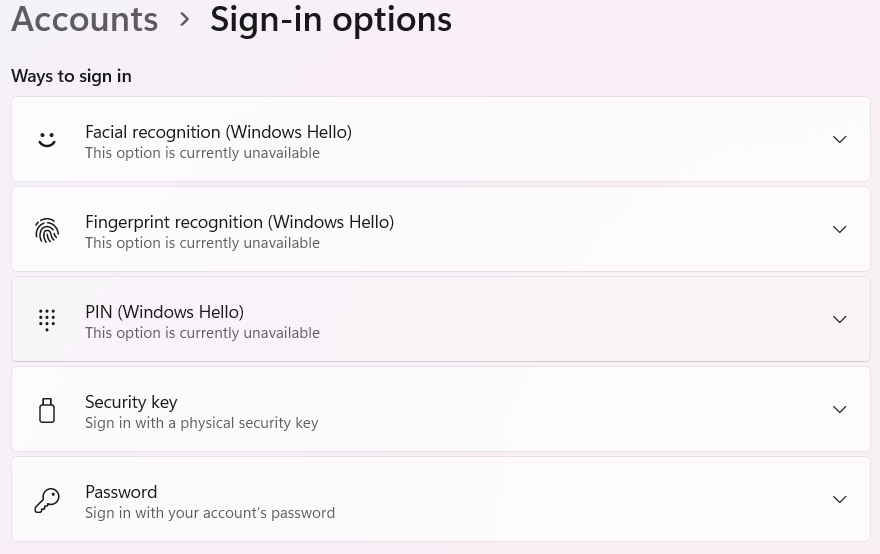
I select “I forgot my PIN”. It says “You can reset your PIN by going to Settings > Accounts > Sign-in options”. 5. I go to Windows Settings > Accounts > Sign-in Options. 6. I find Ways to sign-in and “PIN (Windows Hello) This option is currently unavailable”.
So I can't make a PIN even if I wanted to. I have found that if I enter enough wrong PINS, it says I have to restart my browser and then sometimes it just lets me in.
So you don't want a Passkey — esp. if you're unable to store it with Windows credential management. Then you'd need to liaise with PayPal why they're blocking your access when you don't want it.
Thanks for the detailed explanation! I believe you can skip this step by directly opening https://www.paypal.com/myaccount/ instead of following their flow...
And either way, the PIN in question is your Windows PIN, not related to Firefox. If you need help with resetting it, please refer to Microsoft Support instead. As a moderator, I’m going to lock the thread and mark it as off-topic. Please see Mozilla Support rules and guidelines for more information.