


Windows 10 reached EOS (end of support) on October 14, 2025. If you are on Windows 10, see this article.

Search Support

Avoid support scams. We will never ask you to call or text a phone number or share personal information. Please report suspicious activity using the “Report Abuse” option.

Learn More
Open

How do I get rid of a box that says Password required-Mozilla Firefox?

Carolyn Barrett replied
Carolyn Barrett

A box shows up on my screen when I log into various sites. It says: Password Required - Mozilla Firefox Please enter your Primary Password I have tried several different passwords but none of them have worked. I have to click on cancel and it often disappears and comes back again immediately. It is annoying. How do I get rid of it. I have been using Firefox for several years. This has only started happening recently.
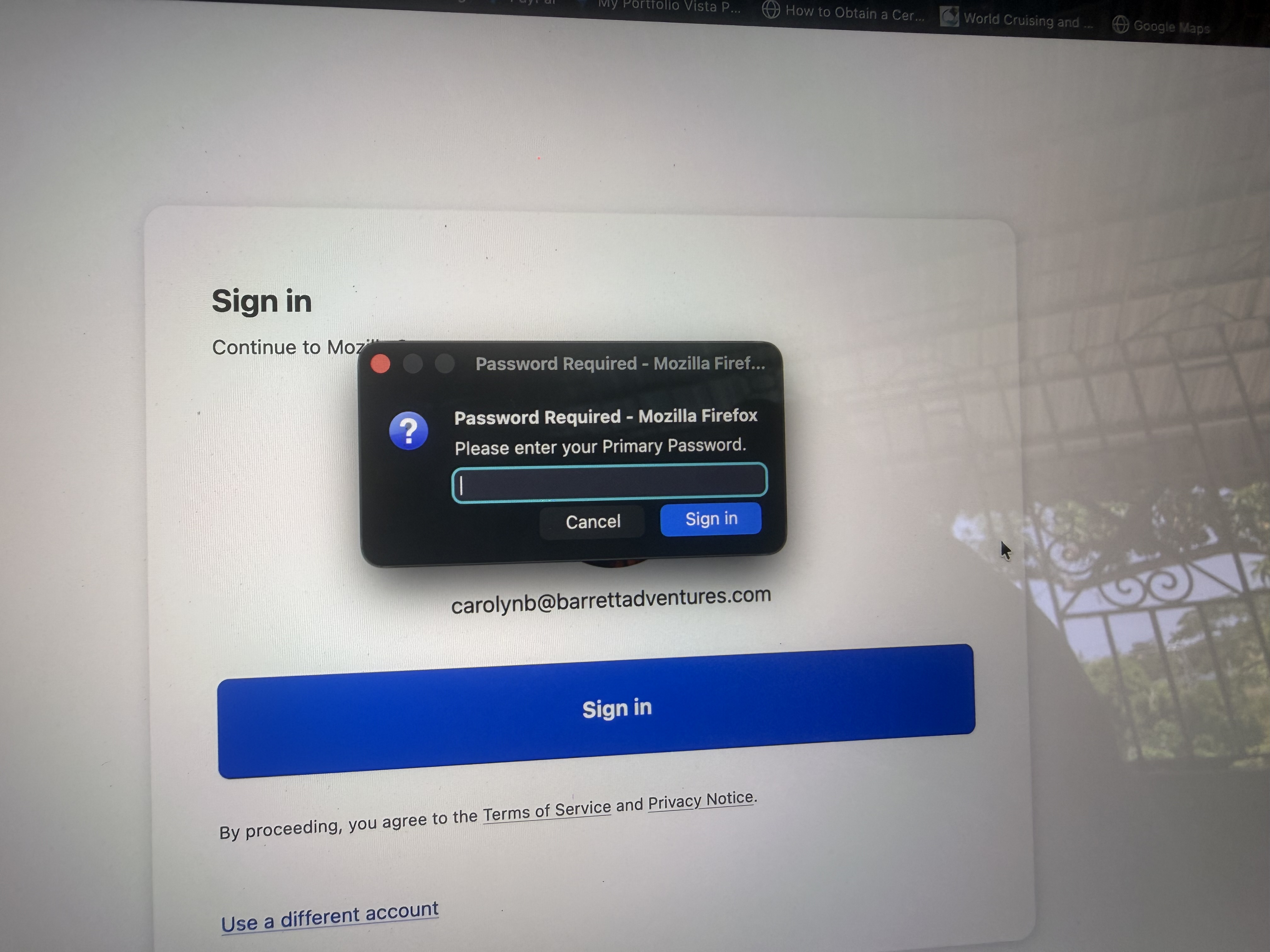
A box shows up on my screen when I log into various sites. It says: Password Required - Mozilla Firefox Please enter your Primary Password I have tried several different passwords but none of them have worked. I have to click on cancel and it often disappears and comes back again immediately. It is annoying. How do I get rid of it. I have been using Firefox for several years. This has only started happening recently.
Attached screenshots

All Replies (2)

Please enter your Primary Password

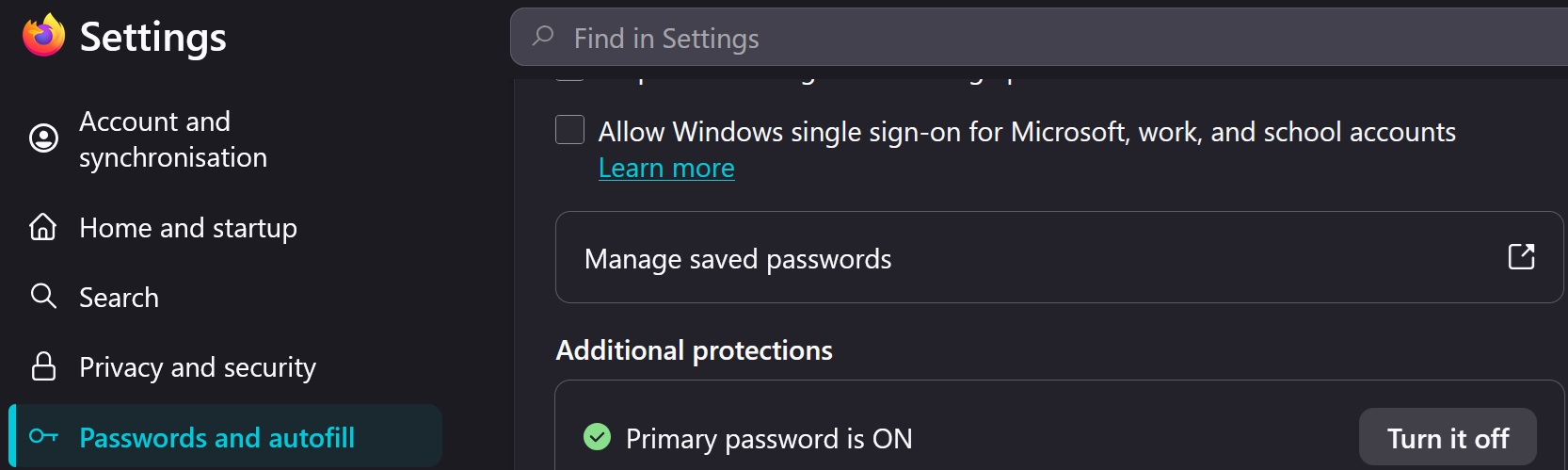
That seems like you have a 'Master (Primary) Password' set which has to be entered before Fx will allow any specific site password.

Go to Settings > Passwords and autofill > See image below to turn it off
Modified by amoun

There is no Passwords and Autofill on my MacAir. Nowhere in my passwords do I have a password for Firefox or Mozilla

Ask a question

You must log in to your account to reply to posts. Please start a new question, if you do not have an account yet.