


Open
accounts showing twice in unified folders

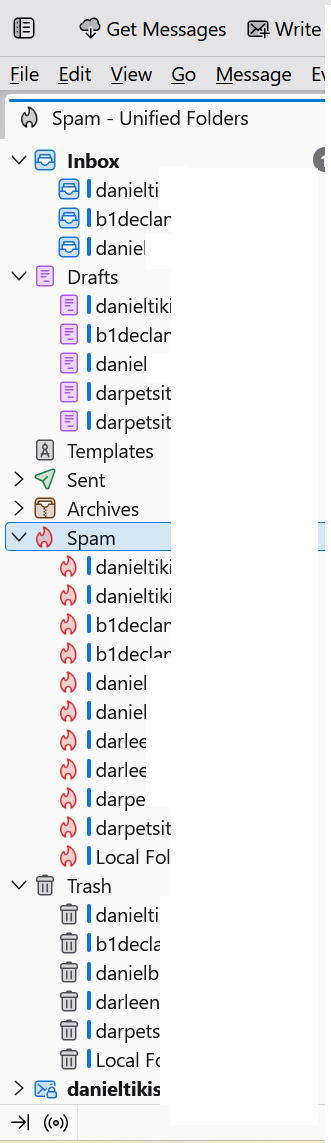
For some reason my accounts are showing twice in some of the unified folders.
For some reason my accounts are showing twice in some of the unified folders.
Modified by Dan B
All Replies (1)
First, I have NO solution, but a suggestion: Sometimes unified folders needs a refresh. To do that, click help>troubleshootinginformation, scroll to 'profile folder' and click 'open folder'. Then, click the mail folder and (after shutting down thunderbird) deleting the folder named smart-mailboxes. On restart, thunderbird will repopulate the unified folders.
Another thought is that sometimes thunderbird assigns a folder, such as 'draft', but the account already had 'drafts.' If you see multiple folders like that, verify which is actualy used, and then unsubscribe from the other.