


Ik heb verschillende mailadressen en accounts maar het lukt me niet om ze aan een container te koppelen. Steeds wordt ook als ik een nieuwe container open het laatste geopende account gebruikt. wat gaat er mis?
Ik wil graag verschillende mailadressen van outlook willen openen: https://outlook.cloud.microsoft/mail/ Ik gebruik daarvoor containers maar het werkt niet. Als ik een een bookmark open in een specifieke container wordt de laatste geopende mailaccount getoond. Als ik denk het met Pin allemaal te hebben ingesteld en ik sluit de PC af dan is het bij opnieuw opstarten allemaal weg.
Modified by Peonia_Coral_Charm
Chosen Solution
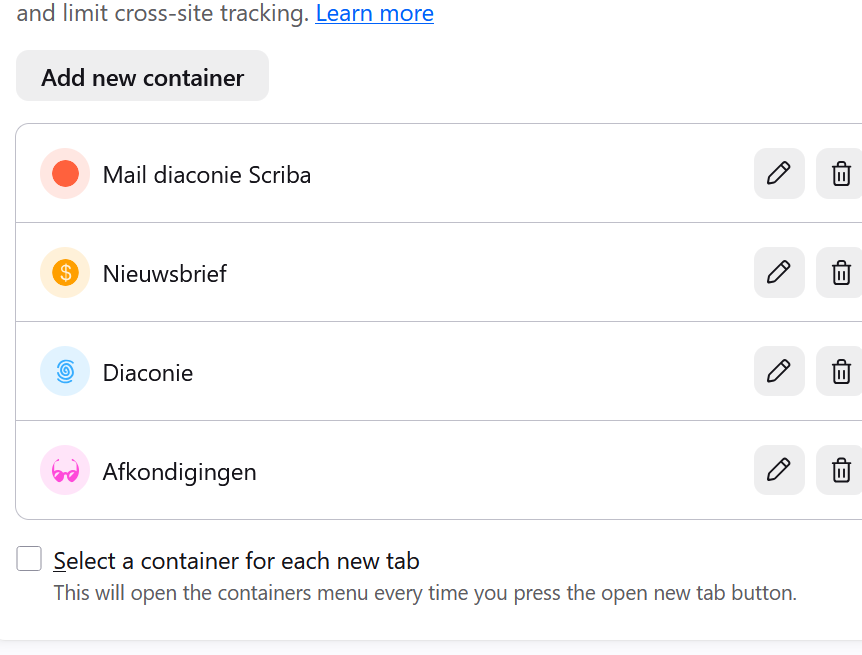
Could you turn on the "Select a container for each new tab" option shown in your screen for a while to test if manually deciding help to override that — to perhaps help catch the login flow?
I'm aware that using "Multi Account Containers" addon, users are able to force some sites use particular containers, so that could interfere with the plan to use one site with two different sessions in separate containers — however I'm assuming you aren't/weren't using that extension so this should not be interfering with your workflow.
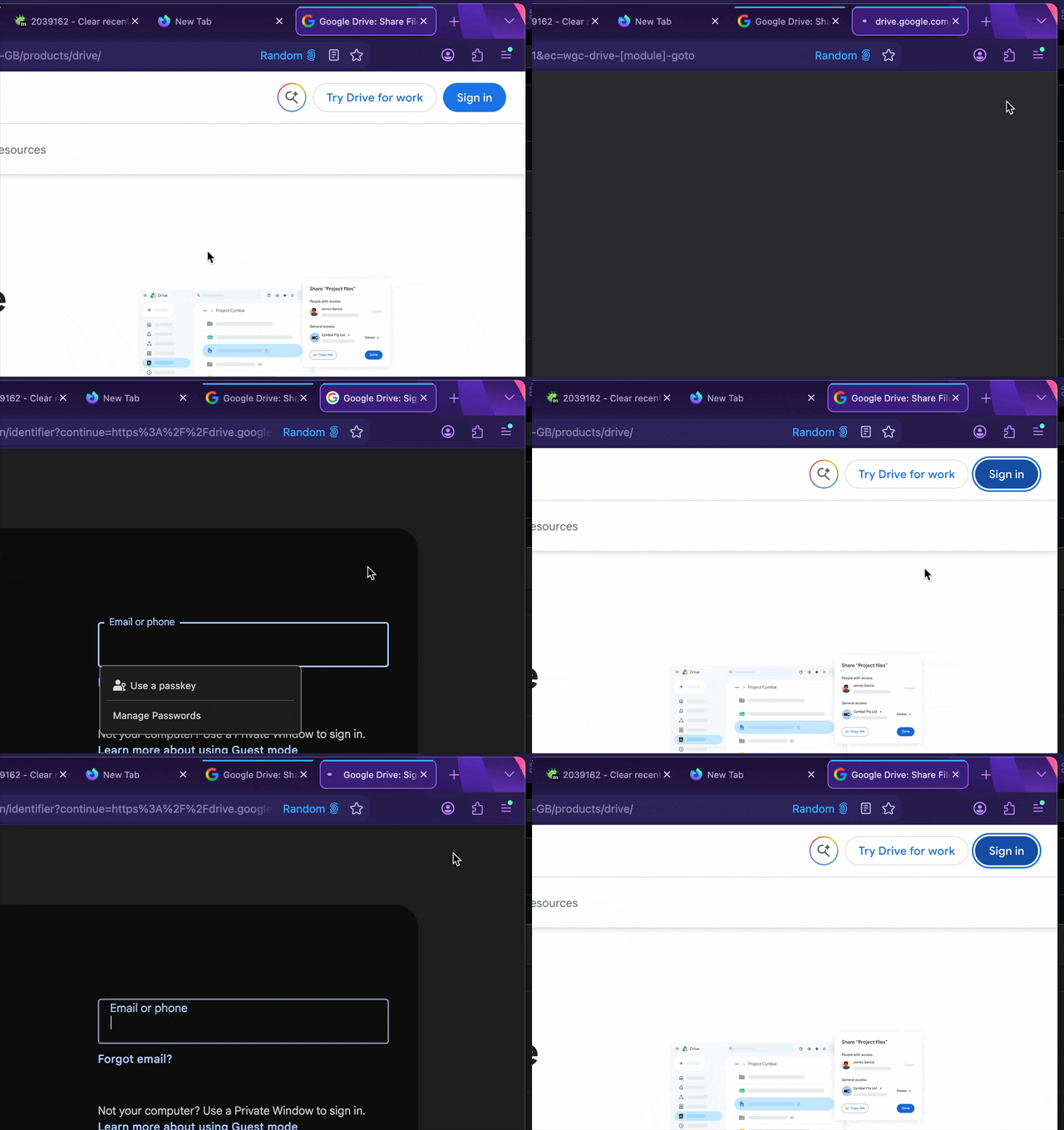
I'm wondering what else could be affecting this; as, exactly like you expect, this is the flow that should just work and the feature is designed to allow exactly similar workflows. This is an example of e.g. G Drive logins that open a separate tab to sign in, that are properly kept in the opening container — any navigation starting inside that container should be kept within it: (GIF animation)
All Replies (3)
This is how it should work. Each container keeps its own account.
You ideally should be signed out of outlook, then in container A open the login page and sign in to account #1 and that should now only be available in container A; repeat the same for container B: start with the signed out state and log into the account #2 in the container B now. These two sessions are now kept separate.
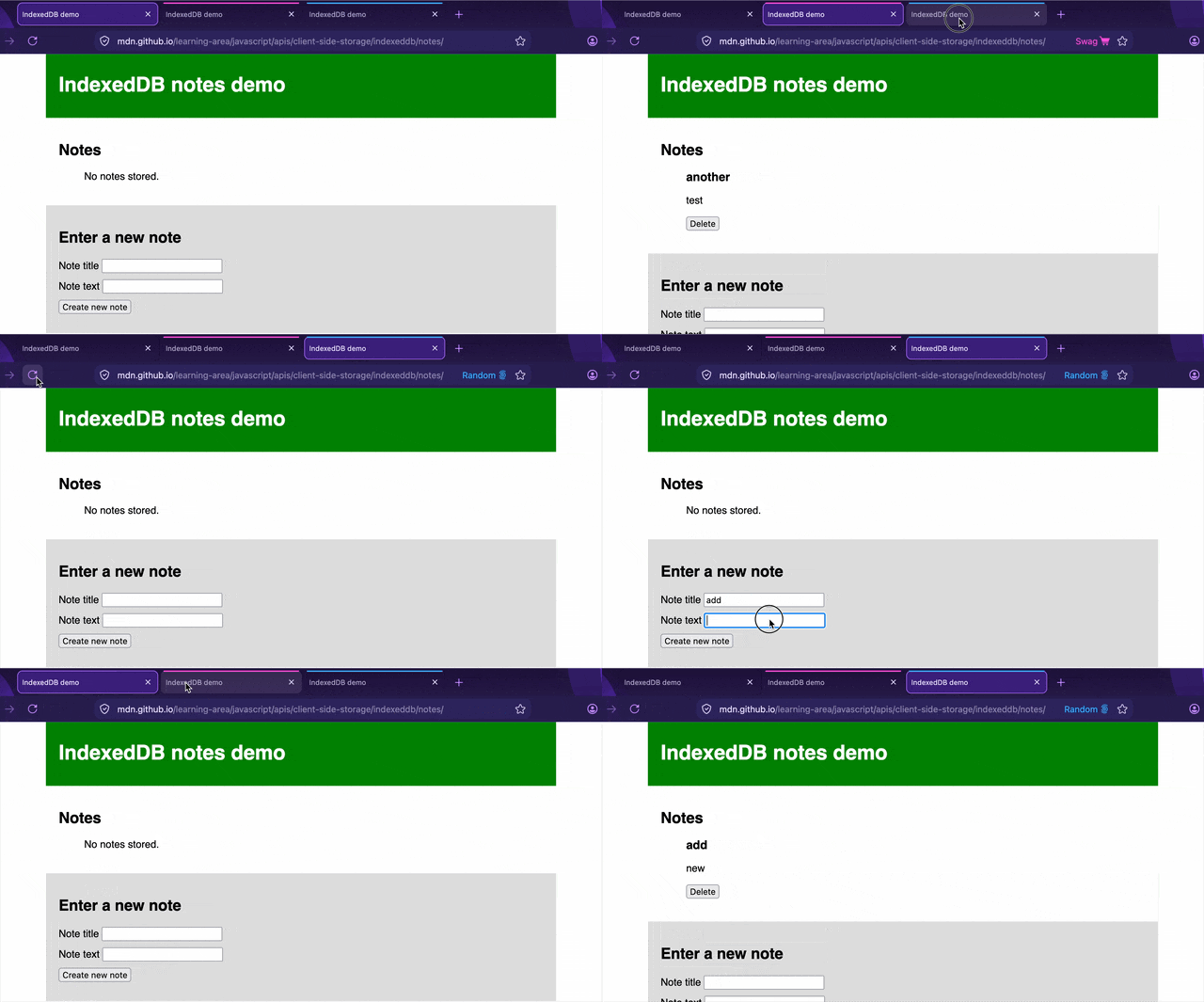
Make sure you get the color strips and the container name shown, meaning it's active; as shown below.
(This is some persistent data that's showing different partition between the differently colored containers: …)

Thank you for your reply. But as soon as I enter https://login.microsoftonline.com/, I am taken away from the specific coloured container.
Chosen Solution
Could you turn on the "Select a container for each new tab" option shown in your screen for a while to test if manually deciding help to override that — to perhaps help catch the login flow?
I'm aware that using "Multi Account Containers" addon, users are able to force some sites use particular containers, so that could interfere with the plan to use one site with two different sessions in separate containers — however I'm assuming you aren't/weren't using that extension so this should not be interfering with your workflow.
I'm wondering what else could be affecting this; as, exactly like you expect, this is the flow that should just work and the feature is designed to allow exactly similar workflows. This is an example of e.g. G Drive logins that open a separate tab to sign in, that are properly kept in the opening container — any navigation starting inside that container should be kept within it: (GIF animation)