


Got a security warning and was not able to reset it
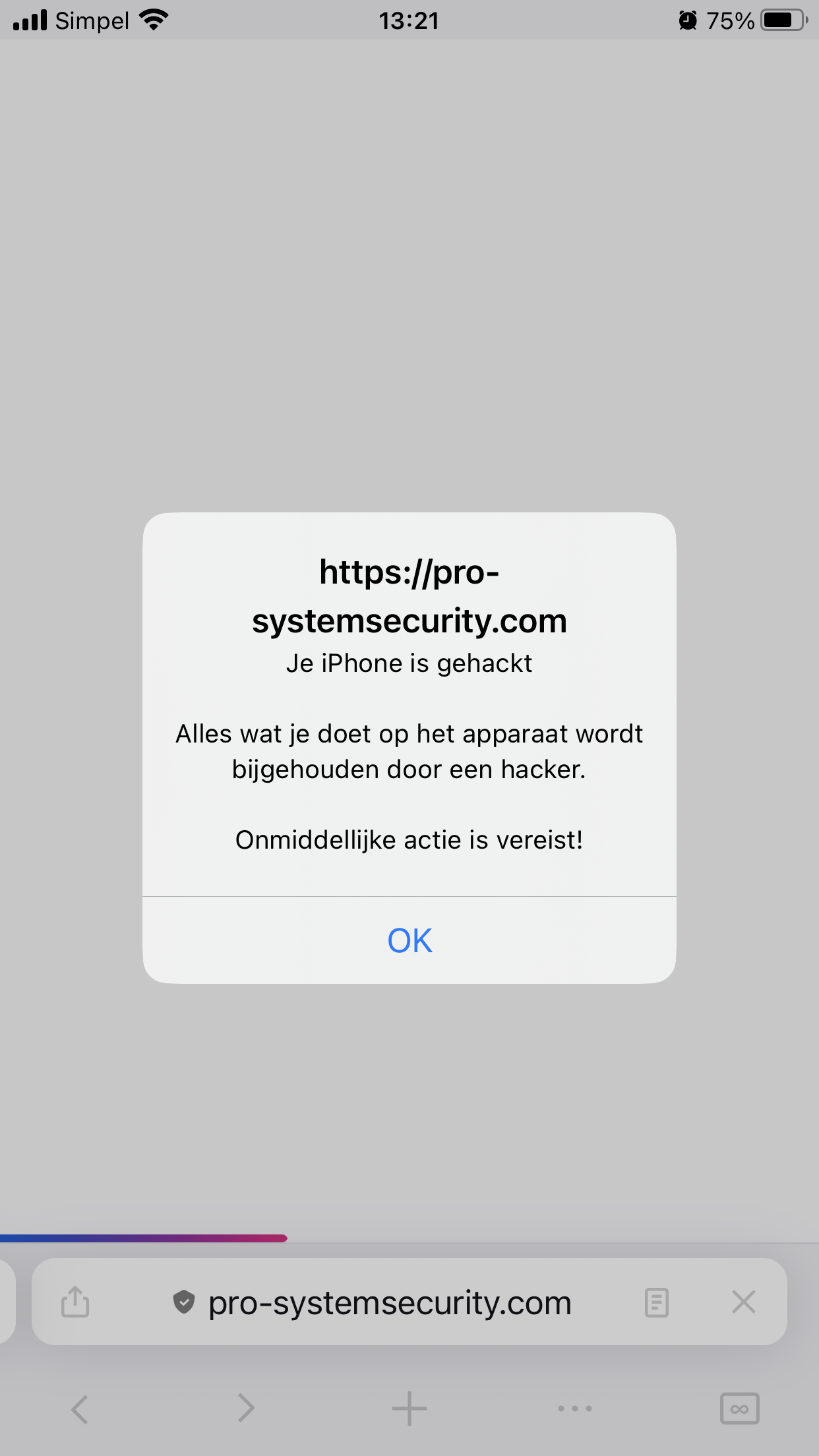
I was looking for information (search engine Duck Duck-Go) about plants and suddenly I got a massage which says my iphone is hacked. I was not able to acrivate any button, besides the ok button, which I did not trigger of course. I tried to find info (pc) about the address but I shows a black screen. Than I removed firefox and re-installed it. Now the massage is gone. I have no idea where this massage comes from and if it will install malware if I would have used the ok button. It might happen again and it would be nice to know what to do Thanks in advance….
All Replies (1)

In your screenshot you were on pro-systemsecurity. com when the message popped up. Did you go to that website by clicking somewhere on accident?
You could check your extension list to make sure there isn't a malicious extension that redirects you to suspicious websites. (Doesn't apply to iOS Firefox since there aren't extensions)
The message comes from the website, using a javascript alert, which makes it so you cannot interact with anything else until dismissed.
Info for the future: Suspicious websites can also send similar messages (push notifications) when you aren't even on that website. Blocking new notification requests in Firefox settings addresses this issue. If it's this type of notification, it is not the result of a virus, just block notification permissions.
For reference, a post of someone else getting that exact message (when translated to English). https://old.reddit.com/r/techsupport/comments/1b74cq5/just_got_a_popup_saying_that_my_phone_was_hacked/