


Remove google, bing, ebay, perplexyity firefox 152

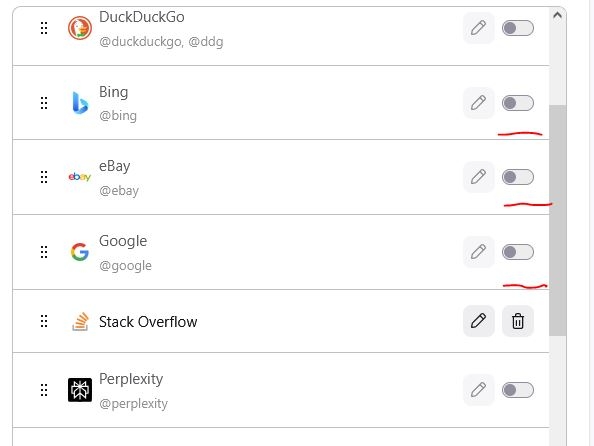
In this version of Firefox 152 for windows I'm currently unable to remove search related to google, ebay, perplexity and bing.
Please return possibility to remove those completely!
I don't want my browser to have anything to do with those listed above. I have had it removed in previous versions. Why did you add it to browser again?! Why don't you allow to remove it anymore?!
Chosen Solution
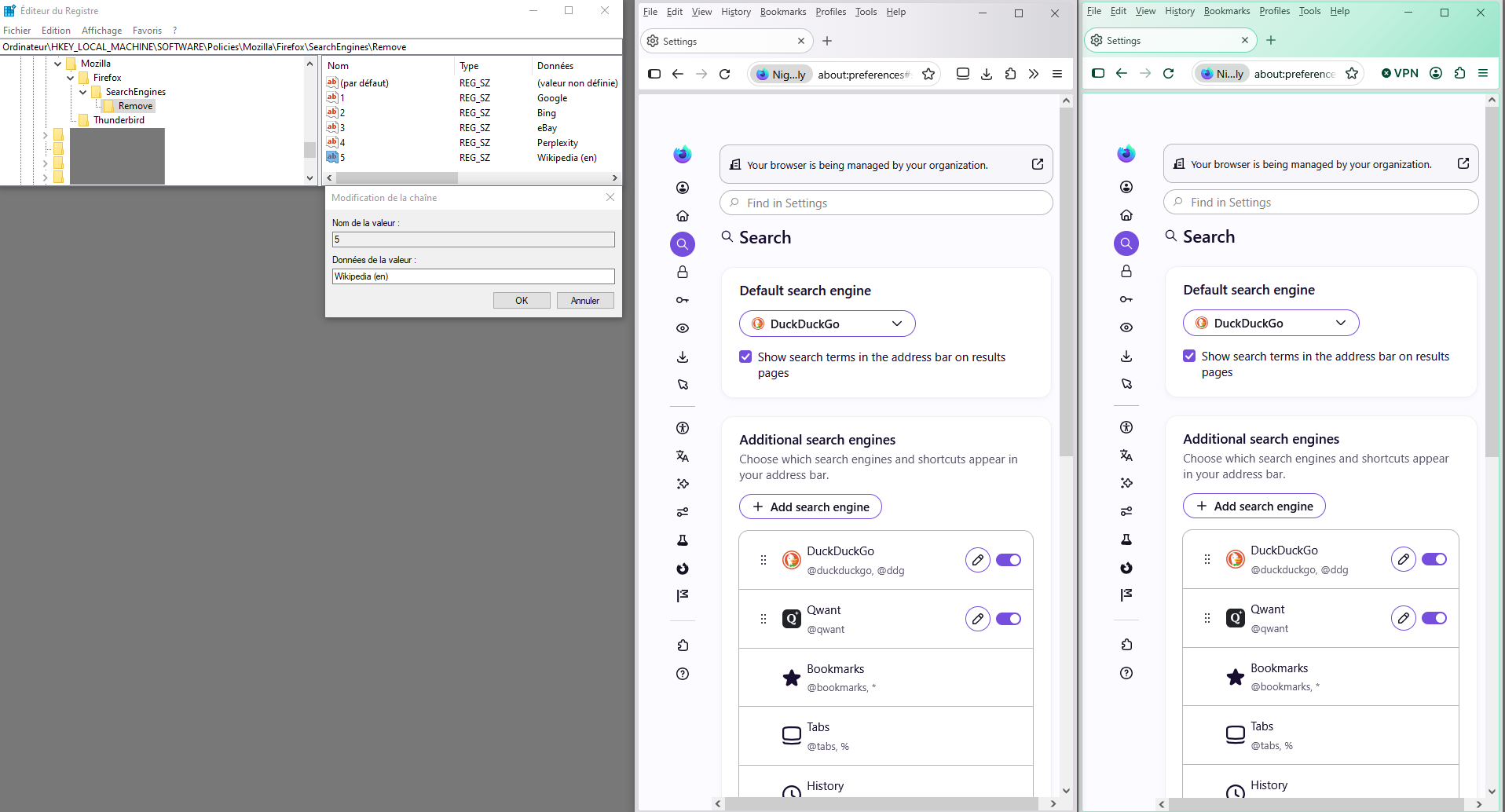
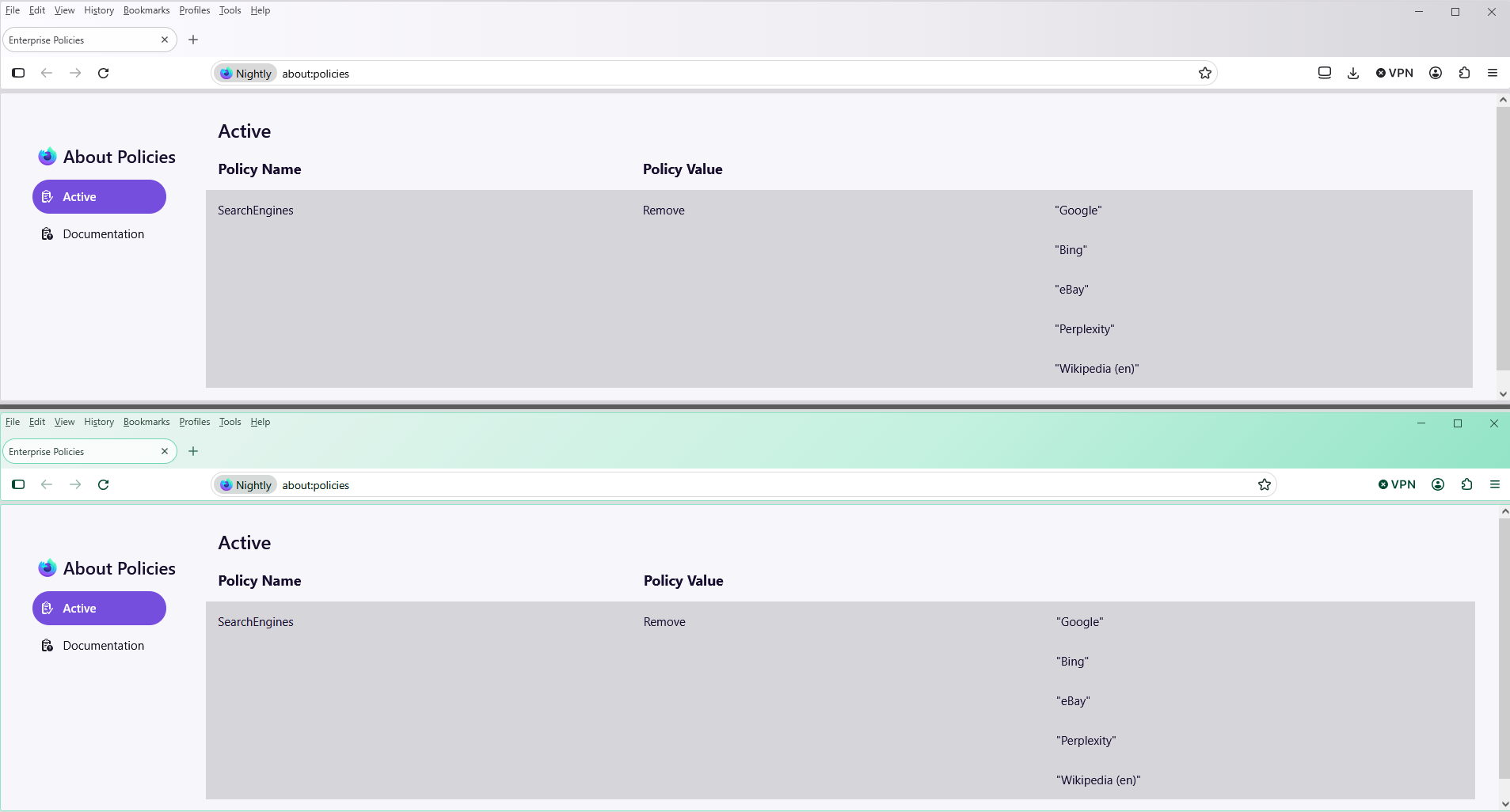
SearchEngines | Remove https://mozilla.github.io/policy-templates/#searchengines--remove
With the Windows registry
HKEY_CURRENT_USER\SOFTWARE\Policies\Mozilla\Firefox\SearchEngines\Remove Or KEY_LOCAL_MACHINE\SOFTWARE\Policies\Mozilla\Firefox\SearchEngines\Remove
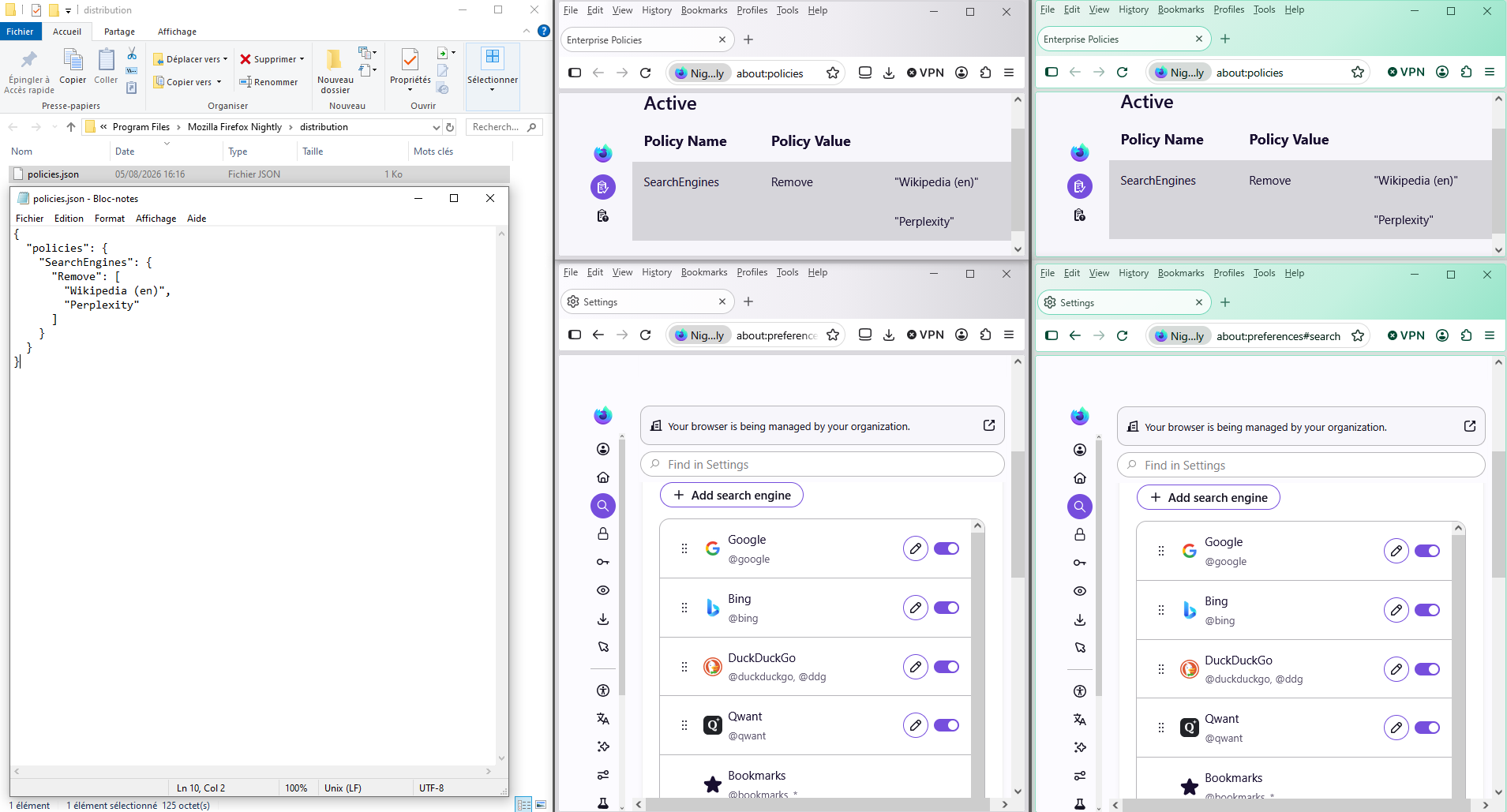
Your browser is being managed by your organization
Illustration
All Replies (12)
Hi,
Disabling search engines has the same effect as removing them before, with the only convenience that it's easier to reenable them. So you don't need to do anything else, the disabled search engines are already effectively removed.
It isn't a solution. Browser is modified in a way that users will not accept the same as me. What next? Mozilla will enable it for me?! This doesn't change that trust is broken. I don't want google disabled. I want It completely removed. This was possible. now it isn't. It must be possible to remove it completely.
You can leave feedback here: https://connect.mozilla.org/t5/discussions/the-redesign-of-settings-is-now-enabled-by-default-in-nightly/td-p/125382

Hello az11,
Because of this missing option to remove such "search engines" institutions (Google! Bing!), I've reverted to an older Firefox version 149.02 on Linux to better reflect my own preferences. I hope Mozilla addresses this! I'll keep an eye on it!
Hello
https://connect.mozilla.org/t5/discussions/about-new-look/td-p/129424
Illustration Your browser is being managed by your organization
Votre navigateur est géré par votre organisation

Modified by Agent virtuel
If you want to study Enterprise Policy Generator https://addons.mozilla.org/firefox/addon/enterprise-policy-generator
Remove search engine(s)
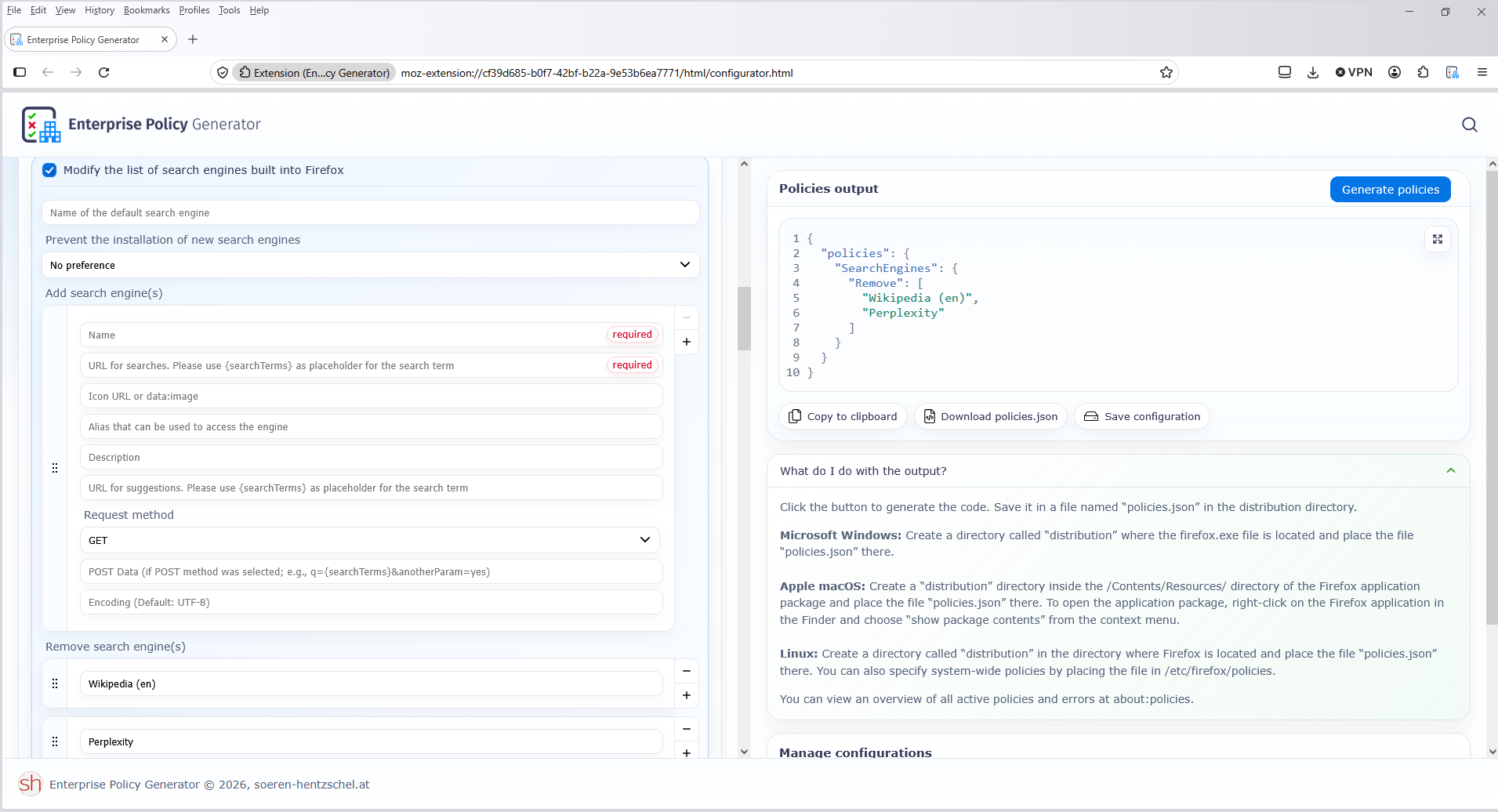
Chosen Solution
SearchEngines | Remove https://mozilla.github.io/policy-templates/#searchengines--remove
With the Windows registry
HKEY_CURRENT_USER\SOFTWARE\Policies\Mozilla\Firefox\SearchEngines\Remove Or KEY_LOCAL_MACHINE\SOFTWARE\Policies\Mozilla\Firefox\SearchEngines\Remove
Your browser is being managed by your organization
Illustration
Seriously - this is the kind of garbage that alientes users that have been with FF since day one. I have ebay added, I have others added....and now Perplexity. Perplexity doesn't even exist anywhere so probably a big "I pay you, you force add and disable remove" bribe. POOR, really poor.
Agent virtuel said
SearchEngines | Remove https://mozilla.github.io/policy-templates/#searchengines--remove With the Windows registry HKEY_CURRENT_USER\SOFTWARE\Policies\Mozilla\Firefox\SearchEngines\Remove Or KEY_LOCAL_MACHINE\SOFTWARE\Policies\Mozilla\Firefox\SearchEngines\Remove Your browser is being managed by your organization Illustration
Thank you for solution. I also noticed that it is possible to remove search engines through GPO.

az11 said
... . This was possible. now it isn't. It must be possible to remove it completely.
Same opinion ...
.
az11 said
In this version of Firefox 152 for windows I'm currently unable to remove search related to google, ebay, perplexity and bing. Please return possibility to remove those completely!
Same opinion ...
.
Modified by xxxrr
It was already explained that even previously you wasn't able to remove it. The only option was to hide these items from the list, which is not the same as removing them.