


Open
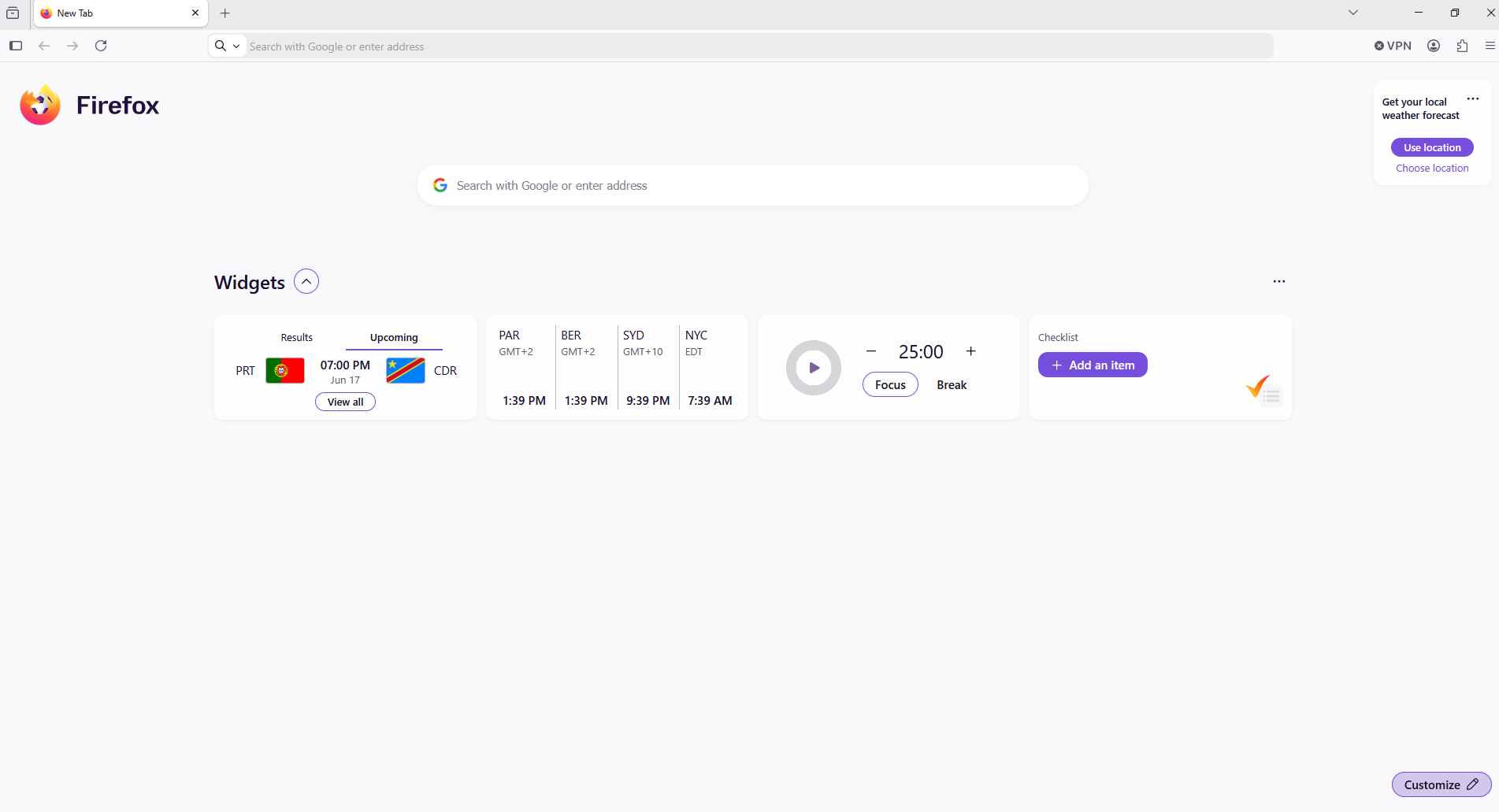
How do I get rid of widgets on the start page?

How do I get rid of widgets on the start page?
How do I get rid of widgets on the start page?
All Replies (3)

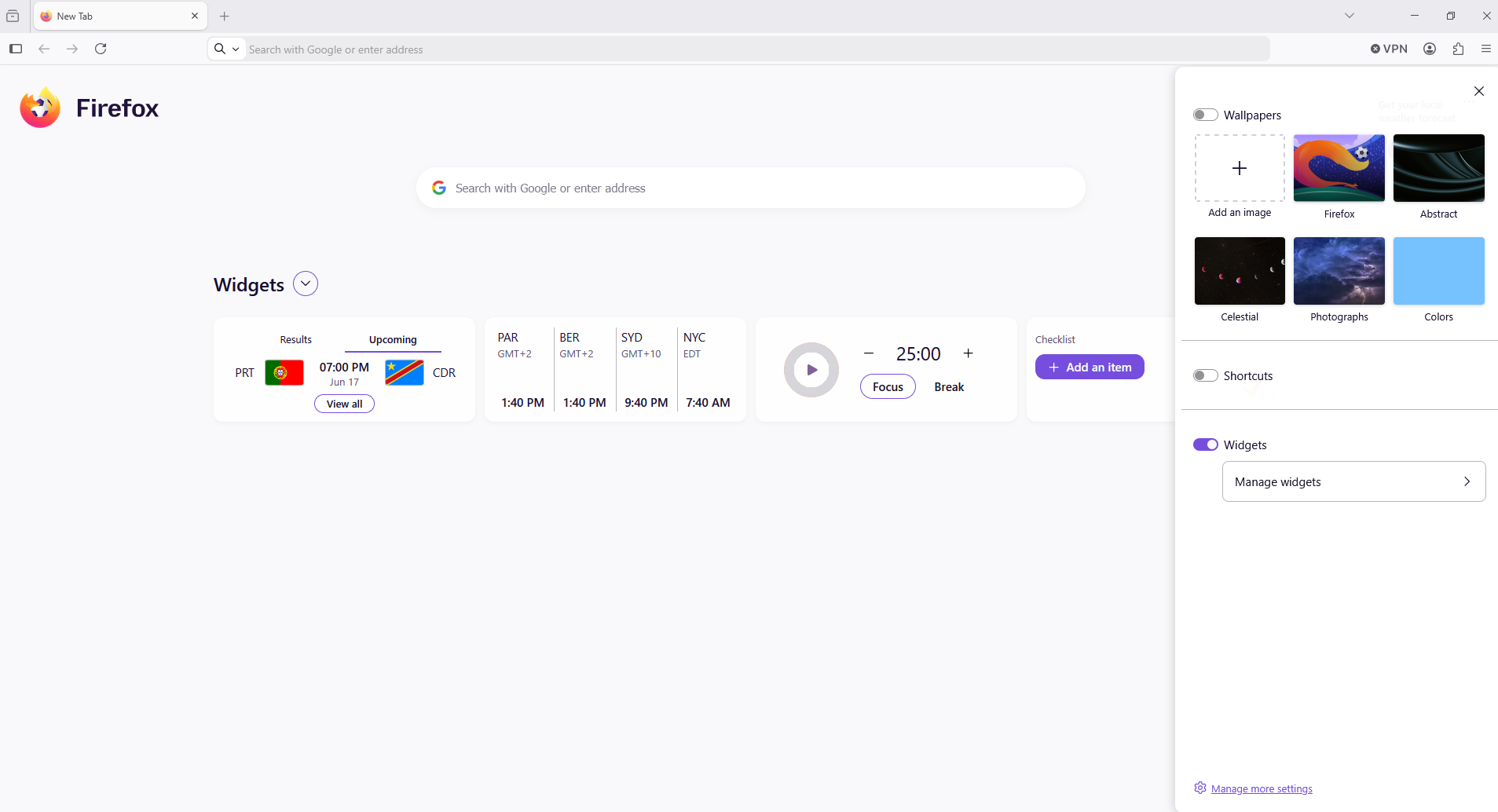
To get rid of the widgets on your start page, just open a new tab and look for the Gear icon in the top-right corner. Click it, and you'll see a list of checkboxes. Just uncheck things like Shortcuts, Recommended by Pocket, or Recent Activity, and they should disappear from your screen.
Modified by creeper_diamonds
Hello
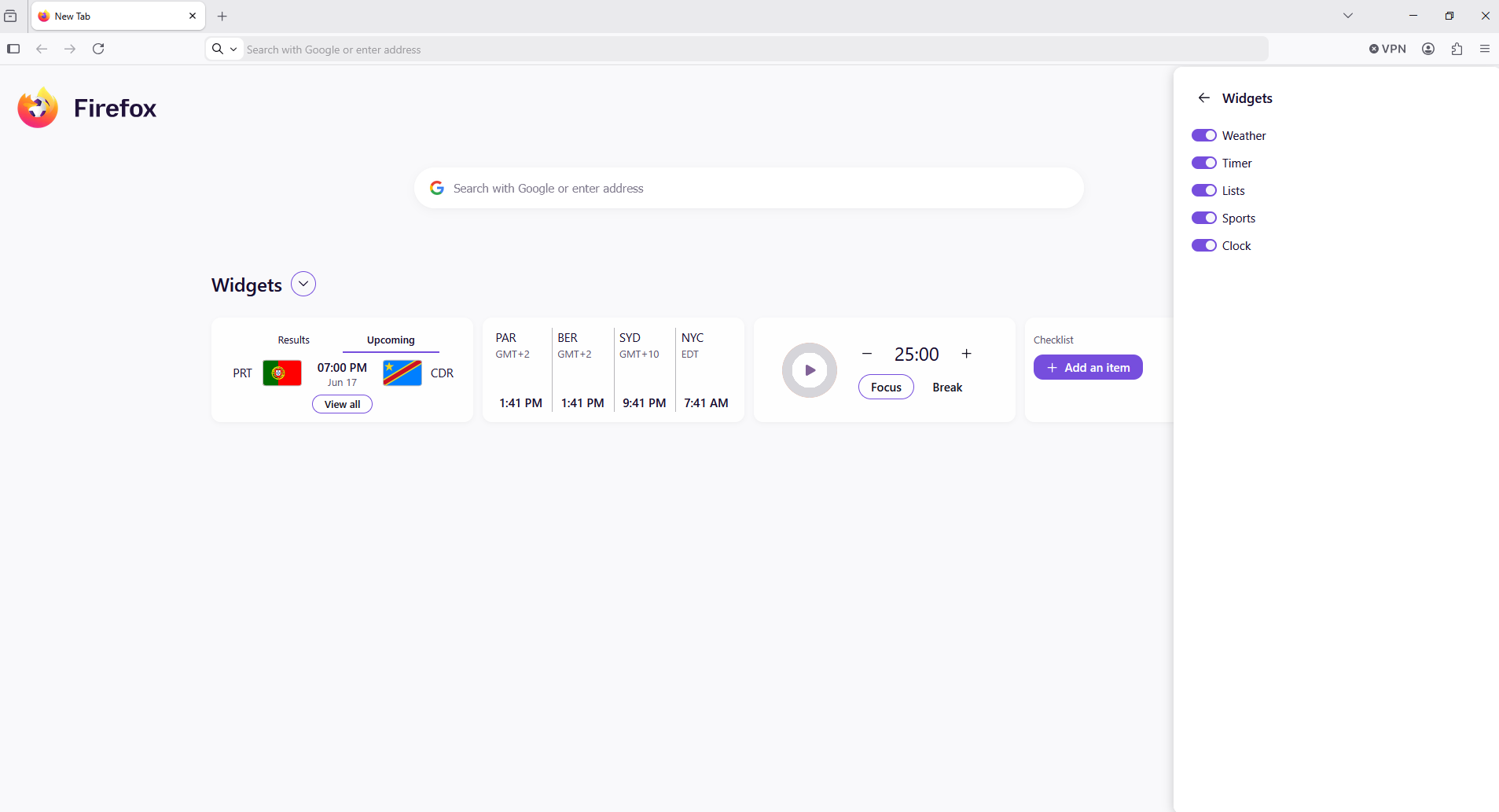
Take a look Customize at bottom right
Modified by Agent virtuel

The solution offered by "creeper diamonds" didn't help. After further searching I found it myself. Go to Settings (refered to as the "gear icon"). Click on Home and startup, scroll down to WIDGETS and switch them off.