


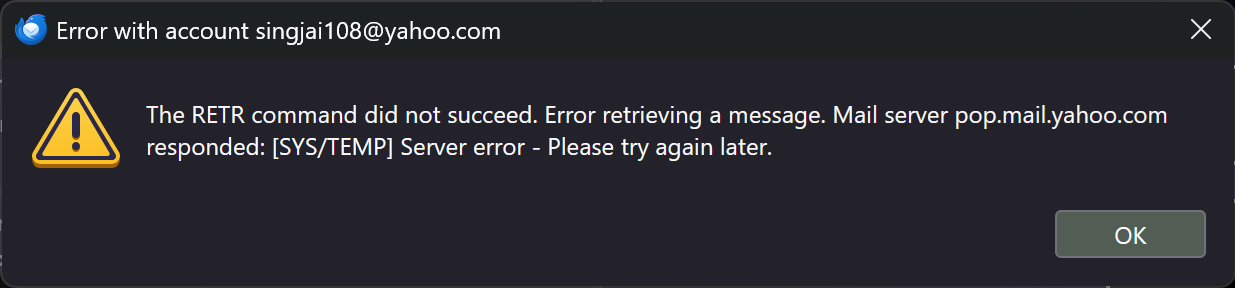
The RETR command did not succeed.

I'm trying to download my email and my progress has been halted by a single email that could not be processed. Right now I'm stuck.
Chosen Solution
Since this was a POP account, the messages previously downloaded should be on the PC. When others have had the RETR problem, I don't recall anyone losing data. The download was just 'stuck' until the next message was removed from server, That is, Thunderbird stops the download, so there shouldn't normally be any damage.
All Replies (15)
I suggest going online to free the email.
What does that even mean? Help me out here.
Log onto the yahoo site where you can see your mail online. The problem message is there and can be read and possibly will then download.
You mean Yahoo Mail, yes? I suspected there was one problem message. With 50,000+ emails in my inbox, how do I identify the one problem message?
My understanding on this topic, which is light, is that the RETR command is just for POP accounts. With that, my inference is that the account is stuck on the next-to-be-downloaded message.
That's what I'm doing. Yahoo tightened up its storage limit, from 1 tb to 15 gb. I had about 28 and I wanted only to get them out of the app so I could deal with them later. I figured it was stuck on the next mail - but I have no clue how to find it - it just seems as if MT is picking them off at random.
UPDATE: I GAVE UP AND FINISHED THE JOB THE HARD WAY.
With Thunderbird's job unfinished, where does that leave the emails it did process?
I don't now what you meant by 'doing it the hard way.' Your question is unclear to me. My inference is that messages that were processed were the ones downloaded. Again, my exposure to the RETR issue is limited. If your intent is just to keep all messages on PC, you could create an IMAP account to get all the messages downloaded. Maybe I don't understand your situation.
The hard way meant deleting thousands of emails one at a time until I was below Yahoo's storage limit. Since the original error stopped my progress with Thunderbird before Thunderbird was finished. I wanted to know what that meant.
Modified by Portnoy
If you just wanted to save them, IMAP was likely a better option. If you deleted messages online, they are gone.
Thank you for answering. My question is really simple. Thunderbird didn't finish the job. What is the effect of that?
Chosen Solution
Since this was a POP account, the messages previously downloaded should be on the PC. When others have had the RETR problem, I don't recall anyone losing data. The download was just 'stuck' until the next message was removed from server, That is, Thunderbird stops the download, so there shouldn't normally be any damage.
That's all I needed. Thanks!
You're very welcome. I regret that it took so long for me to fully grasp your issue. :)
I was really only saving the emails to give myself time to look them over. For the most part, the only things I wound up saving were videogame screenshots I sent to and from my phone. Transferring files between my phone and PC became dodgy as my phone aged out.
Modified by Portnoy