cant get thunderbird to sumit IRS form

An IRS form 4506-B PDF has to filled out and sent with adobe reader, if you use a browser it disables funtions in adobe acrobate reader that allow you to send the form. Thunderbird works find to send regular emails. It isnt working when I click on the "submit form" buttton at bottom of the 4506-B forms page. I ran Thunderbird in troubleshoot mode and turned off all AVG protection includeing VPN and it still wont work. I tried with my aol and gmail accounts.
'FROM IRS SITE':How To Submit Submit Form 4506-B via email by completing the form then clicking the “Submit Form” button at the bottom of the page. Adobe Reader. We use Adobe Acrobat PDF files to provide electronic access to our forms and publications. You will need to have the Adobe Reader software installed to submit this form. We recommend using the most recent version of Adobe Reader - available free from Adobe's website. When submitting, saving, or printing a file, be sure to use the functionality of Adobe Reader rather than your web browser
All Replies (2)

I don't see how this is related to Thunderbird. As per your post above, this is what you're supposed to do:
When submitting, saving, or printing a file, be sure to use the functionality of Adobe Reader rather than your web browser
If you need further help with this you may ask in a Adobe Support forum.

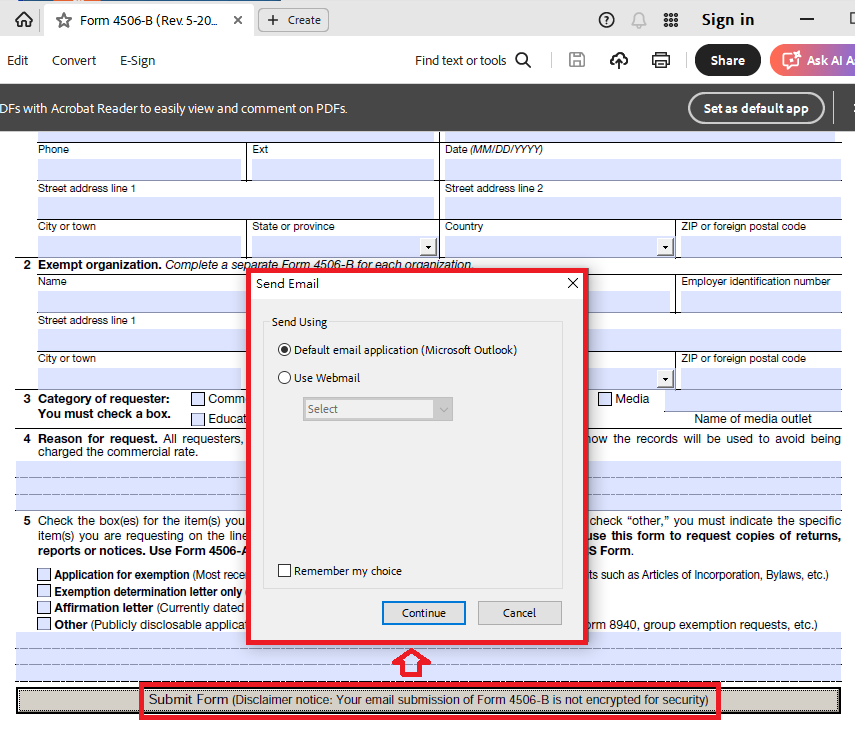
Steps: 1. Download the IRS Form 4506-B and save that file to your computer. 2. Open that file using Adobe Acrobat Reader. 3. Click the "Submit Form" button at the bottom of that form. 4. A "Send Email" dialog will appear. (Please see the attached image.) 5. Choose the method to send the email:
---
Method 1: Send using "Default email application (Microsoft Outlook)": (Note: Although I have set Thunderbird as the default email application, Adobe Acrobat Reader still recognizes Microsoft Outlook as the default email application.)
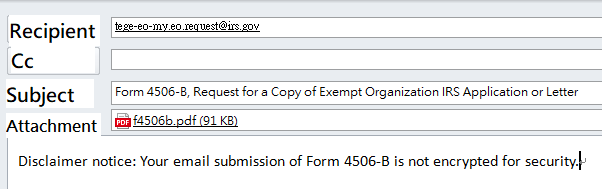
The following email will be created in the email application (Microsoft Outlook) (please see the attached image):
Recipient: tege-eo-my.eo.request at irs dot gov
Subject: Form 4506-B, Request for a Copy of Exempt Organization IRS Application or Letter
Attachment: That Form 4506-B file.
Content: Disclaimer notice: Your email submission of Form 4506-B is not encrypted for security.
The user can then send the above email themselves.
Therefore, if you want to use Thunderbird, simply create the above email in Thunderbird and then send it.
---
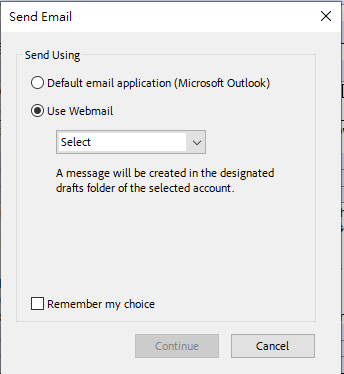
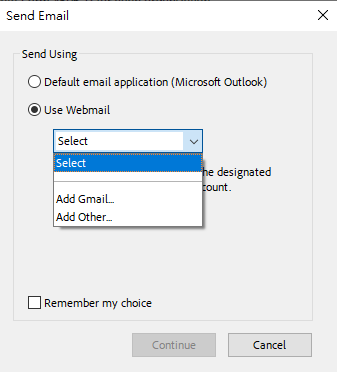
Method 2: Send using Gmail or other webmail. (Please see the attached image.) A message will be created in the designated drafts folder of the selected account.