


I have version 149.0 and want to use the new Split View feature but when I right click on a tab, I can't find anything that says "Add Split View"

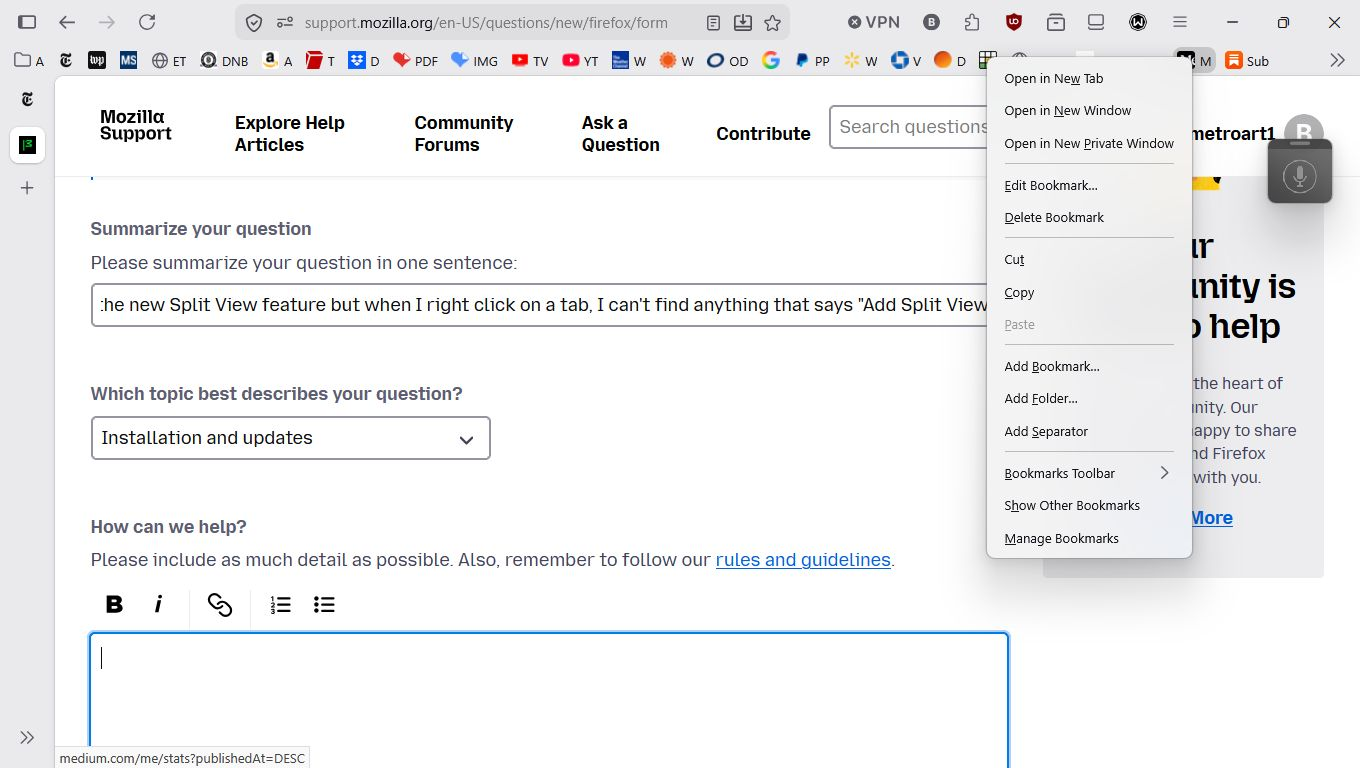
See the attached screenshot. There is NO "Add Split View".
Chosen Solution
Looks like you are right-clicking on a Bookmark in the Bookmarks Toolbar and not on a Tab.
All Replies (5)
I have just updated my Win 11 version of Firefox to 149.0.
The link above would be very helpful if only I could start. It says:
"Create a split view
You can create a split view from one tab or two selected tabs in the tab bar.
From one tab:
   Right-click a tab.
   Select Add Split View.
   Your select tab opens on the left.
       The right side of the split view will show you the list of your open tabs where you can choose which one to open. '
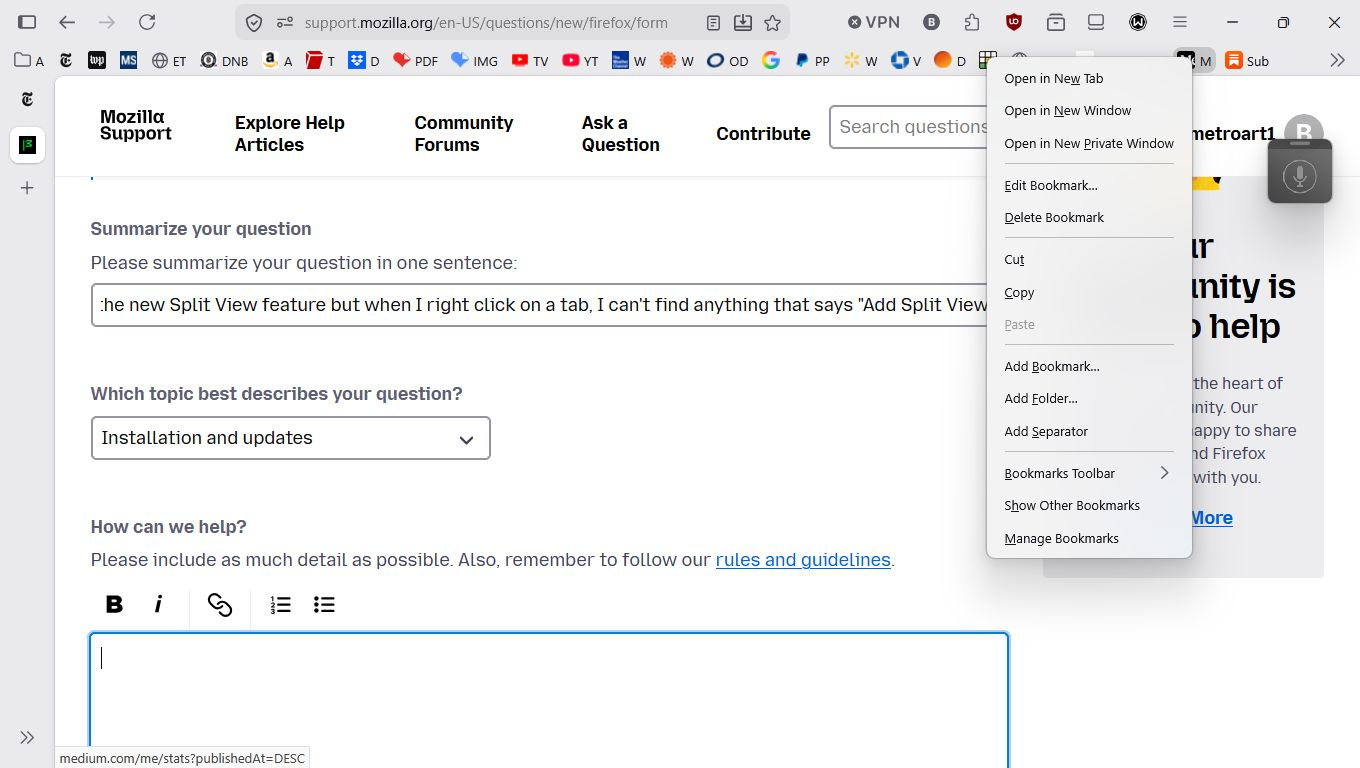
BUT as the attached screenshot shows, when I right-click on a tab, I do not see "Add Split View" on the pop-up menu.
Is this a bug or am I doing something wrong??? Where is "Add Split View"?
Chosen Solution
Looks like you are right-clicking on a Bookmark in the Bookmarks Toolbar and not on a Tab.
For the last few weeks, I've been using the new "Vertical Tabs" feature and got so used to it that I just stopped thinking of the list as a bunch of tabs that I could just right-click on.
Thanks for setting me straight.
Sorry I did not catch that you were right-clicking on Bookmarks the first time as I had just got home after doing a lot of lap swimming and had a shower and was about to make a meal since I was hungry.