Thunderbird for Android sub folders

Within my Outlook.com email account i have an archive folder with 36 sub folders.
In the Thunderbird app for Android only 2 of these sub folders are visible.
I cannot find any setting that to resolve this issue
All Replies (4)


Have you tried tried refreshing the folder list within the app?
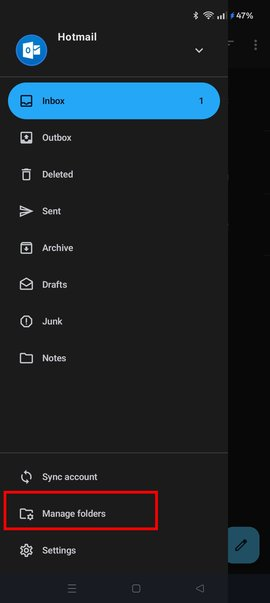
Open the side menu
- Tap your account
- Tap manage folders (bottom of list)
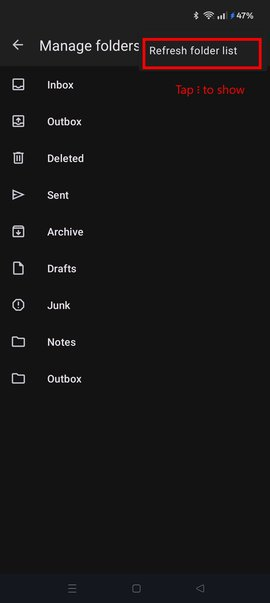
- Tap 3 dot menu
- Tap refresh folders
Are the missing folders listed under manage folders?
Using outlook webmail, I tested adding 4 new folders within the Archive folder. After refreshing the apps folder list, all were correctly displayed.
Are your 36 folders located immediately under Archive, or nested several levels deep (sub folders within sub folders)?
Within the Android app there is no setting for manage folders nor an option to refresh folders!
All 36 folders are sub folders of the archive folder & are each immediately under the archive folder
You can see both 'Manage folders' and 'refresh folders' shown in the attached screen shot.