


login passwords window

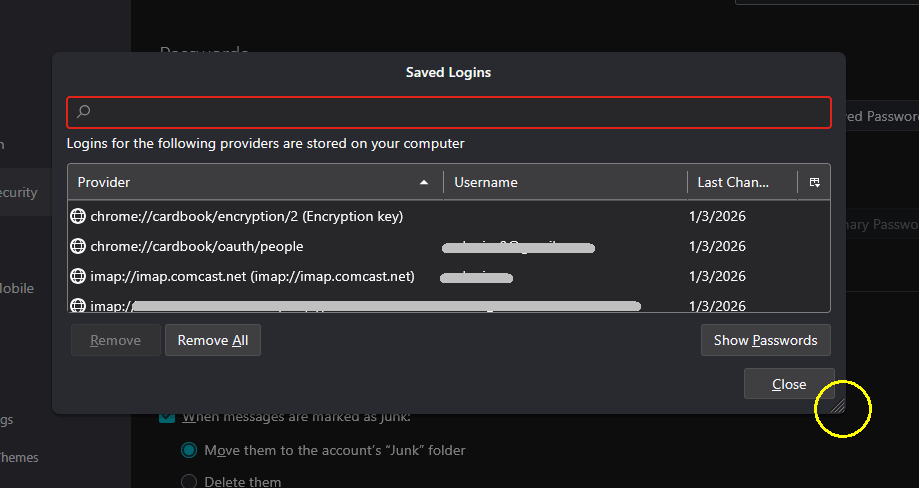
when I view the saved passwords, the saved logins window does not work properly. I cannot drag the borders left or right to view whole information such as passwords or provider. The borders just refuse to move. I therefore can only view partial information under any heading. Please help if possible. Thank you.
Chosen solution
Thank you very much. I am able to see about 90% of info by expanding the box. The rest I can see by hovering with the mouse and a window pops up with the whole field of info.
Read this answer in context 👍 0All Replies (3)

It's kind of an odd dialog box, not a common modal or non-modal box with borders you might expect to see. There is a "thumb" in the lower right corner that you can manipulate to expand it somewhat. See the attached image:
Chosen Solution
Thank you very much. I am able to see about 90% of info by expanding the box. The rest I can see by hovering with the mouse and a window pops up with the whole field of info.
I am confounded by the fact that you can hover the pointer over the separator bars between title fields and a double arrow appears, but you still can't drag the separator bars anywhere. However, the given answer is sufficient to solve the problem.