COMMENT AJOUTER L'OUTIL "INSERER " - HOW TO ADD THE “INSERT” TOOL

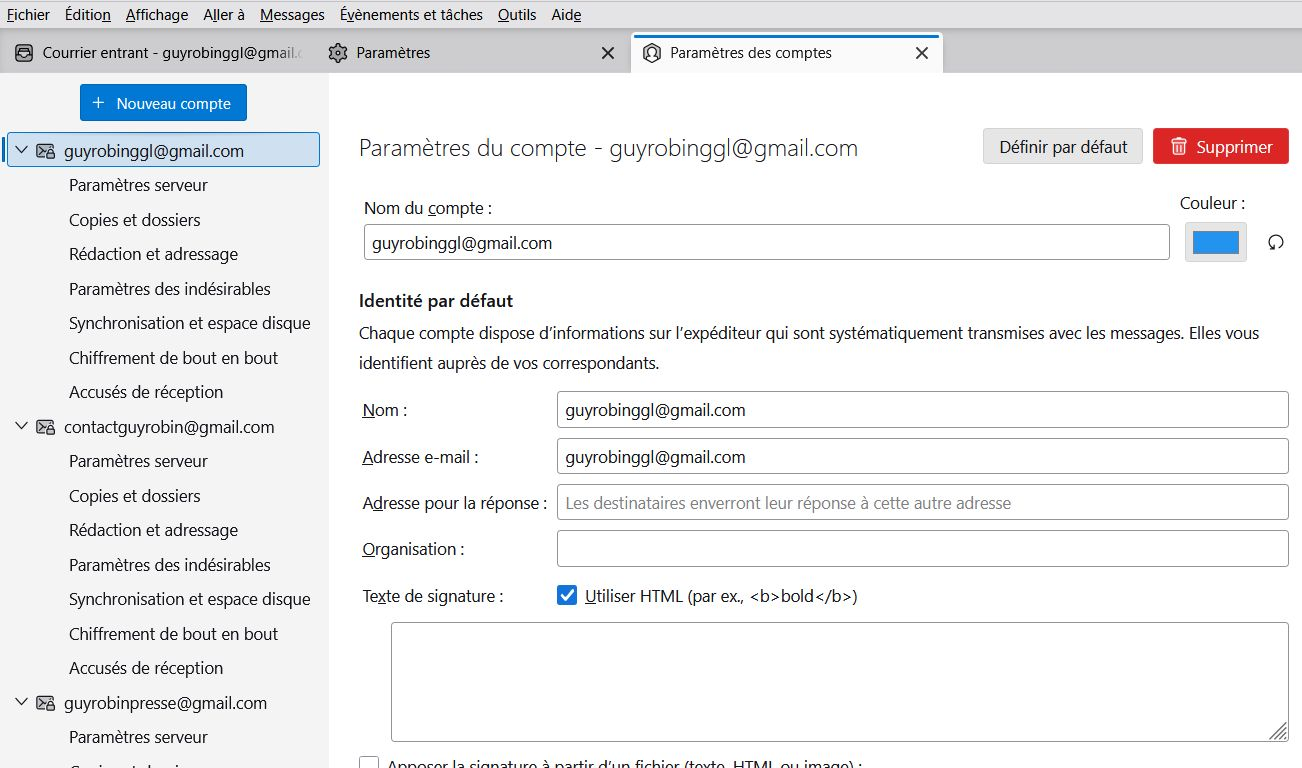
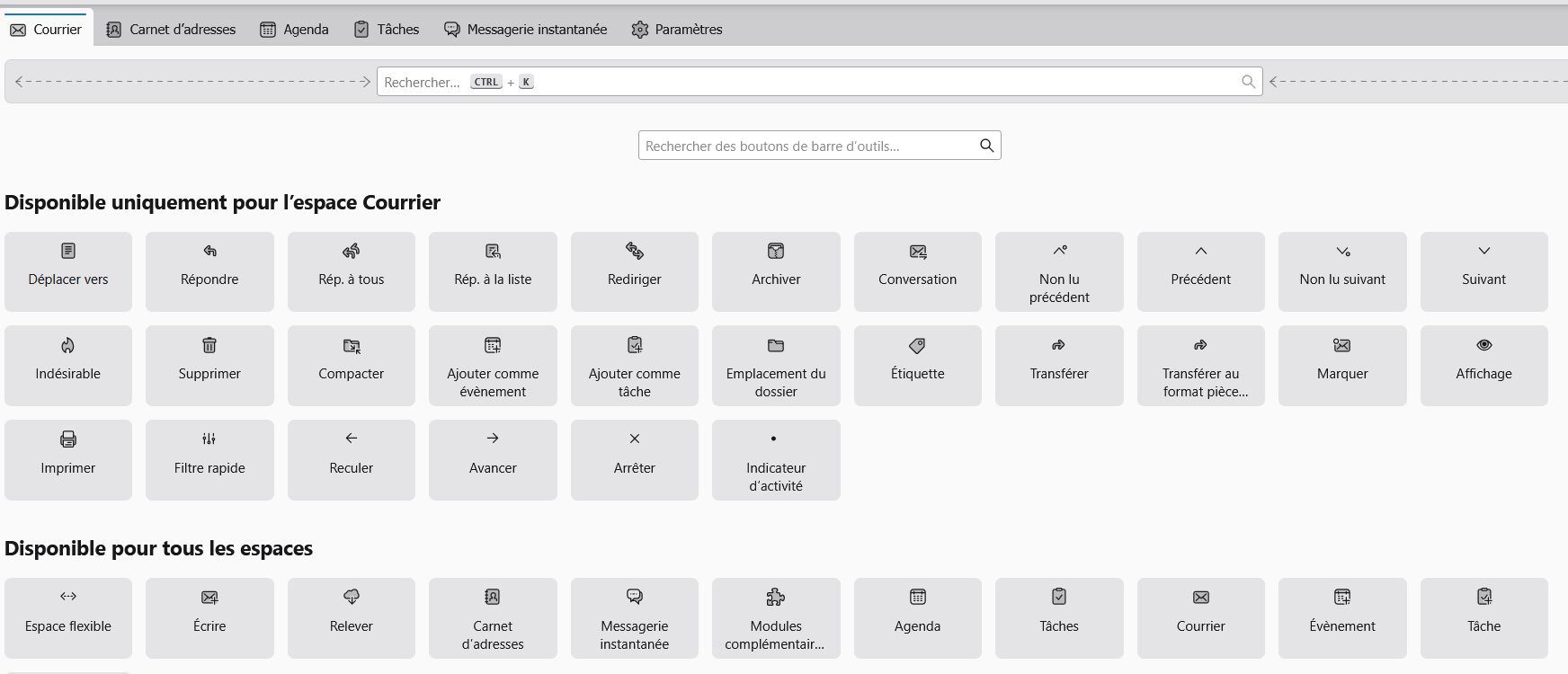
Bonjour M. David et grand merci pour votre soutien. Je suis désolé de vous solliciter autant ! Pardonnez-moi mais je commence à être vieux (83 ans et demi …). Je commence mieux à comprendre votre proposition pour la commande « insérer » (on verra l’autre problème plus tard). J’ai cliqué sur la commande « nouveau message » en même temps que sur la commande « MAJ » (je pense que c’est celle qui permet de saisir une majuscule) mais cela ne m’a rien donné. En revanche, j’ai cliqué sur « paramètres des comptes » et j’ai cliqué sur « HTML » (voir image ci-jointe appelée « HTML »), mais cela ne change rien car je ne vois toujours pas comment ajouter la commande « insérer » dans la barre d’outils. D’ailleurs je n’ai pas vu la mention « composition et adressage ». Par contre j’ai essayé d’ajouter d’autres commandes dans la barre d’outils en cliquant sur « affichage » « barre d’outils » « personnaliser », mais je n’ai pas vu la commande « insérer » (voir image ci-jointe « barre outils »). Si vous avez le temps de continuer à m’aider, je vous en remercie bien sincèrement.
Hello Mr. David and many thanks for your support. I'm sorry to ask you so much! Forgive me but I'm starting to get old (83 and a half years old...). I'm starting to better understand your proposal for the "insert" command (we'll see the other problem later). I clicked on the “new message” command at the same time as the “SHIFT” command (I think it’s the one that allows you to enter a capital letter) but that didn’t give me anything. However, I clicked on “account settings” and I clicked on “HTML” (see attached image called “HTML”), but that doesn’t change anything because I still don’t see how to add the “insert” command to the toolbar. Besides, I didn’t see the mention “composition and addressing”. On the other hand, I tried to add other commands to the toolbar by clicking on “display” “toolbar” “customize”, but I did not see the “insert” command (see attached image “toolbar”). If you have the time to continue to help me, I sincerely thank you.
All Replies (1)
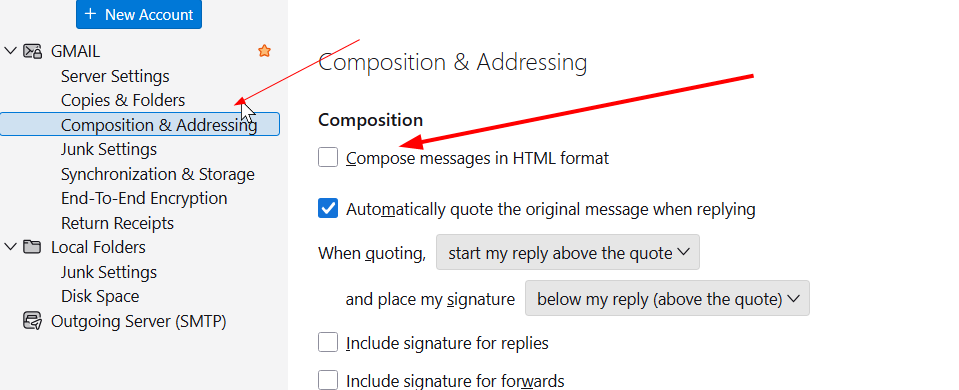
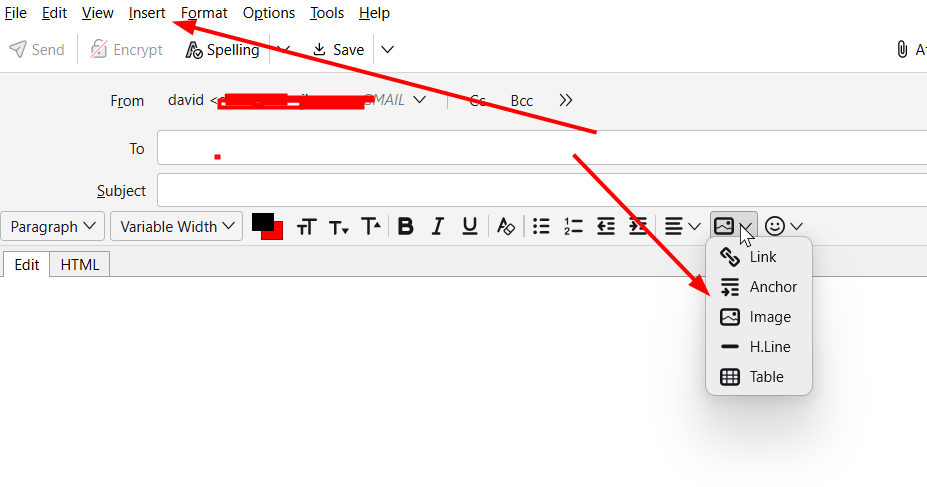
Again, you serve our community here better by staying with one thread, not starting a new one for each reply. On your issue, I think I understand now. You are wanting the INSERT button on the unified toolbar, but that is not where it needs to be. Please see the two attached screenshots: - one shows the panel for 'account settings' and 'composition & addressing.' On that screen is a text box to check for HTML. Do that. Doing this sets the appropriate menus in the compose panel to show the insert button. - the second screenshot shows the composition panel. The two arrows show two places where you can click when you want to insert an image. Let me know. I want this to work for you. david