


Messages on Server
Even though I have Thunderbird configured to leave messages on the server after downloading it still deletes them from the server. Is this a bug in v146? New user.
Chosen Solution
Yup, would have never looked there in a million years. Thanks for your help!
All Replies (15)
What are the settings in account settings on Thunderbird? A screen shot of the details would be quite useful
The details of distribution and build/install platform would also be most helpful. It is in the nature of Linux, nothing can be considered a stable point between distribution methods so dnf yum apt as well as flatpaks and snaps are not necessarily the same. That is, in my opinion, one of the reasons the year of Linux on the desktop has not happened. Linux is not a single entity it is many many similar, but not the same, operating systems.
I'm using Win10. Not sure what details you are looking for.

Account settings > synchronization & storage might be helpful.
server settings would make a good start.
BTW he forum reports you as posting from :
User Agent: Mozilla/5.0 (Linux; Android 10; K) AppleWebKit/537.36 (KHTML, like Gecko) Chrome/143.0.0.0 Safari/537.36
I dont have a Sync & Storage option anyway in Account settings. Im using a pop account if that matters
- anywhere
Heres a pic
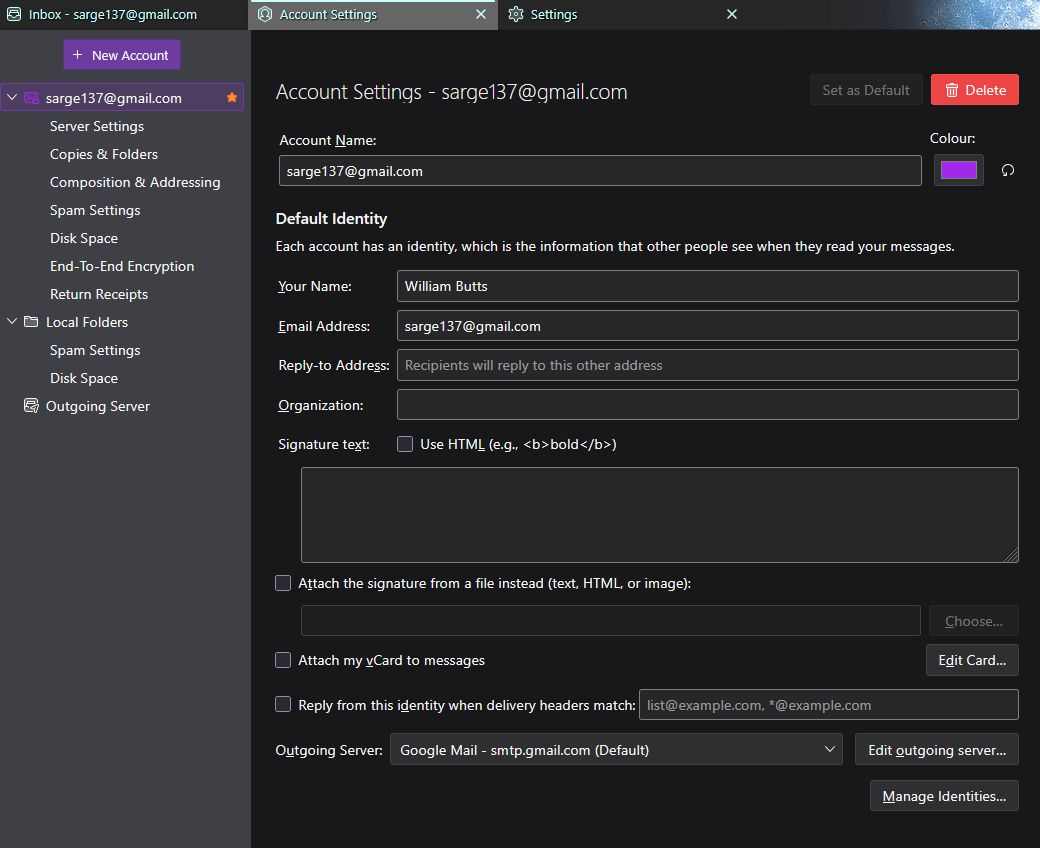
William Butts said
I dont have a Sync & Storage option anyway in Account settings. Im using a pop account if that matters
I knew that, then forgot it. :(
William Butts said
Heres a pic
And that is not the server settings. But we now know this is a gmail account. I suggest you have a look at your settings in Gmail and see exactly what you have set gmail to do. Here https://mail.google.com/mail/u/0/#settings/fwdandpop
It sounds like you have chosen the "delete gmails copy" option.
Chosen Solution
Yup, would have never looked there in a million years. Thanks for your help!

I have all my settings on a new computer as was on the old one that worked perfectly. However, even under the Account settings > synchronization & storage, there is not a option to Leave messages on server. The old one had that. The new one - NOPE. I have tried everything setting I think might have the smallest bit of help, but haven't found any help. Please help me. I don't like having the messages deleted on the server when I delete them on the computer. I am at my wits end with this!!!!!!!!!!
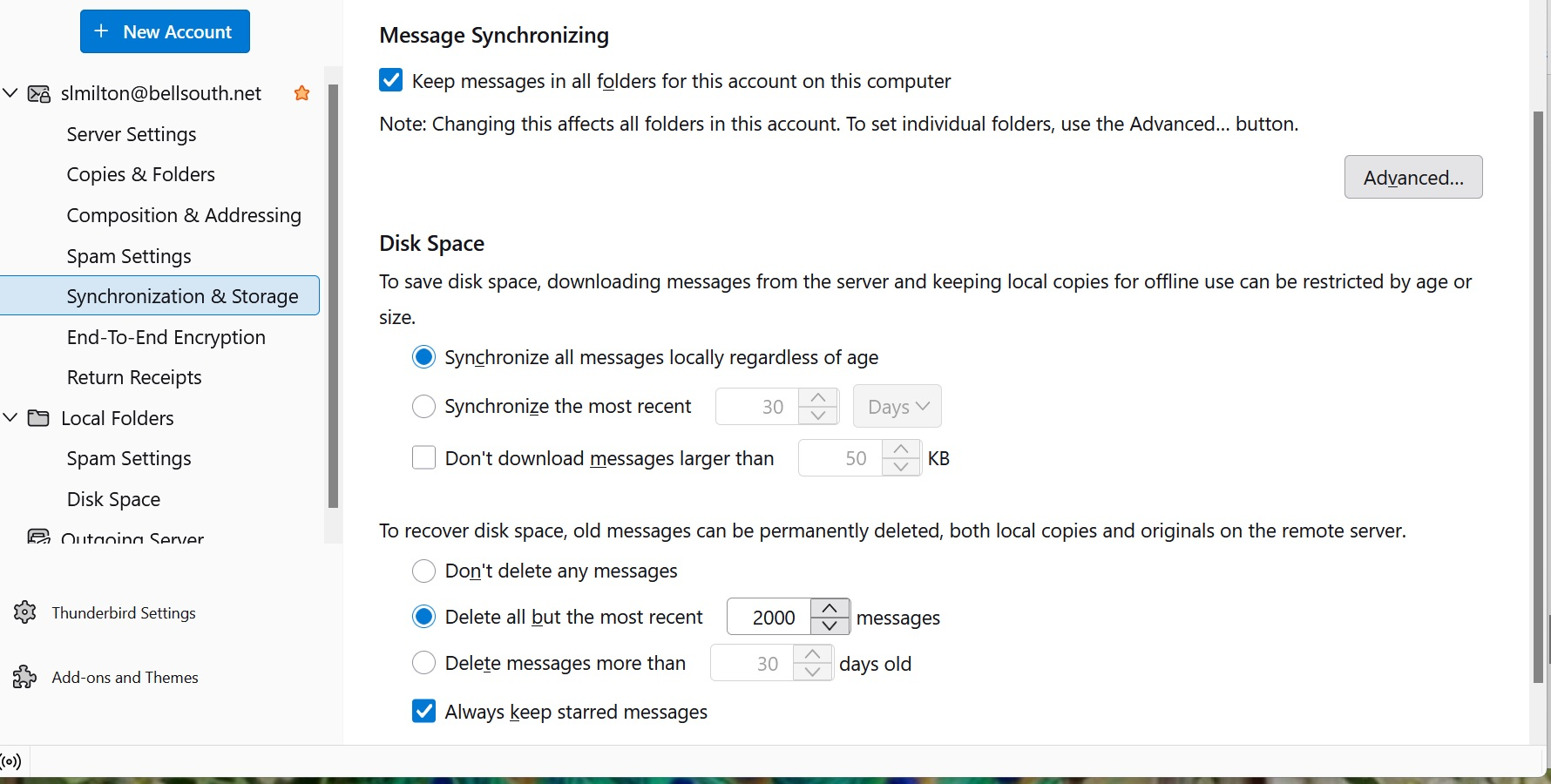
Your account seems to be an IMAP account. Leaving messages on the server is for POP accounts.
See here: https://support.mozilla.org/en-US/kb/faq-changing-imap-pop
After changing the settings to a POP, the sending message will never stop and go away. It will continue to show "sending" for 5 minutes or more. On the imap it goes away in under a minute. Any ideas to help with that?
I suggest that you start a new discussion for this problem so that more people will see it. The original poster's problem is already considered solved.
In the new discussion, Please report your outgoing server settings. They are in account settings > click on account name > edit SMTP server. You can get to account settings by several routes, including 1) right click on the account name in the folder pane and select "Settings" and 2) click on the ≡ button at top right and select "account settings".
We will need this information:
server name: port: connection security method: authentication method: username: just report whether you are using your full e-mail address or just the part before "@" or something else
Does your e-mail service provider require an app-specific password, a.k.a. security password or app password, for third-party e-mail clients such as Thunderbird?
tackynut said
After changing the settings to a POP, the sending message will never stop and go away. It will continue to show "sending" for 5 minutes or more. On the imap it goes away in under a minute. Any ideas to help with that?
IMAP is an incoming protocol. POP is an incoming protocol SMTP is the sanding protocol used by both IMAP and POP to send mail using the setting you provider in outgoing server (SMTP) (it is in account settings.)
I can not guess what you have in your settings so be sure to include that information I note you already have two open topics which seriously lack information and folk are guessing answers. https://support.mozilla.org/en-US/user/tackynut/questions
I suggest you pick one of those topics and enhance you question with screen captures of the relevant things you see and include the troubleshooting information on the help menu so people have some solid information to work with.