


Account creation not possible despite confirmed login credentials

Hello,
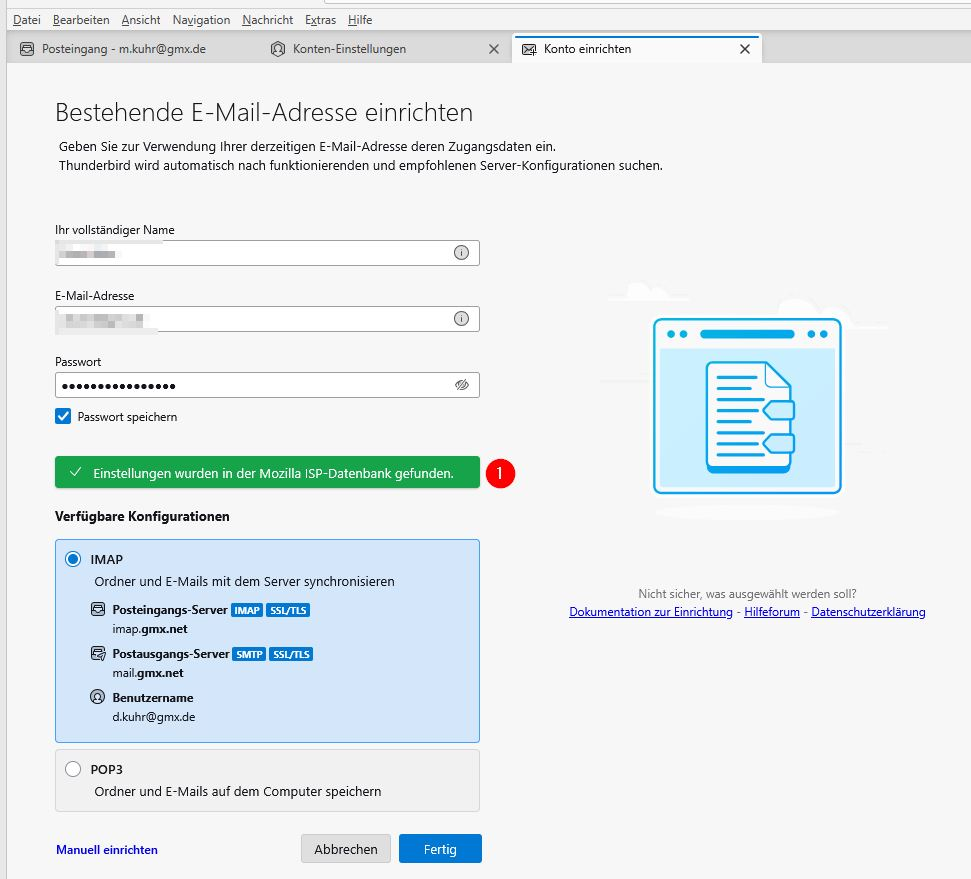
When creating a new account with the email provider @gmx.de, after entering my name, email address, and password, it is confirmed that this combination is found in the Mozilla ISP database. (1)
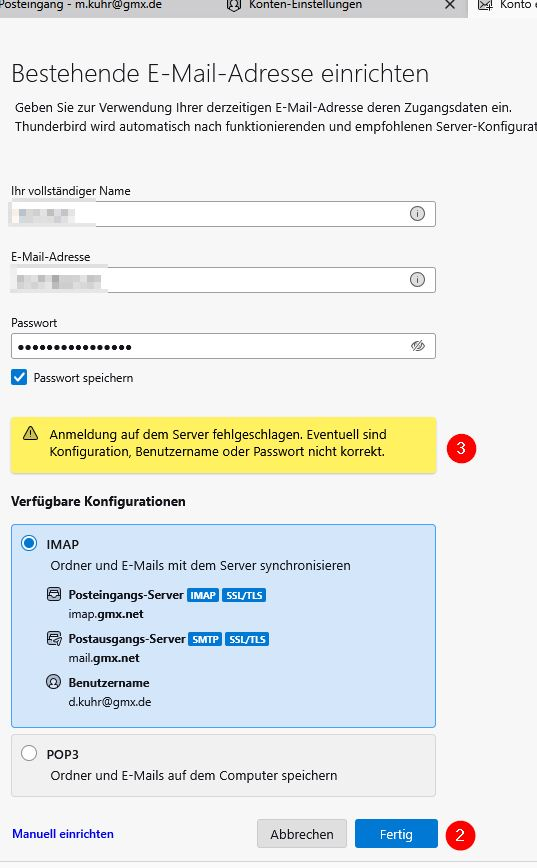
After clicking the 'Done' button (2), an error message is displayed (3).
I can log in to the email account using the same credentials via a browser.
What could be the cause of this behavior?
Thank you in advance for your assistance.
Martin Kuhr
All Replies (1)
the first message indicates that Thunderbird can access the internet as it can access the ISPDB, it has also fetched the settings to the local machine of offered them for your review. But as your second image indicated the credentials as offered do not work.
Why? This is a somewhat bland but common issue and most frequently it leads directly to an antivirus/security product that thinks it is protecting you from yourself. Is there an email scanner in your antivirus product? make sure it is turned off. They are terrible things at the best of times and a complete roadblock at others with their self signed certificates that Thunderbird does not recognize and man-in-the-middle hacking techniques for encrypted communications scanning.
Generally I suggest a short term disabling of any third party antivirus products while setting up accounts. Windows defender does not appear to be a problem child and is active while the third party products are disabled.