Trouble Adding Gmail to Thunderbird – Urgent Help Needed

Hi All,
My name is Chris and I’ve been struggling for the past 3 days to add my Gmail account into Mozilla Thunderbird, and it’s become urgent. My computer often crashes and freezes, so I deleted my Gmail from an earlier version of Thunderbird and reinstalled the latest version.
When I try to add the account, Thunderbird just says “Looking up configuration of my Gmail” and never completes the setup. Oddly enough, I was able to add the same Gmail account into Outlook without any issues.
Is there something wrong with Thunderbird’s automatic server configuration for Gmail?
On top of that, I’d like to download all my past Gmail emails (sent items and inbox storage) into Thunderbird, but I don’t know the correct manual settings to use.
Any guidance on fixing the account setup and the proper manual IMAP/POP settings would be greatly appreciated.
Thanks in advance, Chris
All Replies (1)
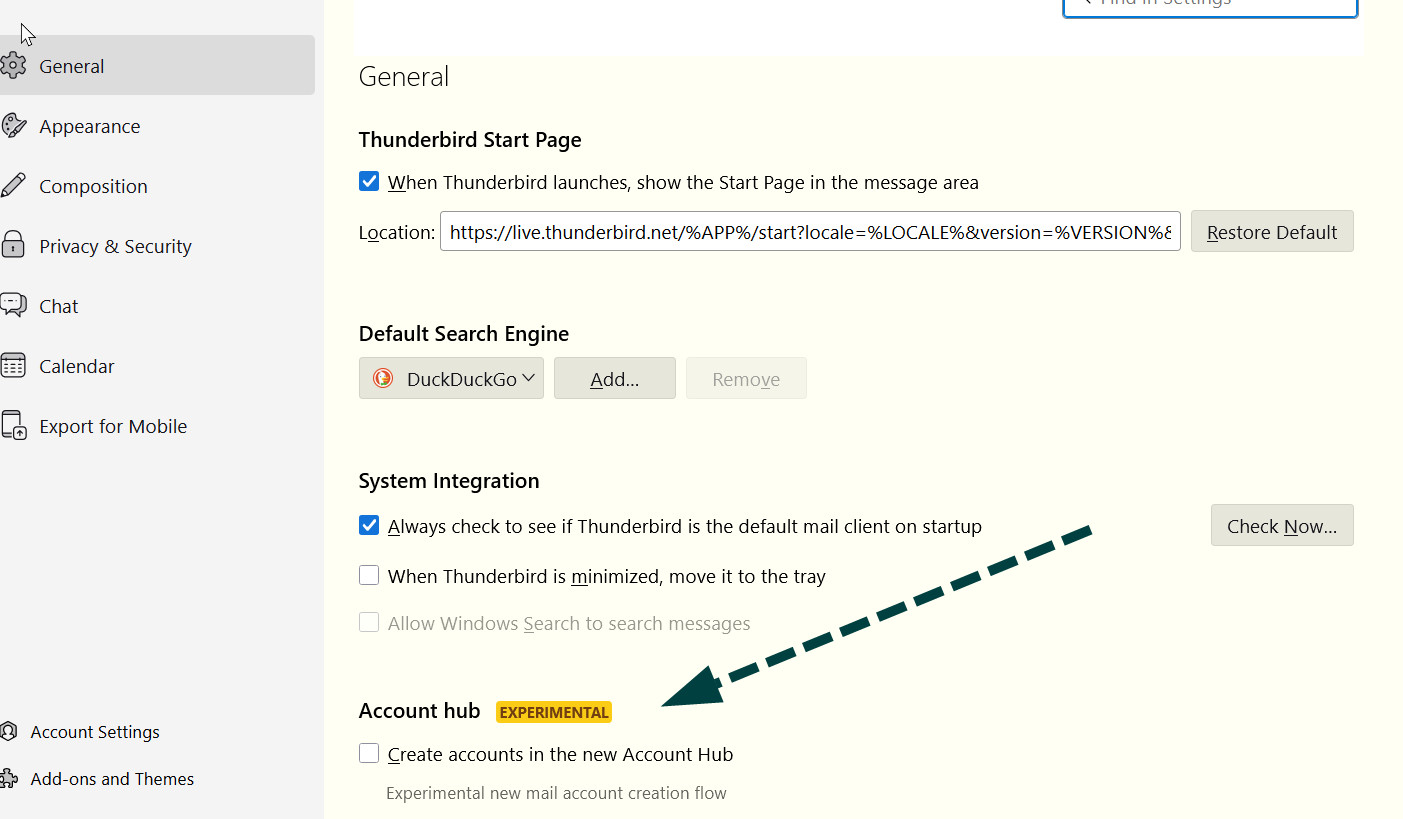
Settting up Gmail is often messy, but I'll offer what I can. First, check that cookies are accepted at settings>privacy&security Then, check that the account hub feature is NOT checked (see attached screenshot) On setup screen, enter name and email address, and do NOT enter password Setting up as an IMAP account will let you see everything on your PC. That will be a COPY of what is on the server. That is, the messages will physically be on the PC, but if you delete on PC, it's deleted also on server. If you delete from server, it's deleted on PC. IMAP keeps both in sync. IMAP is also preferred if you may access account from other devices, such as a phone.