


Thunderbird highlighting of message

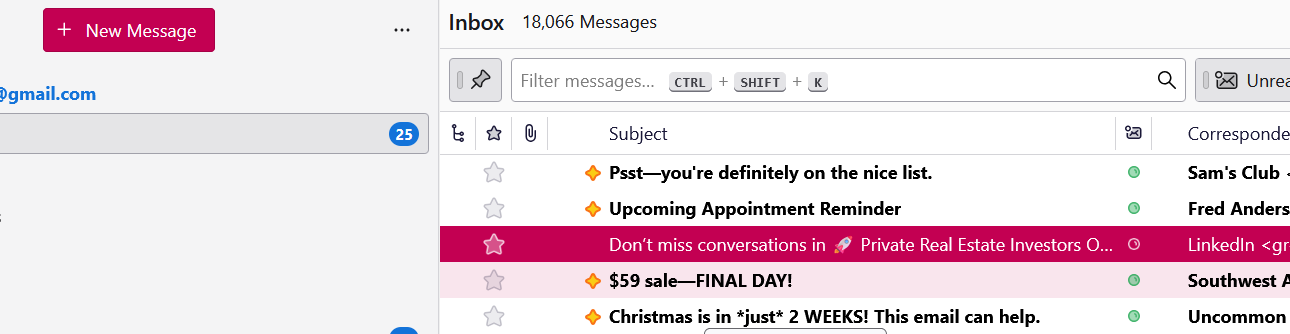
After the last update, I found that when I point to a message it is highlighted in red. The choice to send a new message is highlighted in red. I find the color garish and want to reset it. How an that be accomplished? Or, can I revert back to the last version while I look for another email app. I have been a supporter for a very long time. I have used this product for more than a decade. I don;t want to switch but ...
Chosen solution
It was the Windows accent color causing the issue. It was set on manual with the red color selected. I set it to automatic and I am satisfied with the effect now. Thank you for the help and solution.
Read this answer in context 👍 0All Replies (4)
Check which theme you are using. Settings > Appearance?
Do you have any add-on themes installed? Tools > Add-ons & themes?
Not Solved
Table, Threaded, Light Theme
Changing these parameters does not change the result
Do you have any add-on themes installed? Tools > Add-ons & themes?
What is your system (Windows, Mac) highlight color?
Are you using custom CSS?
Which version of Thunderbird?
Chosen Solution
It was the Windows accent color causing the issue. It was set on manual with the red color selected. I set it to automatic and I am satisfied with the effect now. Thank you for the help and solution.