


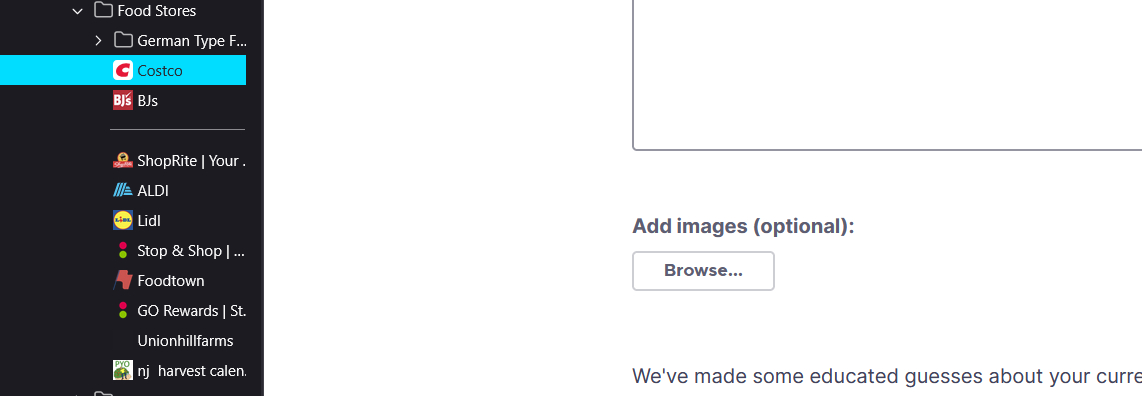
Sidebar bookmark in use is now 'highlighted in BRIGHT blue'

I'm using W11 & Firefox/Mozilla 'Version 146.0 (64-bit)' in ‘Dark Theme’ - my sidebar bookmark in use is now 'highlighted in BRIGHT blue' which is VERY ANNOYING - can I get rid of this feature? Is there a way to adjust the highlight color/intensity? Please let me know. If there is no adjustment possible, please take care of this in your next version. Thanks, John
All Replies (4)
Hello
For information purposes.
Firefox advanced customization and configuration options. https://support.mozilla.org/en-US/kb/firefox-advanced-customization-and-configuration
Colors. https://www.w3schools.com/colors/default.asp
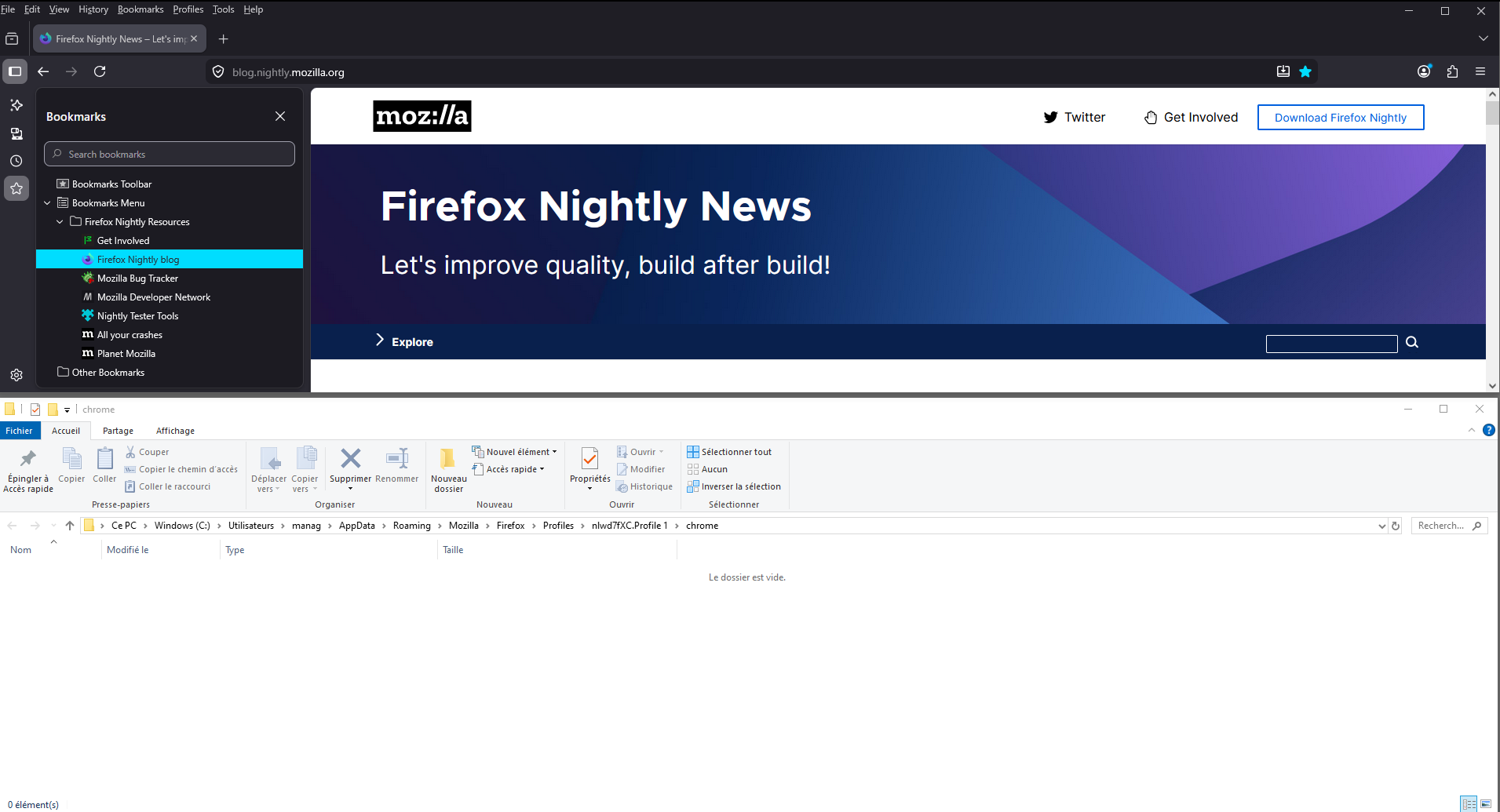
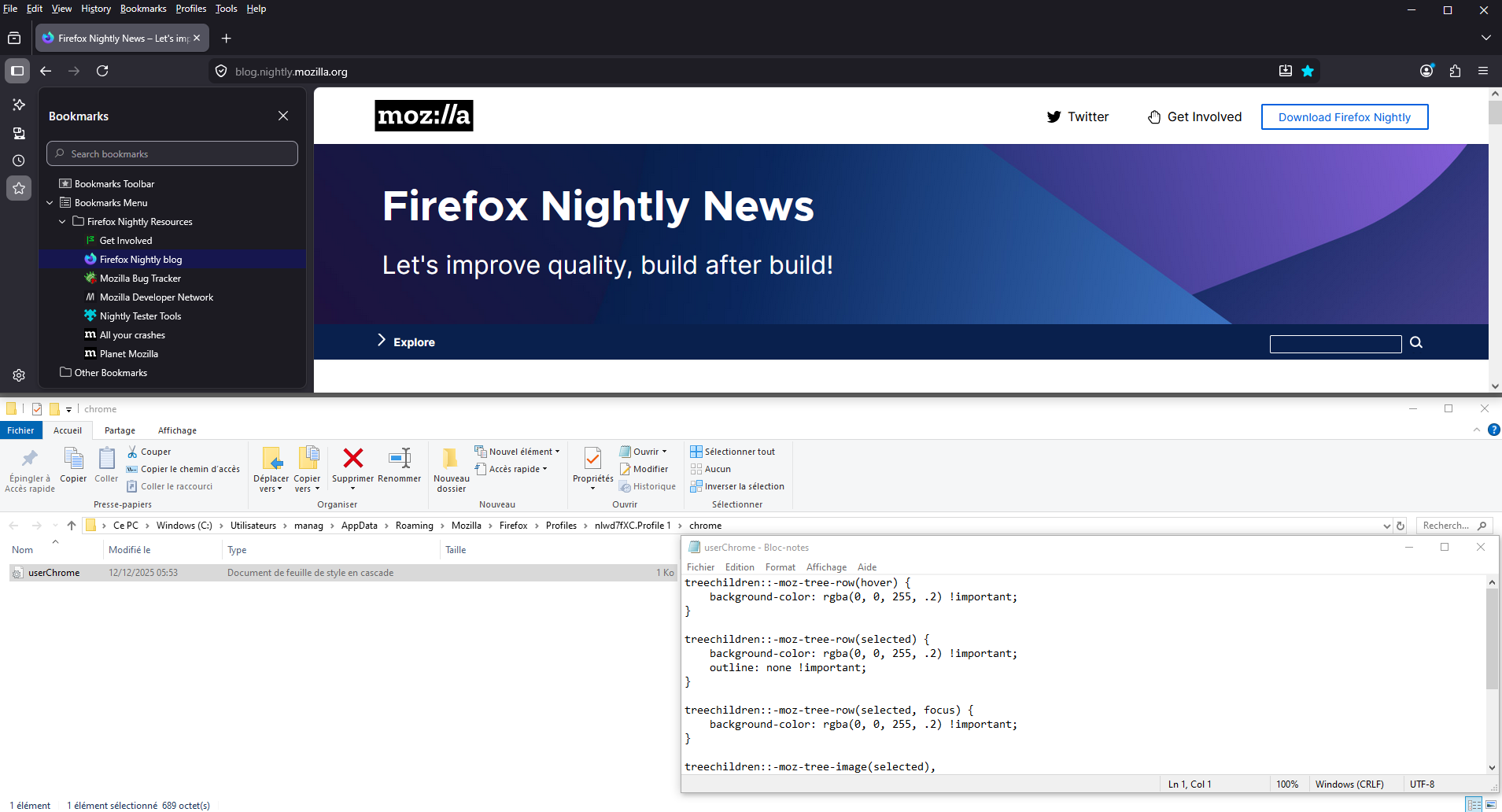
Community. https://www.reddit.com/r/FirefoxCSS/comments/1pjbo8l/how_to_get_rid_of_this_blue_highlight_that You can perform tests userChrome.css and restart Firefox.
A test, userChrome.css, at the right.
Hi John,
Thank you for reaching out! This issue is tracked under bug 2005430. Currently, the plan is to switch to a softer color.
Should be already fixed in 146.0.1.
TyDraniu is wrong, the fix will not land before v147 at least.