DONATION REQUEST

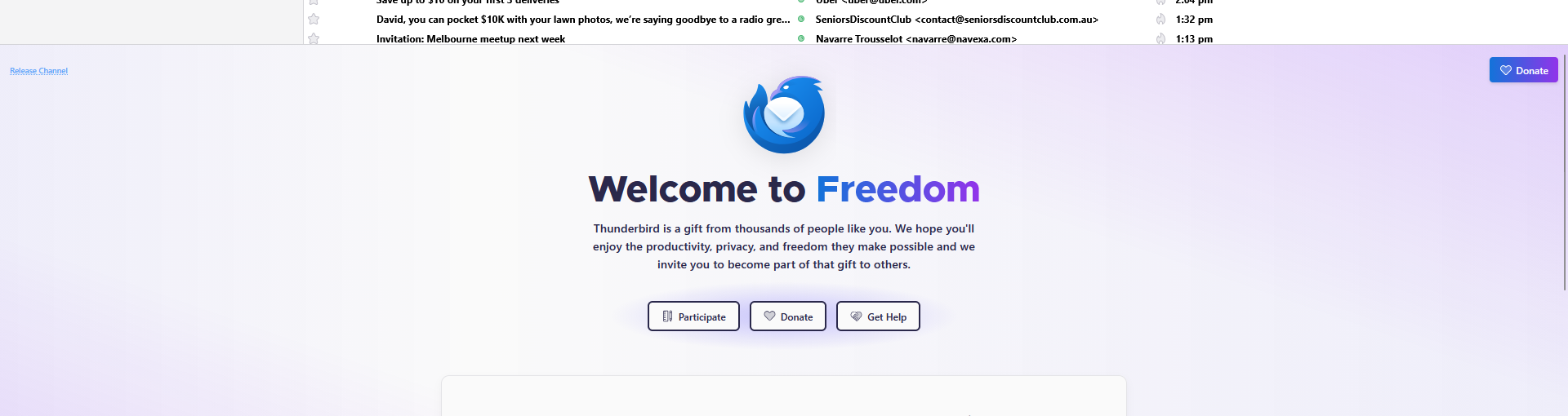
I've just installed Thunderbird and given them a donation, but the big, fat 'sign' asking for a donation is still there and blocking half the screen. I have closed and reopened the program but it's still there.
All Replies (4)
Try this: - click settings>general and untick the start page. Thank you for your donation
Hello Moderator. Good day.
Hello there
If something did go wrong there by that donation you can try to refund that donation. https://www.thunderbird.net/en-US/donate/help/ Please explain that situation in the describe box on the refund page.
Did it all go well after advice from David? Then thank you for that donation of you ,sir.
Please click the button for solved.
Greetings Googlethunderbird.
Modified by Googlethunderbird.
That is the start page. The start page has always been present and hasn't changed in a long time.
But something about the full window doesn't look right. In the past, we've seen where an add-on the user installed is interfering with the display.
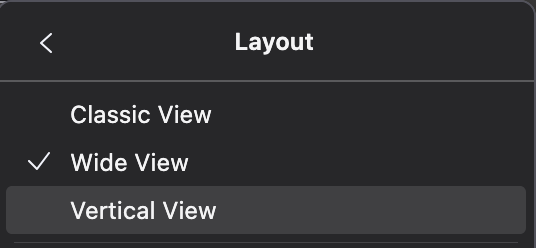
Another possibility is you have View > Layout > Wide View?