Dmitry

Hello! An attachment with the 7z extension is sent to the email. It is very inconvenient to save attachments of this type to the computer every time. To open them using the 7-zip archiver, you need to perform several actions (select open, find the program in the program files, and select the exe file). Can you make it so that the user does not have to perform these actions every time?
All Replies (1)

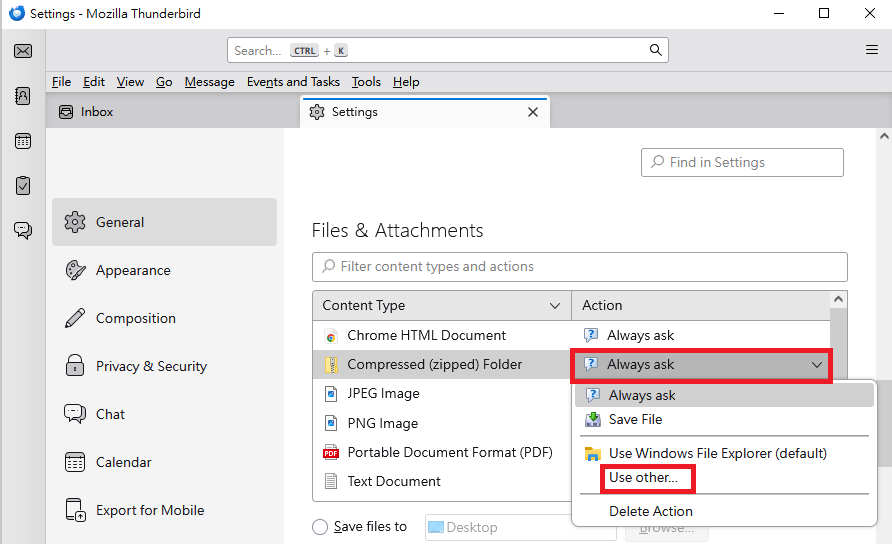
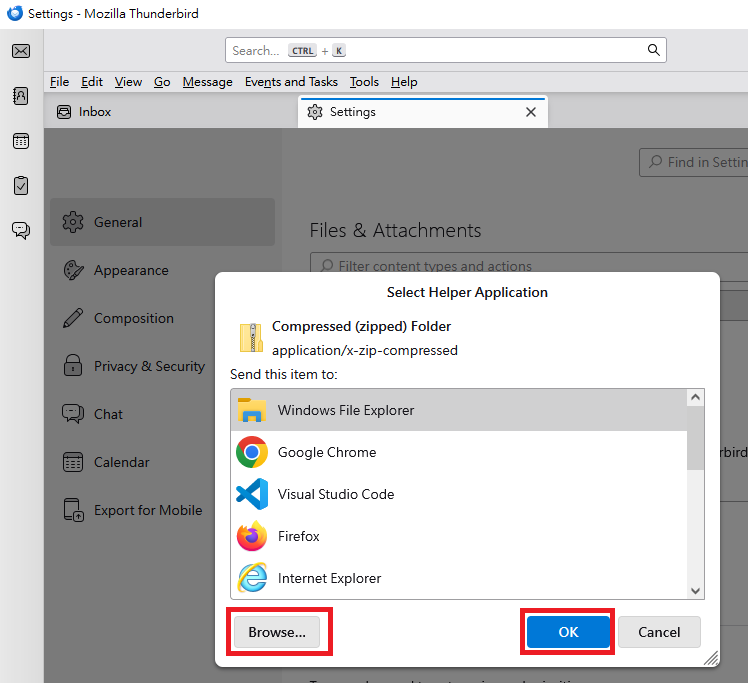
The following steps might be helpful: "Settings" > "General"" > "Files & Attachments" section > Find the rows where "Content Type" are related to 7z or "Compressed (zipped) Folder". > In these rows, click the "Action" column. A drop-down list will appear. > Click "Use other...". > Select your preferred application. > If you cannot find your preferred application, click "Browse..." and then select your preferred application. > After selecting the application, click "OK".
Please see the attached images.