


Spell checking - why can't I avoid it?

Can someone explain why the emails I write are still spell-checked, even though I have unchecked "Check spelling before sending message" and "Check spelling continuously" in "Settings" countless times? Even the Thunderbird add-on "Replywithheader" still checks spelling, even though I have unchecked "spell-check" there too. I don't want spell-checking, but I can't get away from it! It really bothers me.
All Replies (13)
Restart Thunderbird. Does it still have the desired settings?
I have restarted Thunderbird several times. Still the same. My emails are still spell-checked, although the settings are set so that they should be unchecked.
Thanks a lot. But I have tried this, too. It didn't solve the problem.
I just found where the problem was! I uninstalled the add-on "Replywithheader" and Thunderbird stopped spell-checking. When I re-installed the add-on, both the header and the e-mail started the spell-checking again, although the settings are set to uncheck.

Hej Bo
Could it be your operating system that is providing the spell check you see? https://support.mozilla.org/en-US/questions/1279846
No. I suspect it is the add-on "Replywithheader" that causes the the unwanted spell-checking. It is only when I answer an e-mail that the spell-checking starts. Not when I forward one! When I uninstall the add-on "Replywithheader" Thunderbird stops spell-checking all e-mails. When I re-install the add-on, both the header and the e-mail start the spell-checking again.
Look like a known issue with the addon. https://github.com/jeevatkm/ReplyWithHeader-Thunderbird/issues/184
I can't recreate this problem. I have tried different settings in the add-on and in Thunderbird, but it works as expected here. 128.14.0esr (64-bit) for Linux. ReplyWithHeader Version 3.3.0
I use the same version 3.3.0. Every time I answer an e-mail, it looks the way you can see on the attached photo. I can then switch the spell-control off before I send the e-mail. But I have do that with every single e-mail I answer. The problem only occurs when I use "ReplyWithHeader".
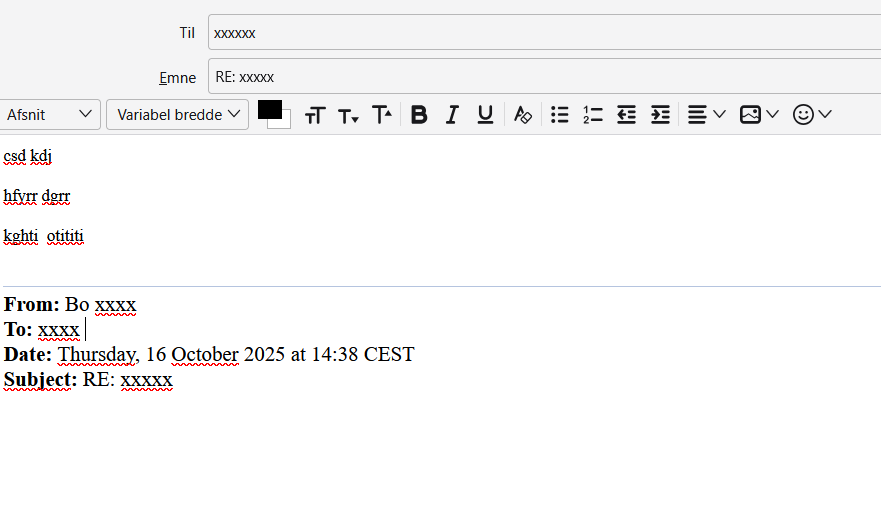
Maybe "ReplyWithHeader" is conflicting with another extension. If you have other extensions installed i Thunderbird, then disable them and restart Thunderbird. Just to see if that makes a difference.
No, I don't have other extensions installed in Thunderbird, only "ReplyWithHeader".
It is strange that it doesn't work the same way in your Thunderbird, when you open an e-mail (with "ReplyWithHeader" installed) and click Answer!
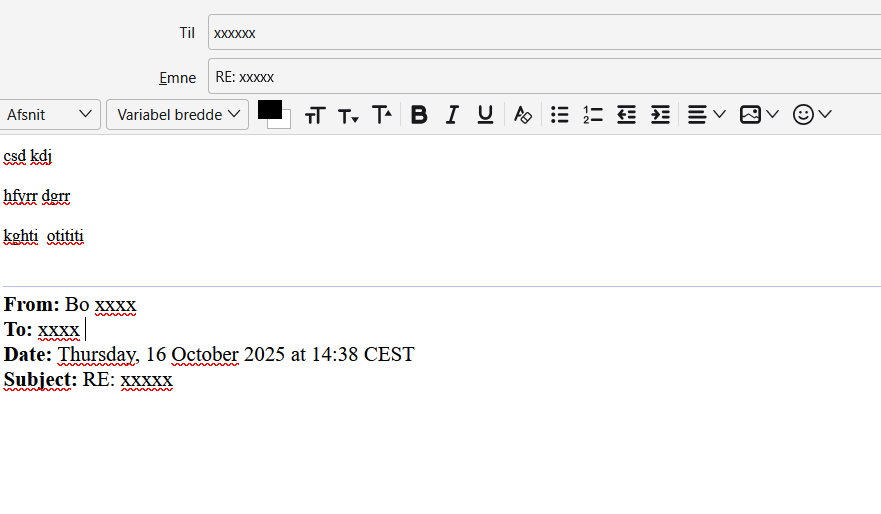
Now have testet with the following setup: Thunderbird version 144.0 ReplyWithHeader version 3.3.0 Windows 11
I still can't recreate your problem. I am out of ideas.