


Outlook classic start from Firefox is not possible

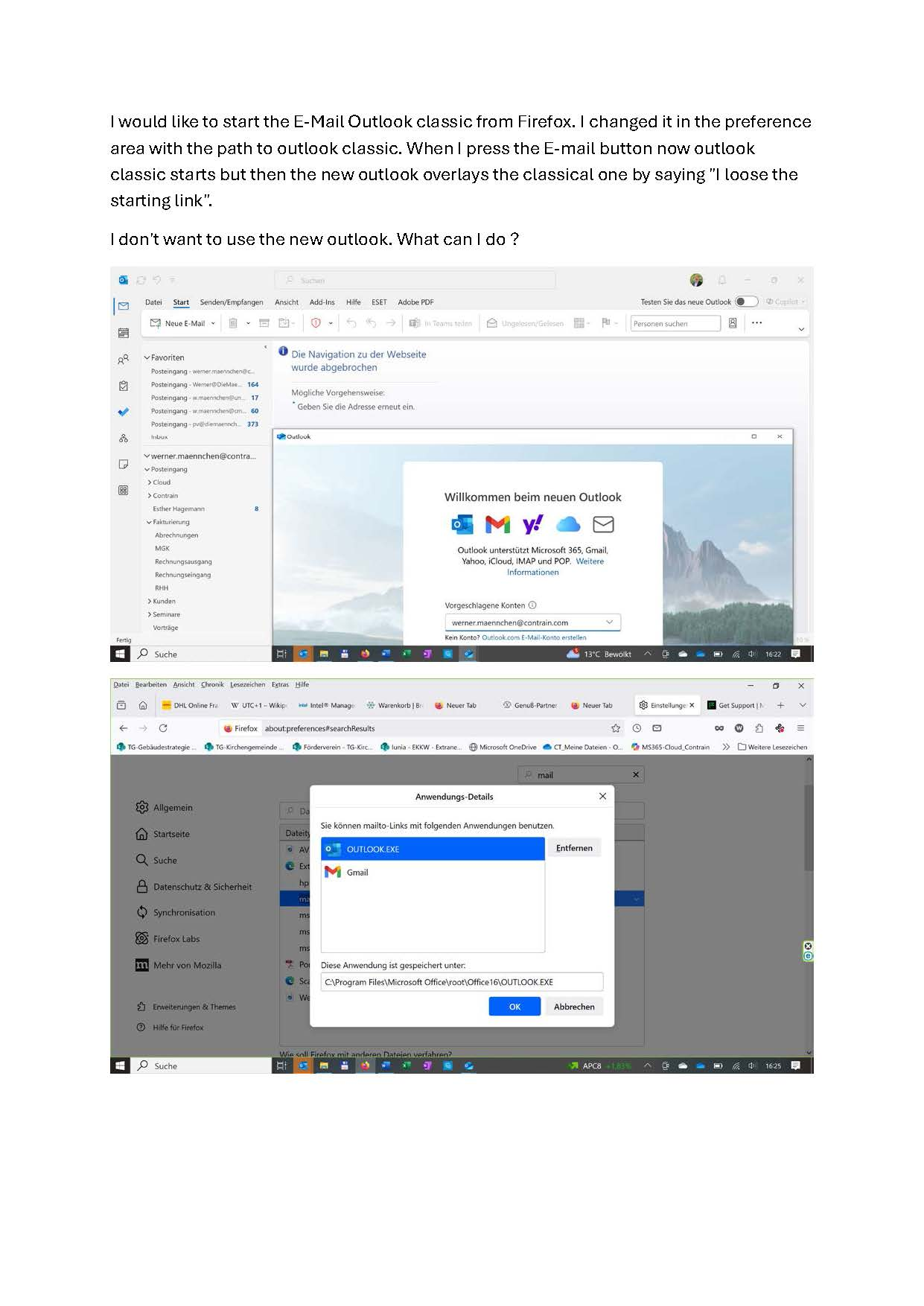
I would like to start the E-Mail Outlook classic from Firefox. I changed it in the preference area with the path to outlook classic. When I press the E-mail button now outlook classic starts but then the new outlook overlays the classical one by saying "I loose the starting link". I don't want to use the new outlook. What can I do ? Thank you for helping me. Best regards Wener
I would like to start the E-Mail Outlook classic from Firefox. I changed it in the preference area with the path to outlook classic. When I press the E-mail button now outlook classic starts but then the new outlook overlays the classical one by saying "I loose the starting link".
I don't want to use the new outlook. What can I do ?
Thank you for helping me.
Best regards
Wener
Modified by w.maennchen
All Replies (1)
I am sorry but this is a windows issue and not possible to set in Firefox