


Making filter from message

I used to be able to select a message and make a filter for it but now I can see how to do it.
Help
Chosen Solution
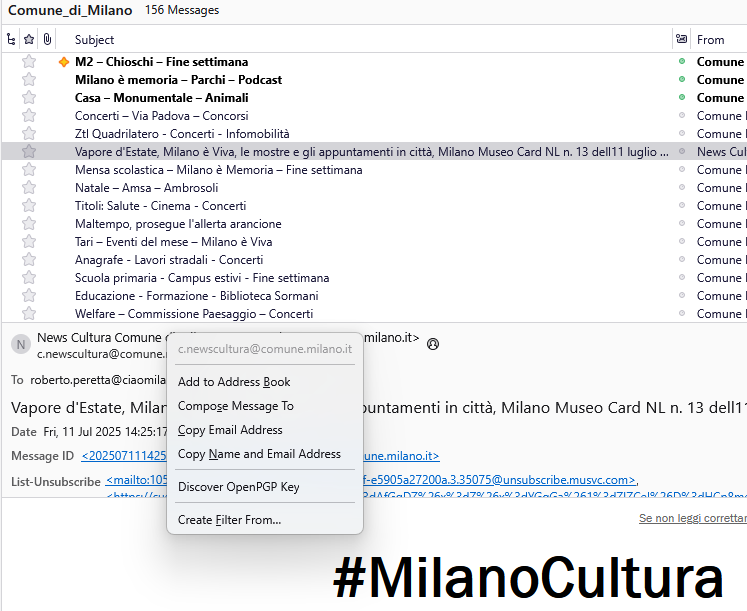
A "Create Filter From Message" option was available by right-clicking on any message in the message list. The "Create Filter From" option must be found in the message itself, now.
All Replies (5)
Message/Create Filter From Message. Press Alt if the Menu Bar with Message is hidden.
Did not work- I guess I will have to use a older version
It works here with 128 or 140 on W11. Does the same thing happen in safe/troubleshoot mode (hold Shift when launching TB)?
Chosen Solution
A "Create Filter From Message" option was available by right-clicking on any message in the message list. The "Create Filter From" option must be found in the message itself, now.
I got it working!! Thanks