


After update July 25, the Outlook accounts fail to open. Says something about cookies not enabled on browser.

Windows 11 64bit. I have Outlook and Gmail accounts. About 6 months ago the Outlook accounts stopped sending messages. Ok, I can live with that as I only use them sparingly. I tried lots of tweaks from this forum but none worked. I am not technically minded so I may have interpereted the wrongly. After the last update 9/10 July 25, the Outlook accounts fail to open. Says something about cookies not enabled on browser. I added the logins to the exceptions but no change. The cookies show on the list as on the PC. So I can't use Outlook anymore. Gmail. Now I can't send any messages from Gmail accounts. Just waits ages and says try again. The email I was replying to disappeared from my inbox when I logged through Google Gmail account. It shows on Thunderbird. I also tried to set up a new Gmail account on Thunderbird, would let me. So now, Thunderbird is useless to me. Shame, I liked it and even donated. How could something go from good to useless in one update?
Modified by Wayne Mery
All Replies (10)
You must accept cookies in TB (not browser) Settings/Privacy & Security, for OAuth2 authentication to work.
Gmail: imap.gmail.com, 993, SSL/TLS, OAuth2, email address; smtp.gmail.com, 465, SSL/TLS, OAuth2, email address
Outlook: outlook.office365.com, 993, SSL/TLS, OAuth2, email address; smtp.office365.com, 587, STARTTLS, OAuth2, email address
Thanks for that. Solved some things. Changed SMTP settings on one account. Outlook Had to input password for the account one time and connects OK now. Still can't send messages - 'Outgoing server smtp.office365.com failed'
Gmail Sends messages OK When I sent from unchanged gmail account to changed Outlook account, it was in sent folder but was not delivered. Sent unchanged Gmail to unchanged Outlook in sent folder and received ??????
Check that 'Place a copy in' in Account Settings, Copies & Folders, is unchecked, since gmail and outlook automatically copy sent messages to Sent Mail and Sent, respectively. Subscribe Sent Mail and Sent.
As for sending errors, what is the antivirus? Using a VPN?
Review all settings very carefully. Remove any entries from Saved Passwords in Settings for these accounts that aren't oauth://.
Thanks again. Unchecked place a copy. Now doesn't show 'Sent' if it doesn't send it. All my Gmail accounts can send and receive messages from each other. Unfortunately only one combination of sending between Gmail and Outlook account works OK. All have same settings. All settings are Oauth. I am using BitDefender antivirus and Surfshark VPN
Bitdefender and any VPN can interfere with email unless they are properly configured, e.g. exclude the profile folder from BD scanning and allow TB traffic through Surfshark (split tunnelling). To test if either of these are affecting TB, run Windows in safe mode, which bypasses startup apps.
You should also check that you have as many smtp servers as there are accounts, and each account is sending on the correct server.
Thanks again.
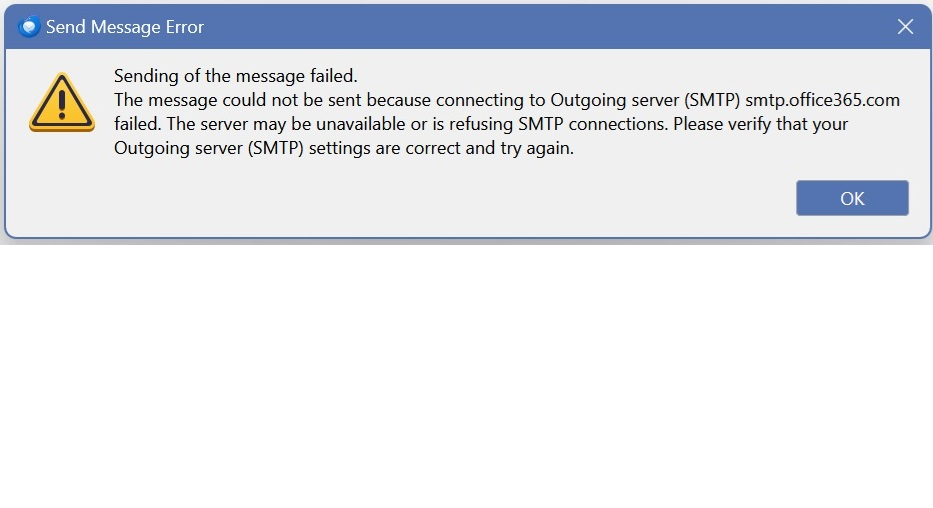
Did all your suggestions. All working...EXCEPT.. still cannot send any messages from Outlook accounts. Just saves the massage to drafts after showing the message below. This has been like this for at least 6 months. No amount of tinkering has solved it, Maybe something really simple.
Post a picture of the outlook smtp settings, omitting the User Name.
images below
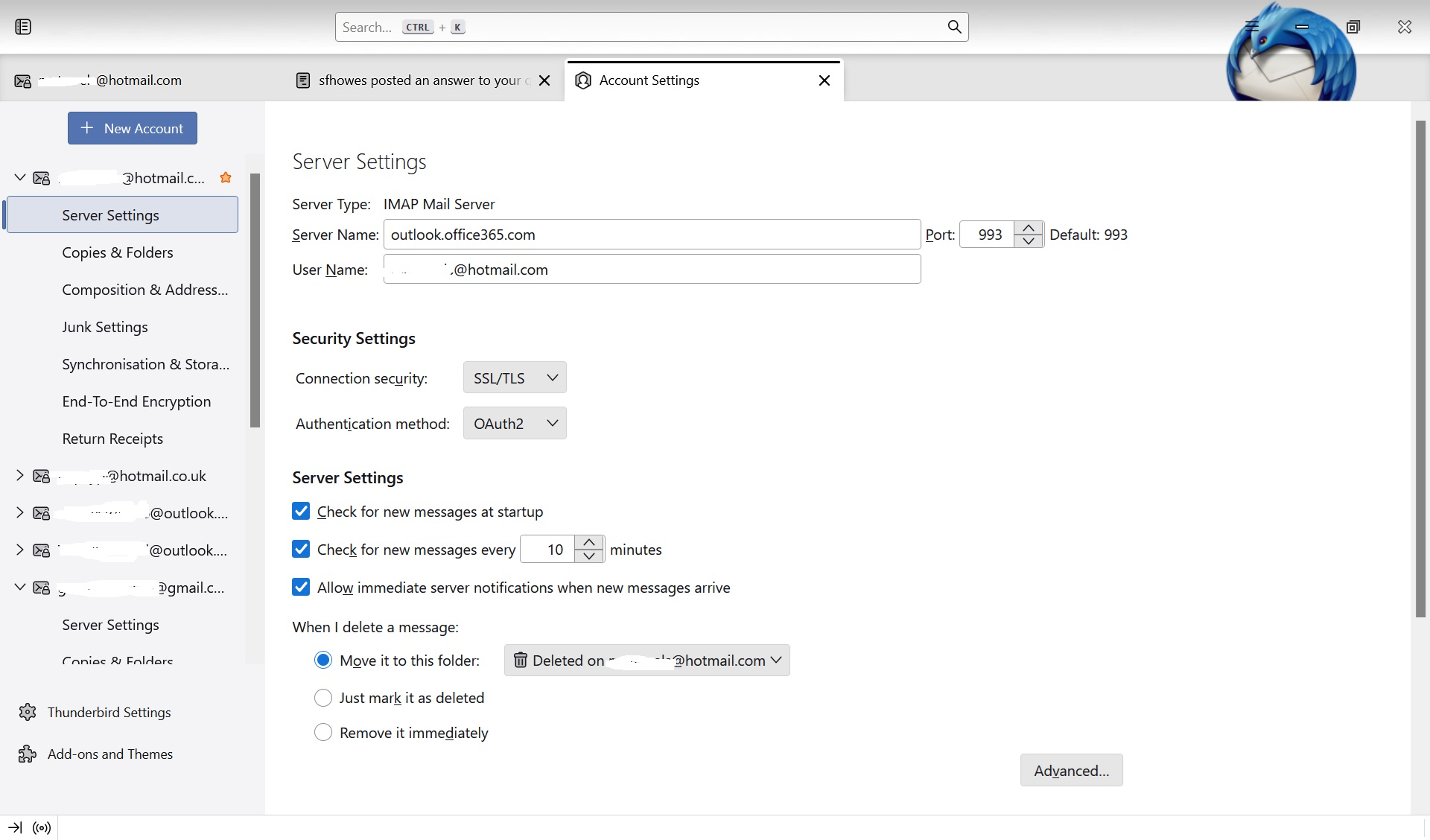
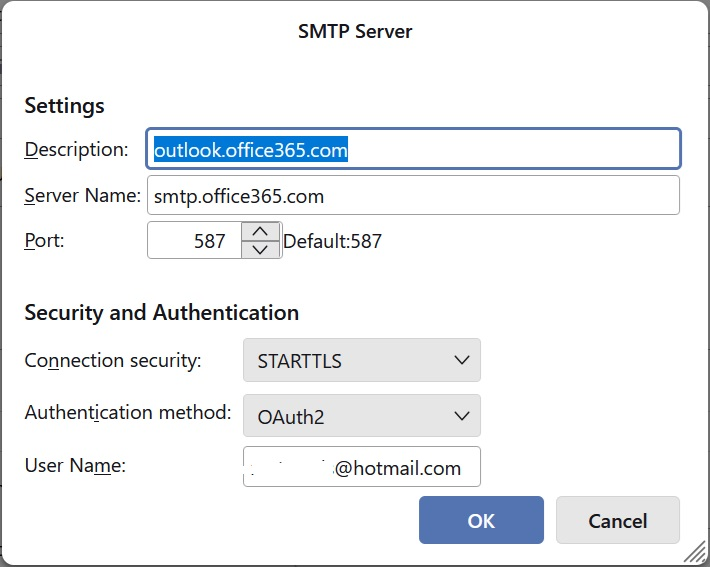
Since you have multiple hotmail/outlook.com accounts, which all use the same settings except for User Name, I recommend you give each smtp a distinct Description (not 'outlook.office365.com') so that it's easier to connect the sending account with the correct smtp. This is described in the link posted above.
No, didn't work. Followed instructions from the link