

This thread was archived.
Please ask a new question if you need help.

Archived
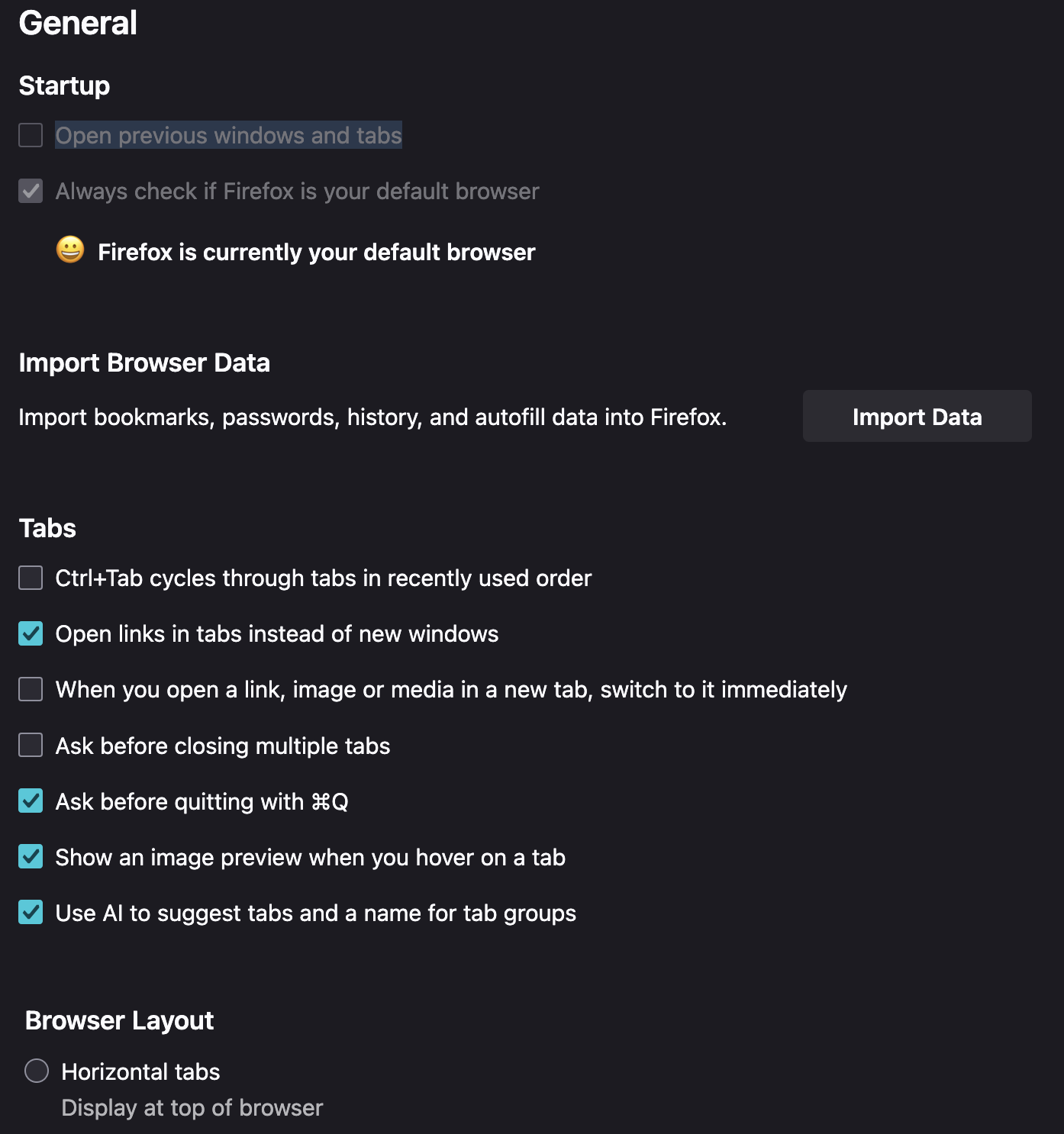
Unable to check box that allows Firefox to reopen tabs after closing browser.

Hi. In settings, the box "Open previous windows and tabs" is grayed out. How do I turn on that option?
Thanks, Kate
Hi. In settings, the box "Open previous windows and tabs" is grayed out. How do I turn on that option?
Thanks,
Kate
All Replies (1)
Are you able to restore your previous session manually using the menu? Either:
- "3-bar" menu button > History > Restore Previous Session
- (menu bar) History > Restore Previous Session
If they are missing or grayed, check either:
- "3-bar" menu button > History > Recently Closed Windows
- (menu bar) History > Recently Closed Windows
Anything there?
One possible reason for not being able to restore a previous session is if Firefox is set to not record browsing history. If you switch over to:
Settings/Preferences page > Privacy & Security panel
and scroll down to the History section, the following will cause problems with restoring your previous session -- these are not compatible with session restore:
- Firefox will: Never remember history
- Firefox will: Use custom settings for history AND the box for "Always use private browsing mode" is checked
- Box for "Remember browsing and download history" is not checked
- Box for "Clear history when Firefox closes" is checked AND when you click Settings, "Browsing & download history" is checked