


New mail

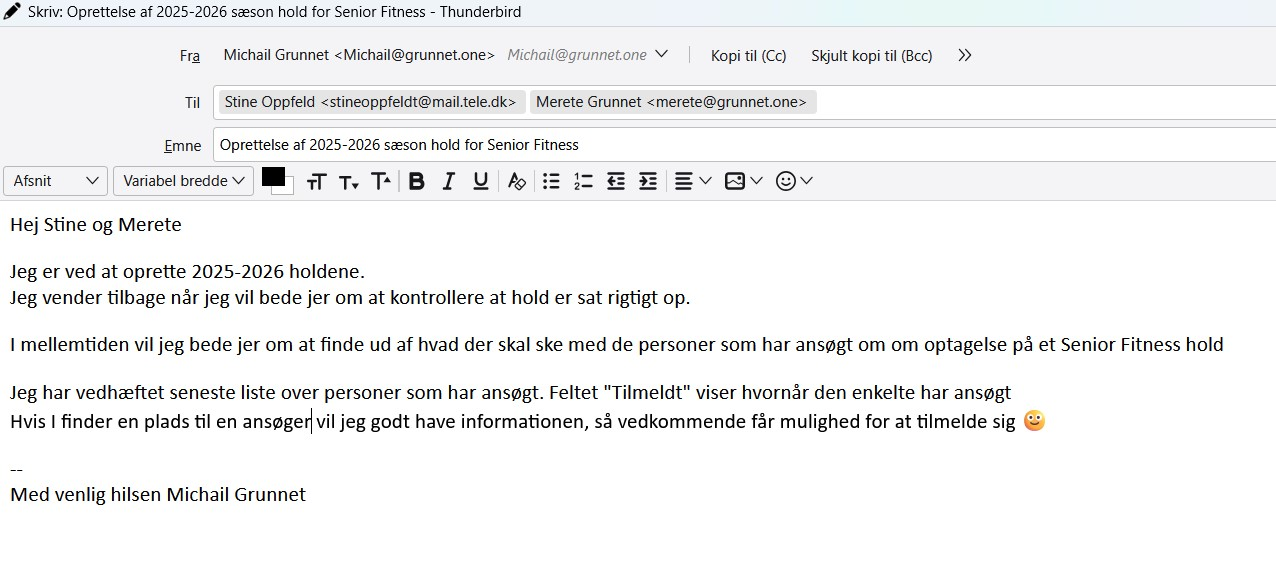
I have lost my "new mail" menu lines so I am not able to edit or send my new mail. How do I get the menu lines back?
Chosen solution
Yes, that is the screen for composition. Since the menu bar is not visible, press the Alt key to display it. Then, click View>toolbars and tick the composition toolbar. that will add the bar that includes the Send button
Read this answer in context 👍 0All Replies (7)
From your screenshot, it appears that you can edit, but not send. click view>toolbars and tick 'composition toolbar' - if menu bar is not visible, press the alt key first.
Thank you for your sugestion. I do not know where to click "view>Toolbars" ? Is that when I am in the new mail or ?
Yes, from the composition screen.
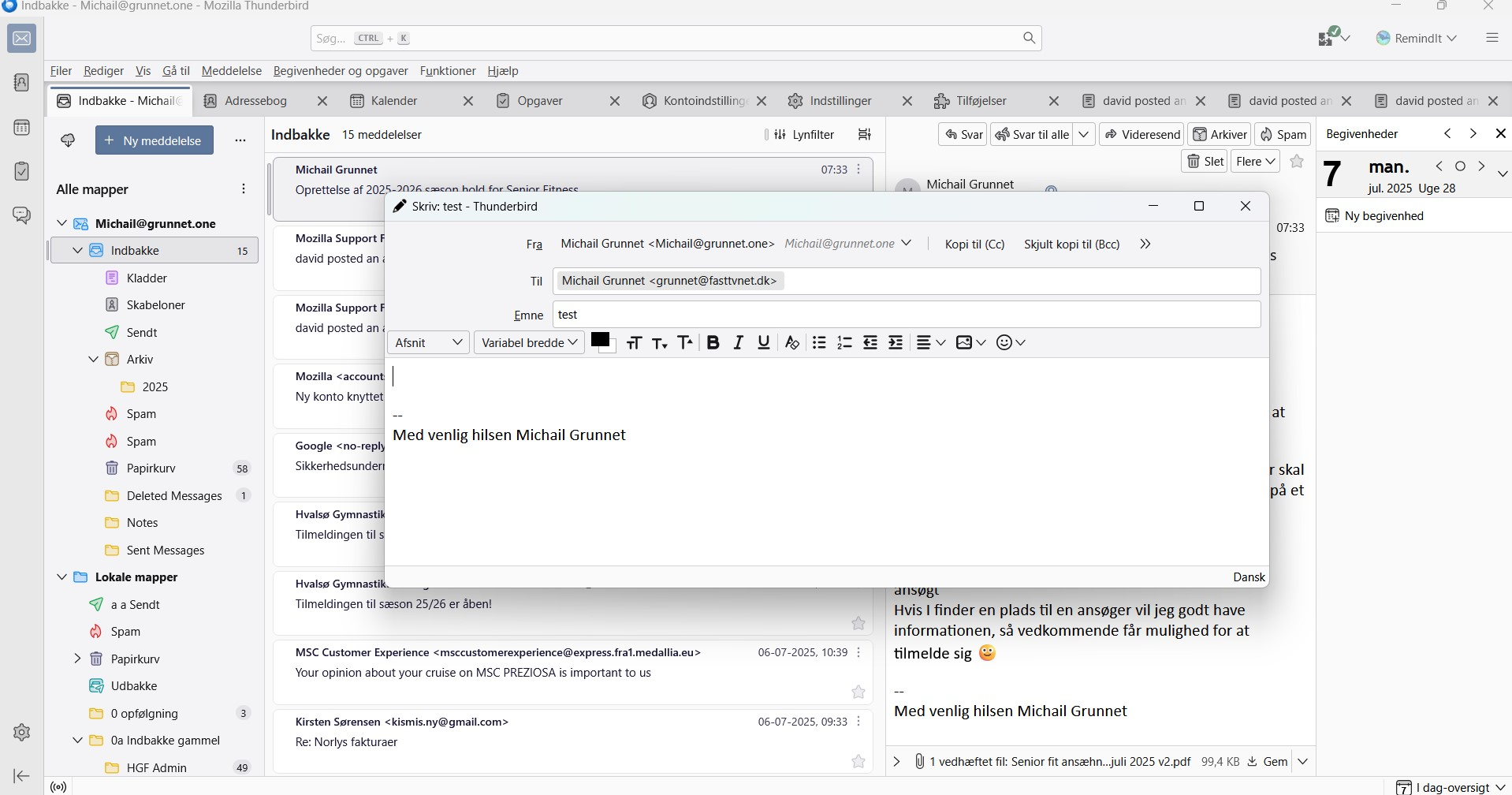
Hi david Thank you for your patience with me :-) I am using a Danish version, so I am assuming that "composition screen" is the window named ""Skriv: test - Thunderbird" in the attached screenshot. How do I get to view as you suggest?
Note: the screenshot is a full screen picture of my Thunderbird session.
Chosen Solution
Yes, that is the screen for composition. Since the menu bar is not visible, press the Alt key to display it. Then, click View>toolbars and tick the composition toolbar. that will add the bar that includes the Send button
Hi David, thank you very much for your help, finally it worked with the alt key. it just took a while for the menu bar to appear. :-)
You are very welcome. :) I was glad to assist.