


Little help! I would like to change part of the frame to a different color
Greetings!
I downloaded a theme that I really like for Thunderbird, but I would like to ask for your help. I would like to change part of the frame to a different color (similar to the one on the left), but I don't know how to do it. I am attaching a photo where I have circled the part I would like to change with red lines.
Thanks for your answers!
Igor
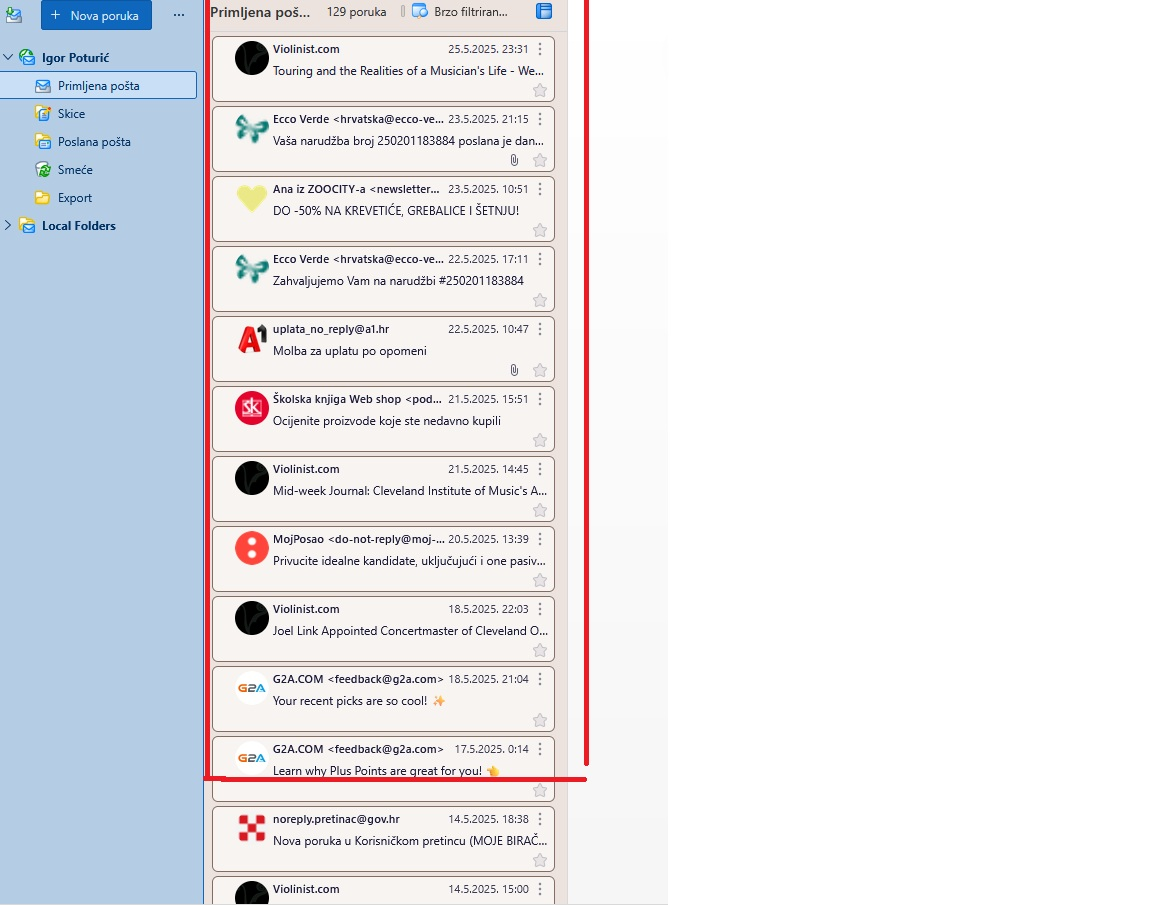
Modified by Wayne Mery

Chosen Solution
Still not quite clear what you want, but give this a try.
First do this: - go to TB menu > Settings > General - scroll all the way down and click the 'Config editor' button on the right - click the 'Accept the risk and continue' button if it appears - search for: toolkit.legacyUserProfileCustomizations.stylesheets - click the double arrow on the right to toggle the value to 'true' > close the tab
Then: - go to TB menu > Help > Troubleshooting Information - in the Application Basics section, click 'Show Folder' to open the profile folder - in the profile folder, create a new folder named Chrome (if it doesn't already exist) - inside the Chrome folder, create a new text file named userChrome.css (case-sensitive and ensure that the file extension is .css and not .txt) - copy and paste this code into the userChrome.css file:
#threadTree[rows="thread-card"] {
  & .card-layout {
    outline-color: transparent;
    background-color: red !important;
  }
}
- save the file
- restart Thunderbird to apply the changes
If you did it right, it would look something like this:
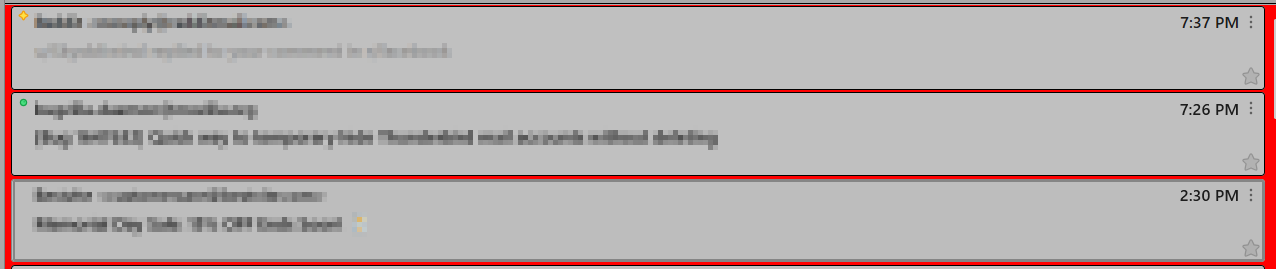
Modified by Ed
All Replies (6)
Unclear. Do you want to change the color of the outline of each message, or the outline of all of them?
Outline all of them.
I do not know of any Themes that can be configured or changed by the user. If what you are talking about is the Theme you are out of luck, unless you convince the author to modify the Theme.
Chosen Solution
Still not quite clear what you want, but give this a try.
First do this: - go to TB menu > Settings > General - scroll all the way down and click the 'Config editor' button on the right - click the 'Accept the risk and continue' button if it appears - search for: toolkit.legacyUserProfileCustomizations.stylesheets - click the double arrow on the right to toggle the value to 'true' > close the tab
Then: - go to TB menu > Help > Troubleshooting Information - in the Application Basics section, click 'Show Folder' to open the profile folder - in the profile folder, create a new folder named Chrome (if it doesn't already exist) - inside the Chrome folder, create a new text file named userChrome.css (case-sensitive and ensure that the file extension is .css and not .txt) - copy and paste this code into the userChrome.css file:
#threadTree[rows="thread-card"] {
  & .card-layout {
    outline-color: transparent;
    background-color: red !important;
  }
}
- save the file
- restart Thunderbird to apply the changes
If you did it right, it would look something like this:
Modified by Ed
Ed, thank you so much! That's exactly what I wanted!
Sincerely, Igor
You're welcome :-) You can find a wide range of colors/shades at https://www.w3schools.com/colors/colors_names.asp.