


"Sign in to Google" popup - argh!

Please put Thunderbird back the way it was. I have several different email accounts in Thunderbird, I'm obviously logged into Google on one of those accounts, but for a while now TB constantly asks me to "Login to Google" - when I already am. i.e. It's asking me again and again, to login to one of the OTHER email/google accounts - and I don't want to, because I bet the moment I do, TB will popup the window again, wanting me to login to previous one. And so round and round we go.
Also the popup is poorly designed, because not all of it fits on the screen. i.e. It's oversized, so you can't see the top or bottom "bar" and there's no way I can see to adjust it. I detest this pointless popup, constantly appearing, having to first click on the white space, and then hit the ESC key to get rid of it (until next time). Why would you do this? We've always been able to have multiple email/gmail accounts, all with different login details, and all the email accounts still seem to be receiving email okay... so why add this annoying popup? Please remove it.
All Replies (8)

Would you please post a screenshot of the message?
Sure thing.
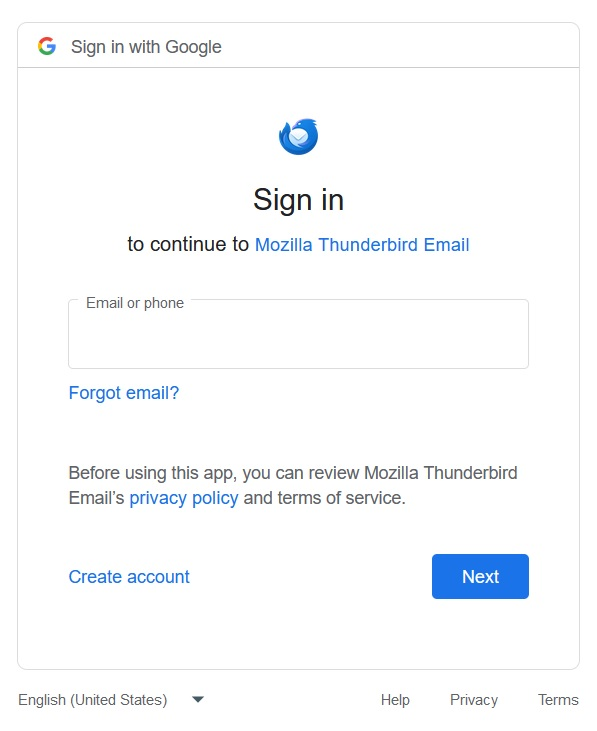
Taking that screenshot revealed the top and bottom, which I haven't seen before.
I do not use Google products, so I cannot help much here and will hope that someone else can.
The screenshot should help.
This issue has come up before. Did you search the forum?
Is that actually a browser window, not a Thunderbird window? And Google is presenting it, not Thunderbird?
> This issue has come up before. Did you search the forum?
Thanks. I couldn't think what search terms to type. I'll try again.
> Is that actually a browser window, not a Thunderbird window? And Google is presenting it, not Thunderbird?
It's definitely Thunderbird. I just cropped the image down to only the popup, which probably makes it look like a browser. I open TB, the window pops up, and because I can't see any "X" to close it because the top and bottom bars are off-screen and not visible, I click anywhere where it's white then hit the ESC key. Email all works fine, but some time later it pops up again, so I have to do the "ESC" thing again.
That window is the start of the OAuth2 authentication process. When your email address isn't automatically entered, it means you don't have cookies accepted in TB Settings/Privacy & Security. Accept cookies in Settings, then restart TB, where you should see your email in the window, and proceed to the next step where you enter the account (not app) password to allow access by TB.
> When your email address isn't automatically entered, it means you don't have cookies accepted in TB Settings/Privacy & Security.
Thanks. My email address is in that field when the popup appears. I just deleted it so I could take a screenshot and post it publicly.
> proceed to the next step where you enter the account (not app) password to allow access by TB.
I'll try this when I'm home and have time. TB does seem to want the email account password. But if that's all it is, I don't understand how/why it "lost" the password. For months, even years, it was working fine. Then this screen I've never seen before starts popping up. Oh and TB never does that with the other email account. No popup window for the other one.
I'll try it anyway. Thank you.