


"No Messages" Message

'''Hello! When I delete an email in any of my accounts all the accounts go blank ~ no messages show ~ and the screen announces "NO MESSAGES" or some such. I have to quit and restart to get my messages back.
Am I doing something wrong? Suggestions...? Thank you!'''
All Replies (5)
does the problem go away with Help > Troubleshoot Mode?
Thanks for your reply, Wayne. The problem is intermittent, so I can't reproduce it at will. I haven't tried the Troubleshoot Mode. Would you please explain how I would do that? That way I can try it the next time the issue occurs. ~ Steve

Would you please share a screenshot when it happens again?
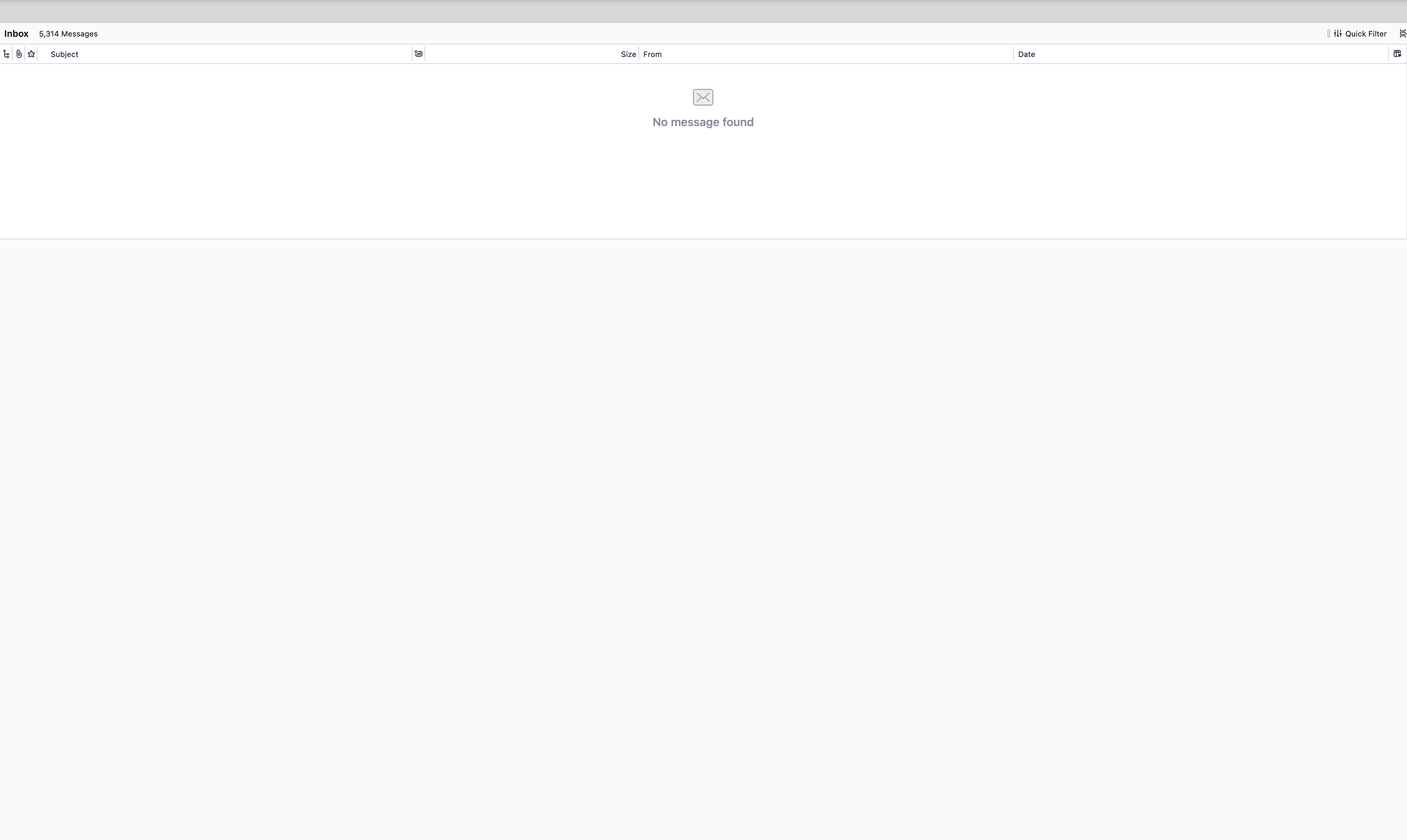
Here's a screen shot. Note the "5314 Messages" in the upper left corner, but none will display. I have to restart to get the messages to display correctly.

For me this occasionally happened with the esr version after automatic compacting was triggered. I have not seen this anymore since upgrading to v136.0.
Correction: This still happened in TB 136.0.1 after automatic compacting was triggered. TB has to be restarted for news posts to reappear in the thread pane. Email messages are still visible though.
Modified by christ1