


Missing Menu in Thunderbird 115.10.1

Thanks to getting a new computer, I've been forced to upgrade Thunderbird to 115.10.1, which is fine except for a menu I've got on one computer, but not on the other computer.
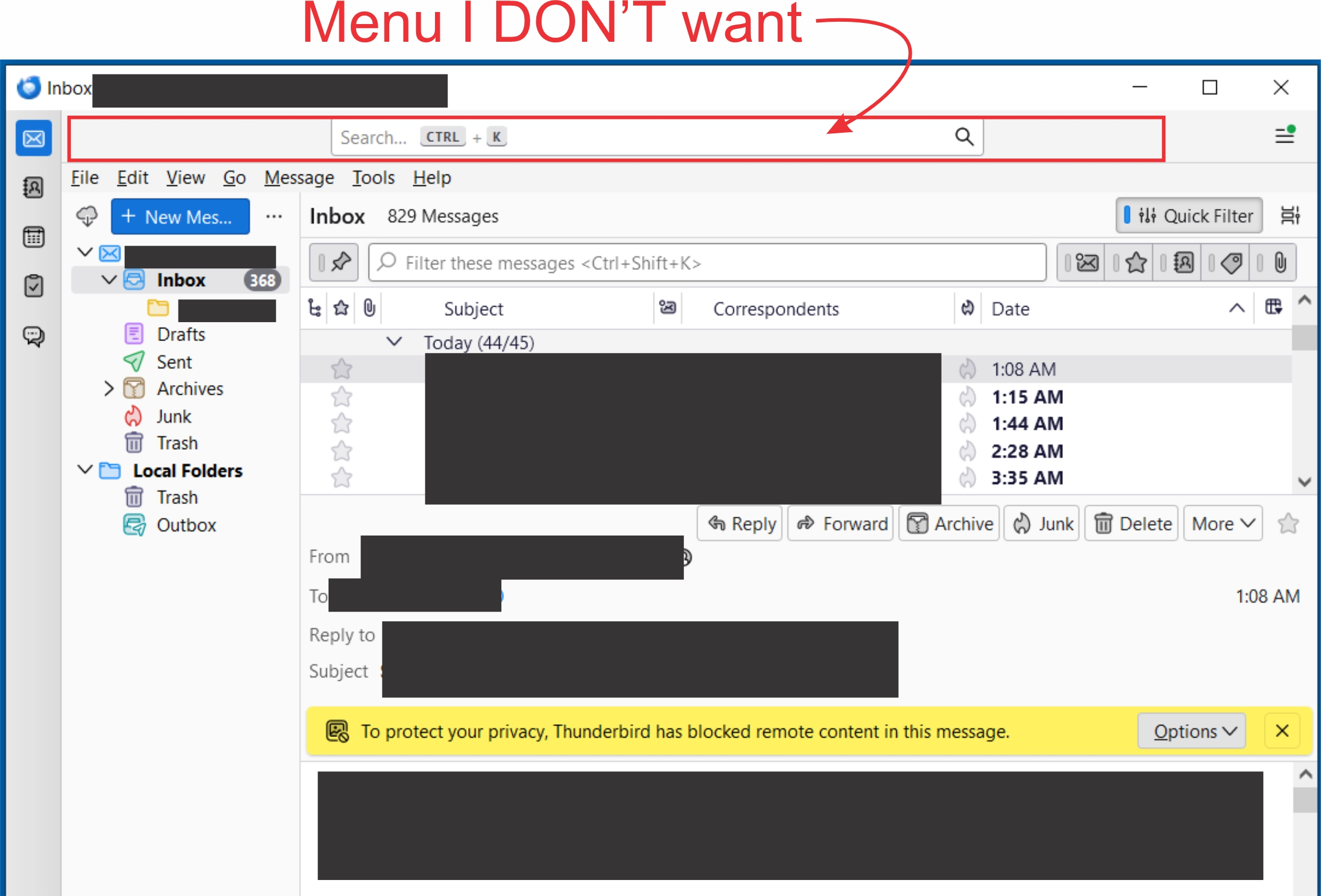
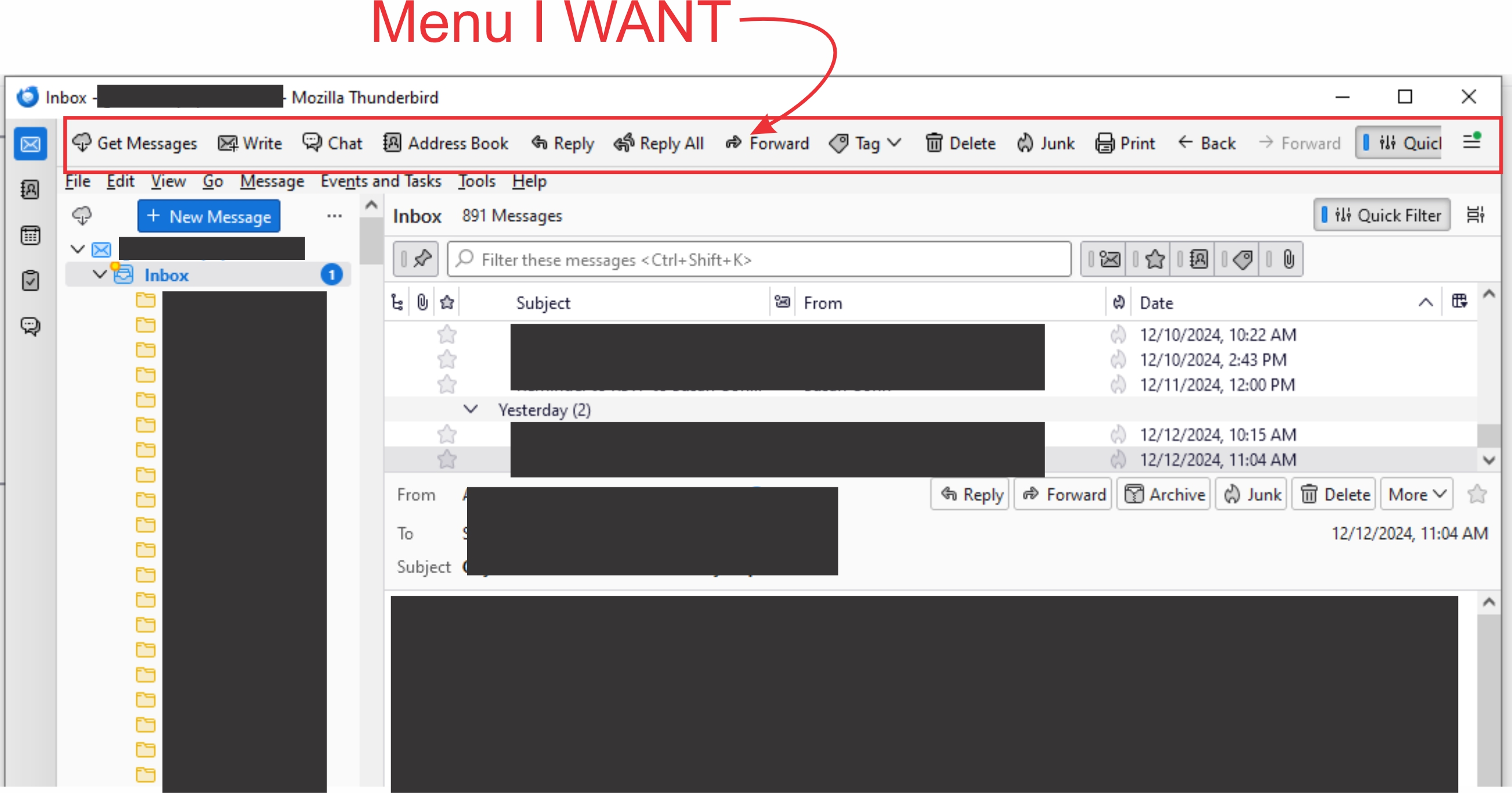
See attached images. "thunderbird_right.jpg" has the menu I want. "thunderbird_wrong.jpg" is the other computer without that menu, with a search box I do NOT want.
Have gone through settings, account settings, view, etc. and everything looks the same, so I can't figure out how to get the missing menu to display -- and NOT the unwanted search box.
Any help MUCH appreciated. I'm sure it'll be fine once I'm used to it!
Chosen solution
I believe they're the same item, one is customized and one is not. Put mouse on the bar, rightclick and select customize. A display of button options will appear, and you can drag your preferences to the bar. That is why it is called the unified tool bar; it can handle most anything.
Read this answer in context 👍 1All Replies (1)
Chosen Solution
I believe they're the same item, one is customized and one is not. Put mouse on the bar, rightclick and select customize. A display of button options will appear, and you can drag your preferences to the bar. That is why it is called the unified tool bar; it can handle most anything.