


conflict between Inbox info and the content

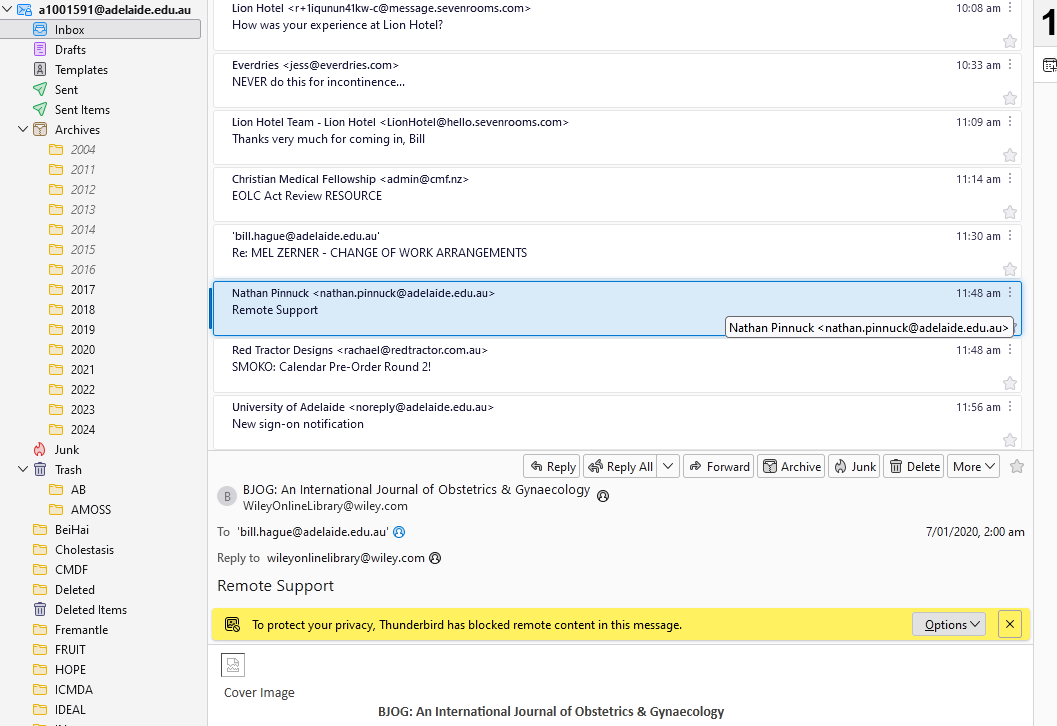
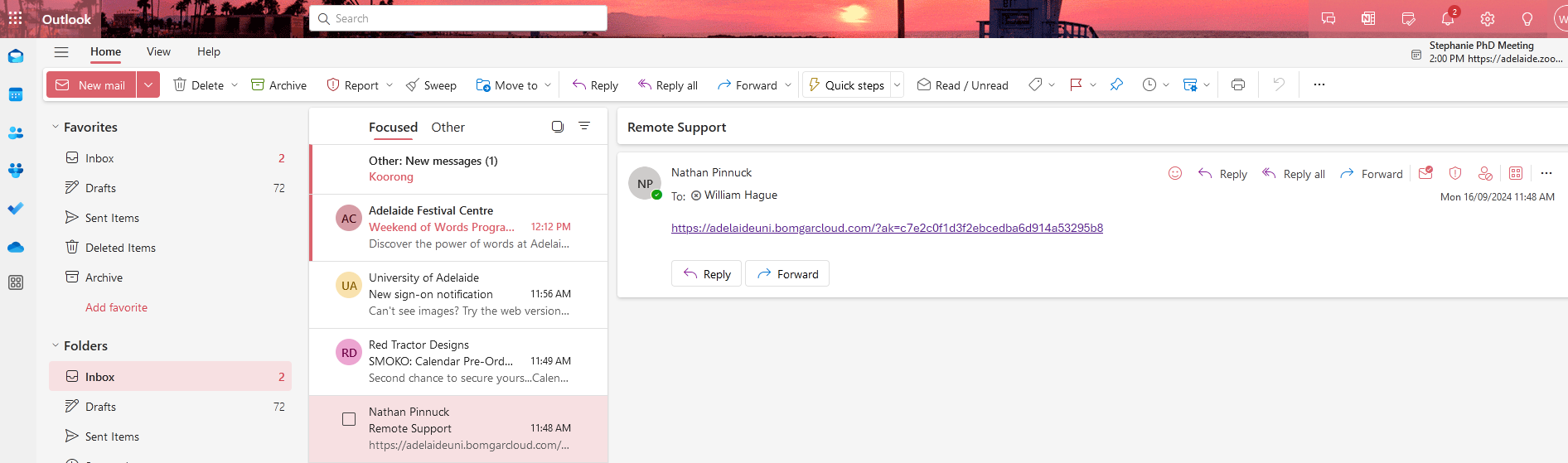
Have just had an issue with an email coming in from a support person at the Uni helpdesk. The inbox (see below left) shows the correct name and email address, but the content is quite different.
When I checked the mail using Outlook, the correct file content was shown (see below right).
I have tried compacting the Inbox folder within TB [128.2.0esr (64-bit)], but no change. I am running Win 11 (64-bit) 23H2 with the latest cumulative update (KB5043076) installed 5 days ago.
Any suggestions gratefully received!
Bill
Chosen solution
Try this: right-click the folder, Properties, Repair Folder, to rebuild the folder index.
Read this answer in context 👍 0All Replies (2)
Chosen Solution
Try this: right-click the folder, Properties, Repair Folder, to rebuild the folder index.
Thank you! It worked! Although it took much longer than I had expected!! Cheers Bill