


Reestablishing account in Thunderbird -Javascript Error SOLVED javascript must be enabled in Thunderbird for oauth to work

With Outlook requiring the new sign-in technology, I deleted an account and attempted to re-establish it in Thunderbird. After naming the account and doing the password, said it "Found the configuration...."
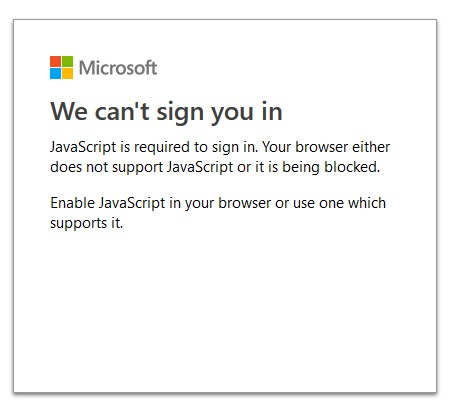
Selected IMAP then clicked DONE. Got the attached message. I tried using Firefox browser which was my default. Then I made Chrome the default.
Same message. "We can't sign you in, Java-script is required"
Need some help as to where to go from here.
Thanks B
With Outlook requiring the new sign-in technology, I deleted an account and attempted to re-establish it in Thunderbird. After naming the account and doing the password, said it "Found the configuration...."
Selected IMAP then clicked DONE. Got the attached message. I tried using Firefox browser which was my default. Then I made Chrome the default.
Same message. "We can't sign you in, Java-script is required"
Need some help as to where to go from here.
Thanks
B
Modified by Wayne Mery
Chosen solution
Right - javascript must be enabled in Thunderbird for oauth to work
Read this answer in context 👍 0All Replies (1)
Chosen Solution
Right - javascript must be enabled in Thunderbird for oauth to work