


Windows 10 reached EOS (end of support) on October 14, 2025. If you are on Windows 10, see this article.

Search Support

Avoid support scams. We will never ask you to call or text a phone number or share personal information. Please report suspicious activity using the “Report Abuse” option.

Learn More

Metamask extension will not load

  • No replies
  • 0 have this problem
  • 25 views
  • Archived

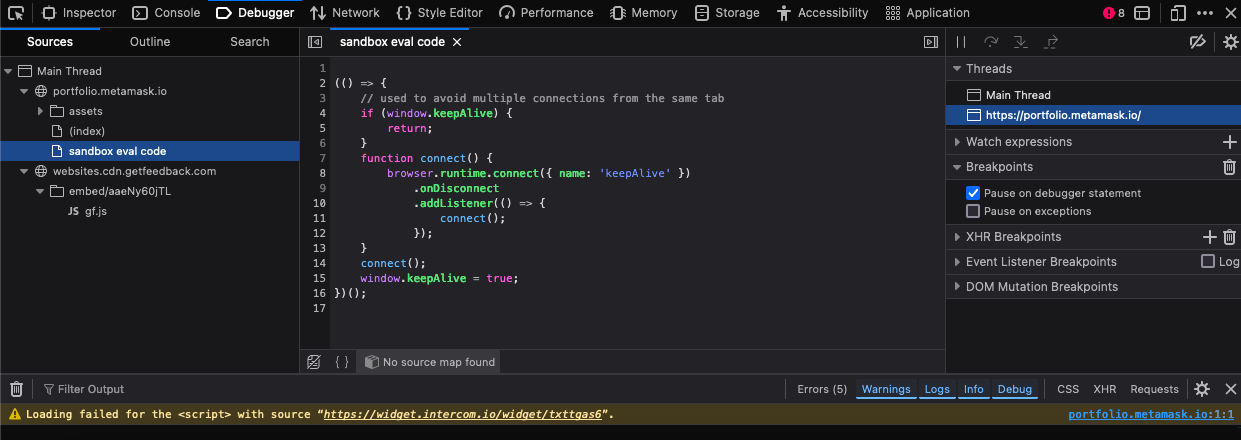
Sorry I really do not know anything about web development but would appreciate some help. For the past week or 2 metamask extension will not open properly. Upon clicking the icon it just perpetually loads. I have the same issue when using any kind of wallet connect to metamask, be it on uniswap or metamask website for example. I have cleared cookie cache. I have tried both disabling state partitioning using network.cookie.cookieBehavior. I have also tried setting this to 0 to allow cookies, these did not work. I have of course restarted my computer/browser. This is definitely an issue with my firefox because I am able to use the metamask extension in chrome. I have attached screenshots of the console & debugger from the metamask site in the hopes it has some info that anyone may be able to provide advice. In the debugger & in my searching I see an issue with "source maps", in my debugger it is saying "no source map found" - again I cannot apologise enough for my lack of understanding but if this is my issue would anyone be so kind as to explain a fix in laymans terms.

Sorry I really do not know anything about web development but would appreciate some help. For the past week or 2 metamask extension will not open properly. Upon clicking the icon it just perpetually loads. I have the same issue when using any kind of wallet connect to metamask, be it on uniswap or metamask website for example. I have cleared cookie cache. I have tried both disabling state partitioning using network.cookie.cookieBehavior. I have also tried setting this to 0 to allow cookies, these did not work. I have of course restarted my computer/browser. This is definitely an issue with my firefox because I am able to use the metamask extension in chrome. I have attached screenshots of the console & debugger from the metamask site in the hopes it has some info that anyone may be able to provide advice. In the debugger & in my searching I see an issue with "source maps", in my debugger it is saying "no source map found" - again I cannot apologise enough for my lack of understanding but if this is my issue would anyone be so kind as to explain a fix in laymans terms.
Attached screenshots