


Every time Thunderbird restarts, cannot login to office365 server

I have to manage a number of joint email addresses which are outlook.com addresses, so I have them all installed on Thunderbird.
Up until recently, it worked fine, although every few months Outlook.com would not allow the sync because of some security issue (wanting an alternative email address, wanting an alternative phone number, wanting me to confirm that the last sync was me). I would sign in to the email account on a browser, fix the issue, and then it would work again.
As of a few days ago, Thunderbird is showing the "Login to account XXX failed" and "Login to server outlook.office365.com with username XXX failed" for maybe a dozen of the addresses every time I open Thunderbird. If I login to the email on a browser, and force Thunderbird to "Retry" several times, it will sync the account - but the next day, the same issue arises with the same account. When I check the account activity, it shows successful automatic syncs.
Is there another setting I need to check or change to make Thunderbird work with Outlook.com addresses?
All Replies (9)
Is the authentication method set to OAuth2?
https://support.mozilla.org/en-US/questions/1417298#answer-1588949
Hi! Thank you! That looked like it solved my problem, but then Thunderbird started cycling through all of the email addresses requesting the password, over and over.
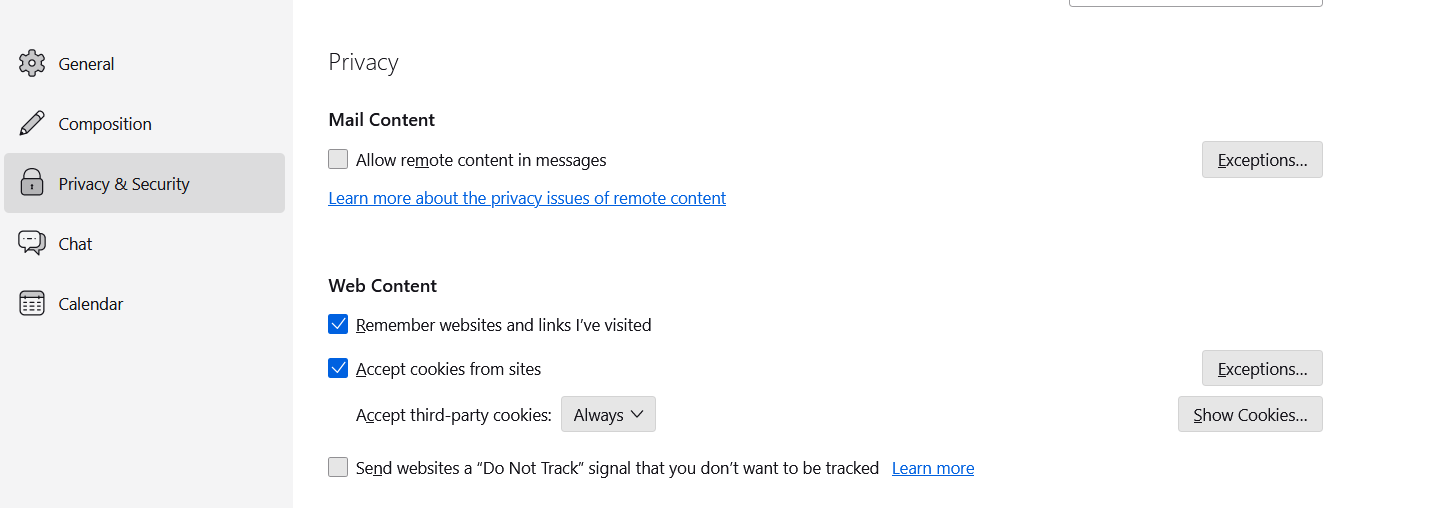
Do you have cookies accepted in TB Settings/Privacy & Security? That's necessary for OAuth authentication to store a token in Saved Passwords (an avoid repeat requests).
Yes, that is checked off in settings.
Cookies must be enabled.
Yes, sorry, to be clear, cookies ARE enabled.
Are you using a VPN or non-Microsoft antivirus? Does running Windows in safe mode (to bypass startup apps) make a difference?
Thank you both for your suggestions. Safe mode doesn't make a difference. Just to summarize what I've tried:
- Outgoing SMTP set to OAuth2, smtp.office365.com, Port 587, STARTTLS - Server set to OAuth2, outlook.office365.com, SSL/TLS - Changed the frequency of message checking to every 60 minutes in case that was an issue
The issue is widely reported, and not confined to TB.
If you are running a profile that was used in earlier versions such as 102, it's worth testing the account in a new profile created in 115: Help/Troubleshooting Info, about:profiles. Your current profile is unaffected. The issue with old profiles is mentioned in section 3. here. My Hotmail account sends and receives without issues, in a profile that was created with 115.