


Spaces Between Lines

Hello, Since the last update, I can't edit line spacing. Can you help me?
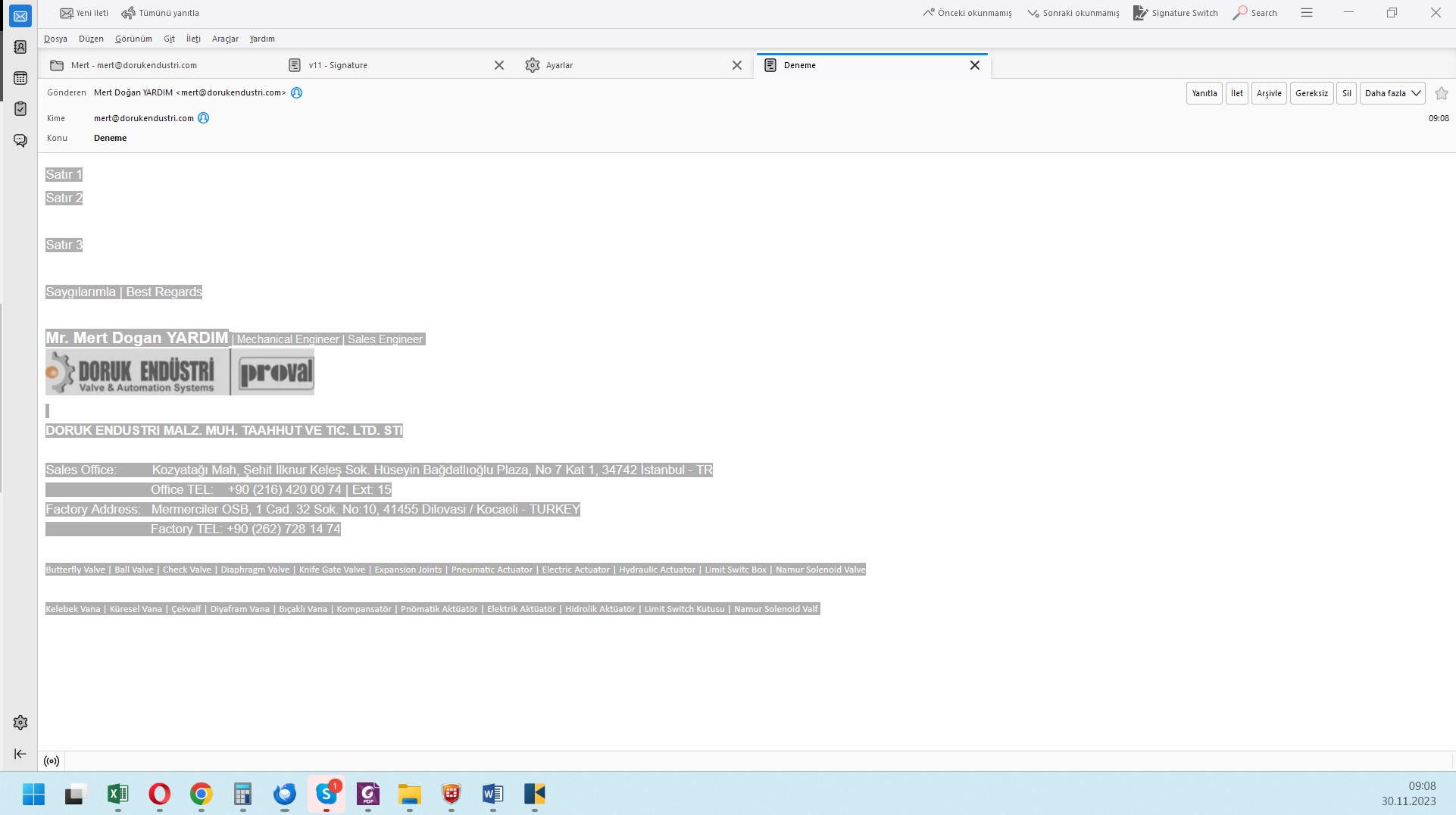
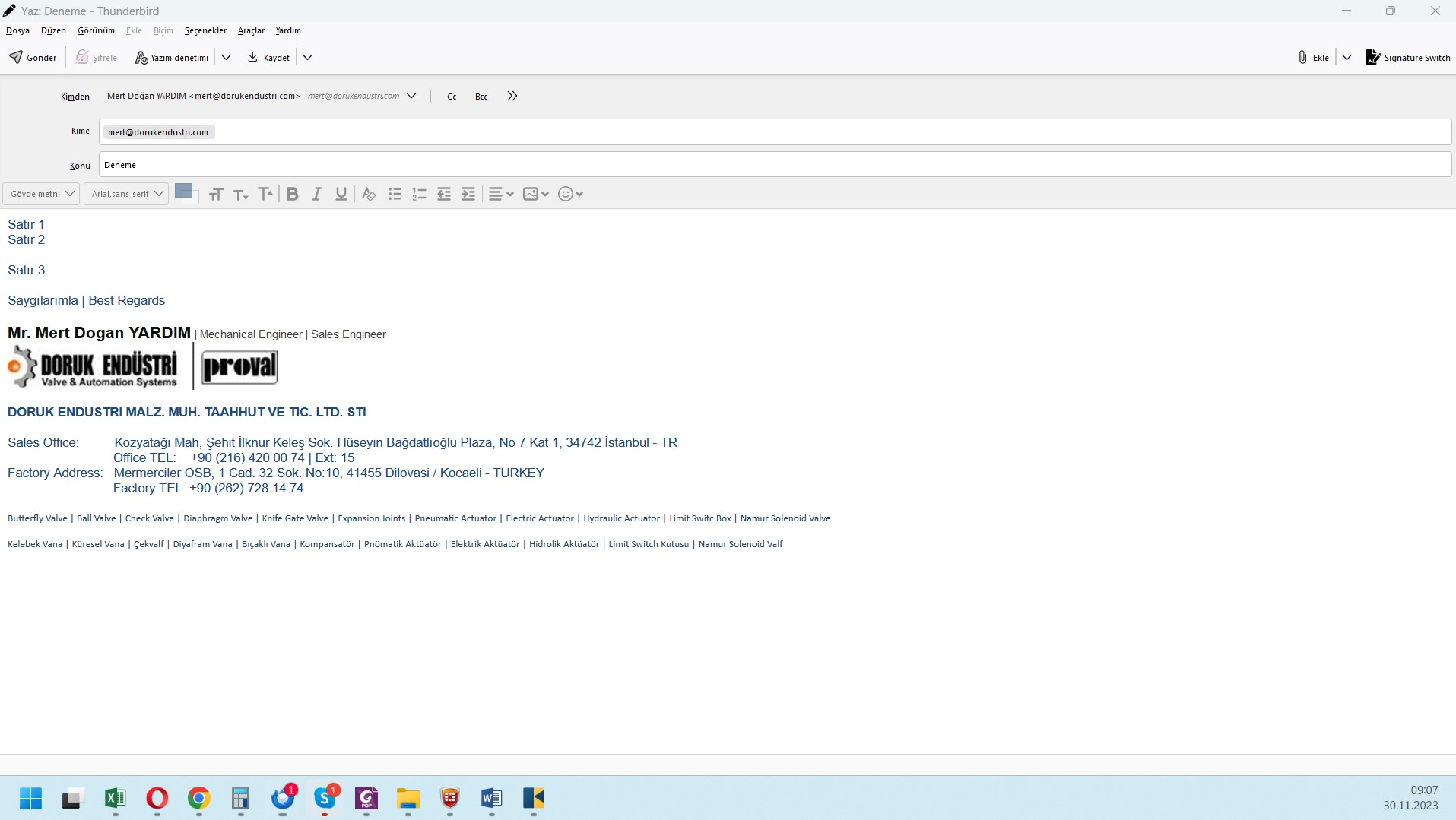
I added two pictures named "should be" and "what happens" in the attachments.
The spaces between Line 1 and Line 2, and between Line 2 and Line 3 are eye-tiring.
It looks like this in other people's e-mails too, it has been tried.
Can you tell me the method to reduce the line spaces?
Kind regards Mert Doğan Yardım mertdoganyardim@gmail.com
Hello,
Since the last update, I can't edit line spacing. Can you help me?
I added two pictures named "should be" and "what happens" in the attachments.
The spaces between Line 1 and Line 2, and between Line 2 and Line 3 are eye-tiring.
It looks like this in other people's e-mails too, it has been tried.
Can you tell me the method to reduce the line spaces?
Kind regards
Mert Doğan Yardım
mertdoganyardim@gmail.com
All Replies (3)
click settings>composition and UNtick the box for paragraph formatting vs body text. That should revert to single spacing.
Thank you, but it is UNticked by default. Should I tick?
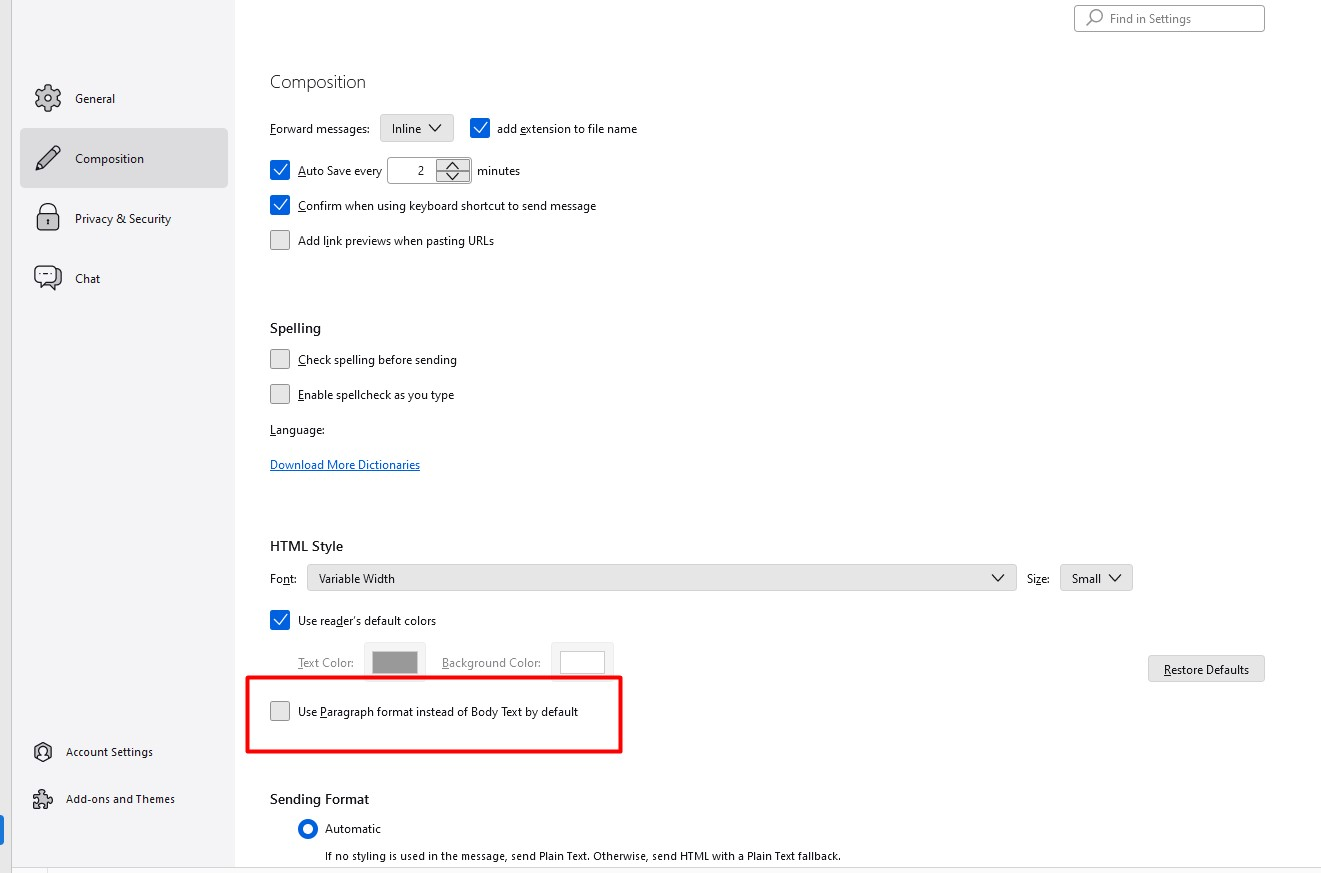
Leave unticked. This may also be caused by addons. If you have any, restart in safe mode (help>troubleshoot mode) to see if you then get single spacing.