


Intermittent SSL Errors across all websites

Hello,
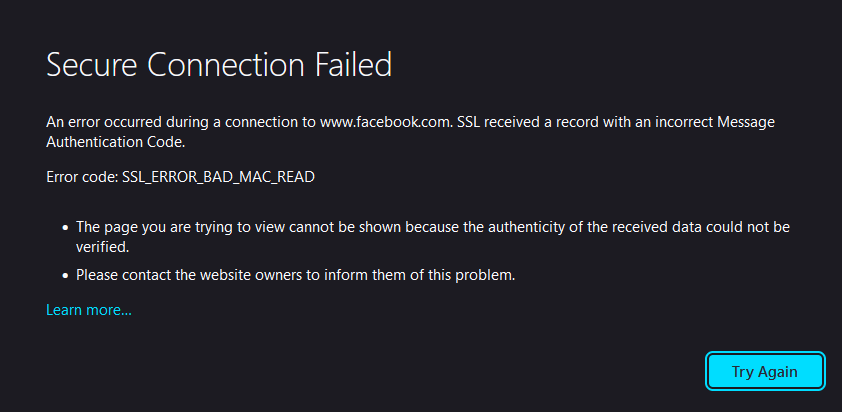
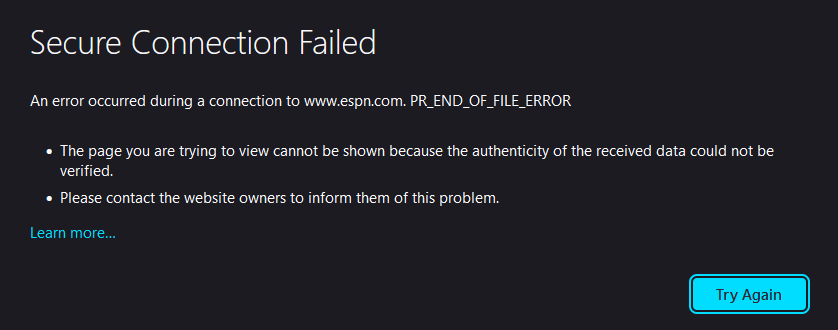
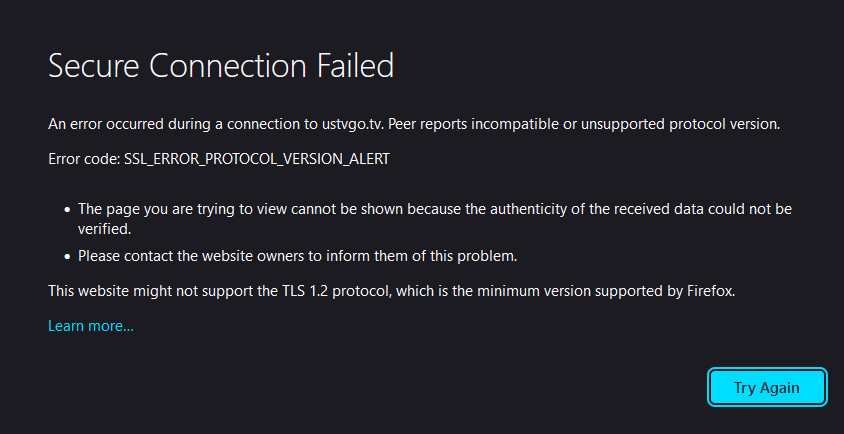
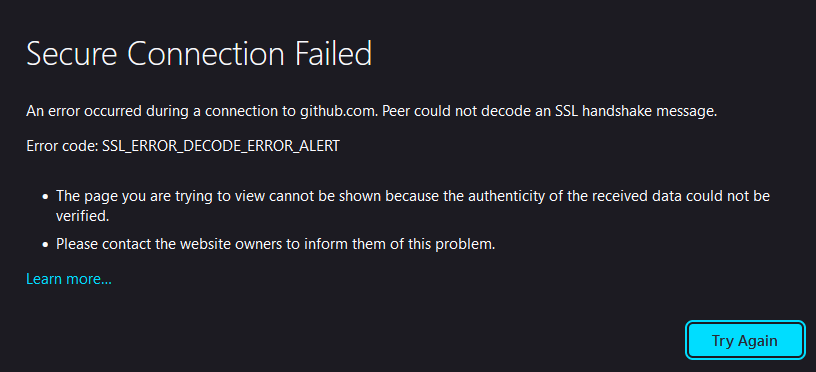
I believe this issue started ever since I upgraded my PC to Windows 11, and has persisted through a full reinstall. I continually get intermittent SSL errors of all types when visiting any websites. Simply refreshing the page temporarily resolves the issue, but I'd estimate 20% of the time when I try to load a webpage I get the error. This does not happen on any other browser, or Firefox on any other device on my network. Interestingly I believe this even happened on the same machine inside a Linux VM in VMware, but I'm not 100% I am remembering that right. So far, I have tried various fixes including resetting certificate authorities and changing Firefox to use the Windows certificate store in about:config, but nothing has worked so far. I'm all ears for any ideas.
Thanks!

Chosen Solution
There is security software like Avast, Kaspersky, BitDefender and ESET that intercept secure connection certificates and send their own.
https://support.mozilla.org/en-US/kb/firefox-cant-load-websites-other-browsers-can
https://support.mozilla.org/en-US/kb/firefox-and-other-browsers-cant-load-websites
https://support.mozilla.org/en-US/kb/secure-connection-failed-firefox-did-not-connect
https://support.mozilla.org/en-US/kb/websites-dont-load-troubleshoot-and-fix-errors
All Replies (7)

What security software are you running? Can you provide a few example site showing the error?
Thanks for the quick reply.
The only security software I am running is Windows 11 Windows Security and Acronis Cyber Protect Home Office. I believe I have disabled the Acronis software and the issue remained, but I will retest that. I will take some screenshots and provide them once I reproduce the issue a few times.
edit: I've uploaded an example.
edit 2: I've uploaded a few more examples.
edit 3: Just to clarify, these errors, and other similar errors, appear randomly on any website I visit intermittently.
Modified by jdial91
Just for kicks, let me switch to Win11.
I don't think it's a specific Windows 11 issue. My Personal laptop runs Win 11 and Firefox with no issue, and I can't find anyone having the same issue. I just updated my Acronis software. I have not relaunched it, and now I have not been able to reproduce the issue. I'm going to leave it unopened for a few days and see if I can reproduce the issue at hand. I'll report back with whatever I find. Thanks again!
Yeah, no issues here. see screenshot I also run Win Def and Kaspersky with no issues
Edition Windows 11 Pro Insider Preview
Version 22H2
Installed on 12-May-22
OS build 25115.1000
Experience Windows Feature Experience Pack 1000.25115.1000.0

Modified by jonzn4SUSE
Chosen Solution
There is security software like Avast, Kaspersky, BitDefender and ESET that intercept secure connection certificates and send their own.
https://support.mozilla.org/en-US/kb/firefox-cant-load-websites-other-browsers-can
https://support.mozilla.org/en-US/kb/firefox-and-other-browsers-cant-load-websites
https://support.mozilla.org/en-US/kb/secure-connection-failed-firefox-did-not-connect
https://support.mozilla.org/en-US/kb/websites-dont-load-troubleshoot-and-fix-errors
It looks like its the Acronis software active protection. I'll continue support with them. Thanks all